Tech

The Software That Makes the ZimaBoard 2 a Standout Home Server ZimaOS 1.5 🏠🚀

Published

on

Discover how ZimaOS 1.5 elevates the ZimaBoard 2. Explore the latest NAS OS features, 2.5GbE connectivity, and why it’s a standout choice for home server fans.

The ZimaBoard 2 has already made a lasting impression on us as a highly capable single-board server. ⌨️ You need only look at our team’s previous articles to see the depth of our appreciation. Today, however, we are shifting our focus to an element we haven’t fully explored yet: the latest iteration of ZimaOS—a streamlined, focused, and open NAS operating system. 🌐📦

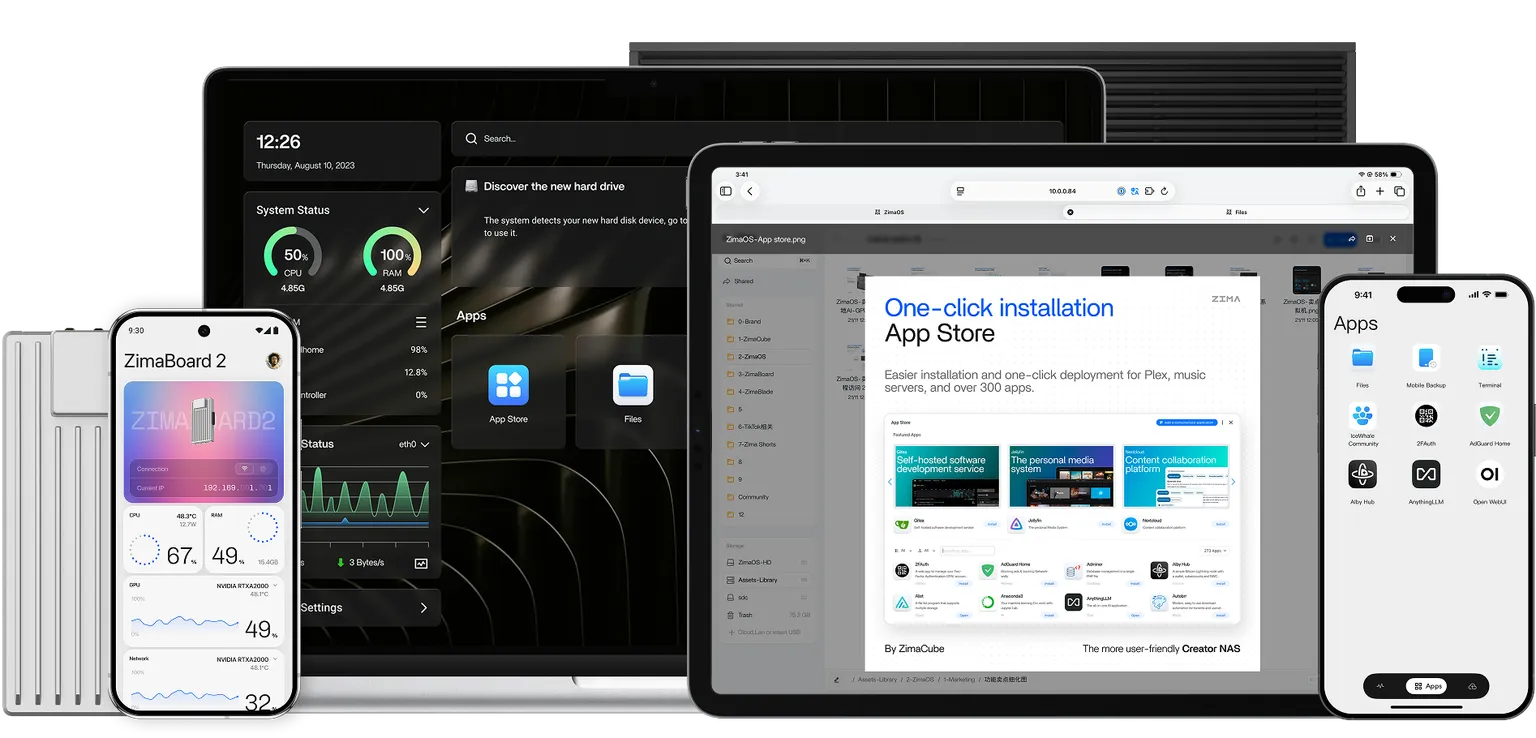
With the Zima team recently updating the system to version 1.5, now is the perfect time to take an inside-out look at why the ZimaBoard 2 has garnered such popularity. ✨📈

Hardware ⚙️

To truly appreciate the appeal of the ZimaBoard 2, it is worth briefly revisiting the hardware foundation. Most of the connectivity remains consistent with the first-generation ZimaBoard, featuring two 2.5GbE LAN ports, two SATA 3.0 ports, two USB 3.1 ports, and a Mini DisplayPort 1.2. 🔌⚡

The most significant evolution lies in the PCIe interface, which has graduated from PCIe 2.0 to PCIe 3.0. 🏎️💨 While the lane count remains the same, PCIe 3.0 delivers nearly double the bandwidth and vastly improved transmission efficiency. This upgrade is crucial for maximizing the performance of expansion devices, particularly NVMe SSDs and high-speed network cards. 💾

As a single-board server, the ZimaBoard 2 is robust on the hardware front. Yet, it is the integration of ZimaOS 1.5 that truly elevates the user experience. 🌟💪

How ZimaOS Lowers the Barrier to Entry 🔓

Despite the undeniably “geeky” aesthetic of Zima’s hardware, ZimaOS was engineered with a democratizing goal: to enable every household to own a private cloud. ☁️🤓 Consequently, the learning curve is refreshingly gentle.

Setup is straightforward: simply plug in the power, connect an Ethernet cable to your router, and download the client from the official website to your laptop or phone. 📶 Following the prompts to create an account takes less than five minutes. It is an almost effortless process, even for users with zero server management experience. 🖱️⏳ Naturally, the client isn’t mandatory; if you prefer, you can access the Web UI directly via the device’s IP address.

Crucially, account registration is entirely local. It requires no email address or phone number, ensuring that your data remains strictly yours and is never uploaded to external servers. 🔒🛡️

Backup 📂

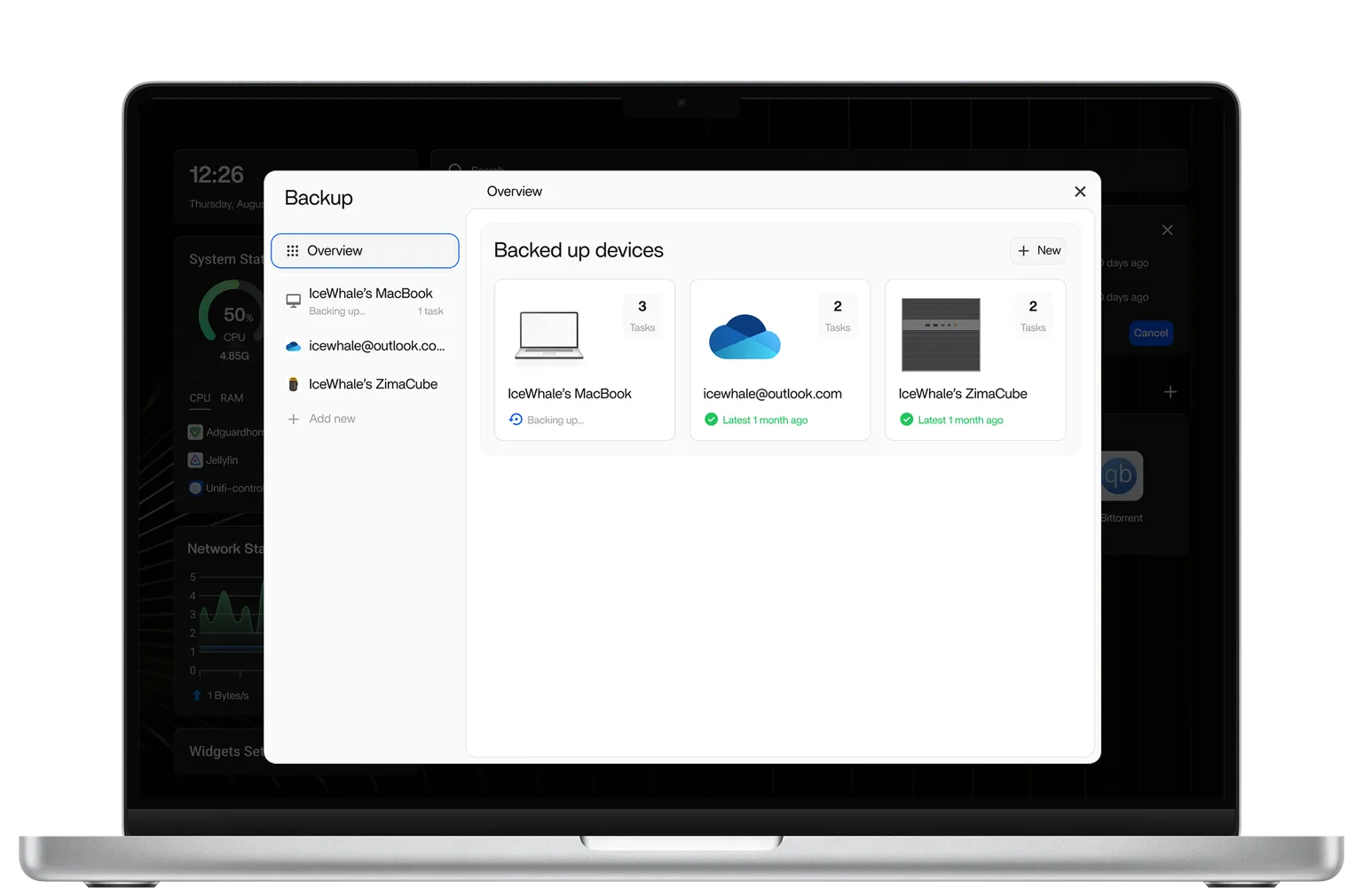
So, what is the practical utility of ZimaOS? At its core, it functions as a NAS operating system, handling all the essentials you would expect from mainstream solutions. Data backup is the primary function, allowing photos, videos, and documents to be securely stored on the ZimaBoard 2. 📸🎥📄

While the built-in 64GB of internal storage is a starting point, it may not suffice for everyone—though we will address storage expansion in a moment. 📦➕

The greatest enemy of consistent backups is inconvenience. ⚔️ To eliminate friction, ZimaOS provides multiple methods for file management. It supports direct mounting of cloud drives and instant mounting of USB drives upon connection, as well as seamless local and remote access via smartphones, PCs, and Macs. For most users, their most valuable data resides on their mobile devices. With ZimaOS, backing up a phone takes roughly ten seconds—fast, painless, and efficient. 📱⚡

More Freedom 🕊️

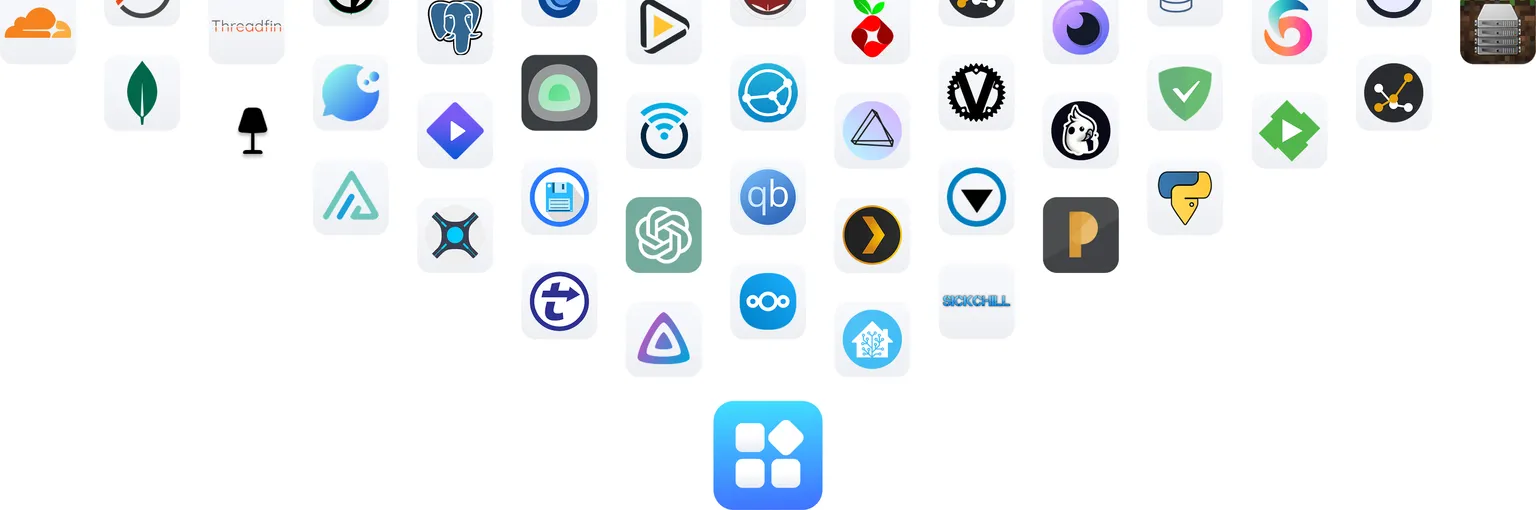
ZimaOS offers more than just digital storage; its app store opens up a playground of possibilities. 🏪 You can, for instance, deploy RetroArch to transform your ZimaBoard into a retro gaming emulator, or install MineOS to host your own private Minecraft server. 🕹️⛏️

For power users who demand more from their NAS, Docker support is indispensable. 🐋 ZimaOS accommodates this need seamlessly, allowing you to import and launch custom Docker applications via the CLI or by using Docker Compose files. 💻

A Fully-Featured NAS 🏢🗄️

If the internal 64GB storage feels limiting, the ZimaBoard 2 can easily transform into a fully-fledged NAS with the addition of spare hard drives. Icewhale has even engineered a dedicated 2-Bay HDD Rack Tray specifically for the ZimaBoard 2. 🏗️💿

This metal rack tray does more than just secure the board and aid in heat dissipation; it allows for the installation of various expansion boards on the side using a PCIe extension cable. ❄️ The result is a setup that functions as a server but doubles as a stylish desktop accessory. ✨📐

However, the rack tray is not a requirement. You can simply connect HDDs directly to the ZimaBoard 2 for a quick setup. While ZimaOS supports RAID 5, the two-drive configuration makes RAID 1 the most practical choice for data redundancy. 👯🛡️

Alternatively, you can leverage the PCIe slot to add five additional SATA ports, effectively turning a two-bay NAS into a seven-bay powerhouse. Pair that capacity with Jellyfin, and you have successfully built a comprehensive home media library. 🍿🎬

Summary 📝

Taking a step back, the rising popularity of the ZimaBoard 2 and ZimaOS is easy to understand. For the average home user, traditional NAS solutions often present a steep barrier to entry, plagued by complex setups, confusing network configurations, and intricate permission management. 🧩 Conversely, for enthusiasts, building a Linux server from scratch offers flexibility but comes with the burden of ongoing maintenance, updates, and troubleshooting. 🛠️

ZimaOS occupies the sweet spot between these extremes. 🎯 It avoids being a limited “toy” solution while skipping the intimidating complexity of enterprise-grade systems. By remaining simple yet preserving extensibility and freedom, ZimaOS offers a value proposition that is arguably rare in today’s market. ⚖️

Whether you are a complete novice or a seasoned enthusiast, ZimaOS has something to offer. 🎓 With the addition of Icewhale’s 2-Bay HDD Rack Tray, the system even boasts an attractive physical form. If you are the type of user who appreciates DIY desktop PCs in ITX cases, you will likely find a lot to love in the ecosystem the Zima team has created. 🖼️🛠️

Leave a Reply

Your email address will not be published. Required fields are marked *

Trending

© Copyright 2026 | All rights reserved | Technews89.com