8 Android 17 features in development I can’t wait to use 

Google has already rolled out four beta versions of Android 17, giving us a remarkably clear picture of what the next major update entails. 

As the official Android 17 release draws closer, here are eight highly anticipated features and upgrades I am genuinely excited to try.

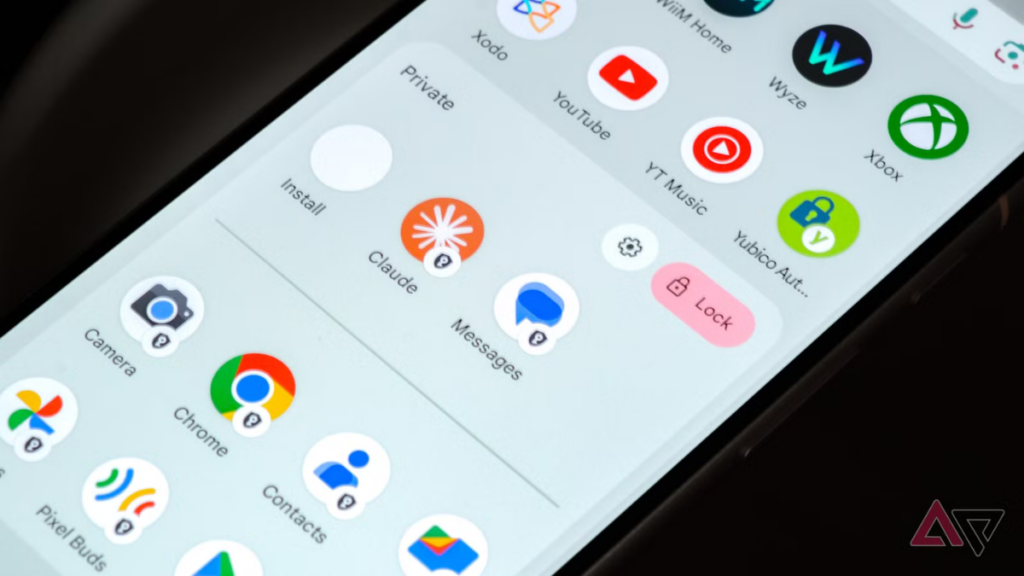
#App Lock
1. A native app lock, finally 
Google is finally answering years of user requests by introducing the ability to lock individual apps natively. 

This built-in security measure can be configured using a PIN, pattern, password, or biometrics (like face unlock 


App lock in Android 17
App lock interface in Android 17 (image credit: Android Police)
Google does note that specific AI tools, like Gemini’s screen automation, might still interact with these secured apps depending on your granted permissions. 
While many custom Android skins—such as Samsung’s One UI—have offered this functionality for a while, it’s a long-overdue and highly welcome addition to the stock Pixel experience. 

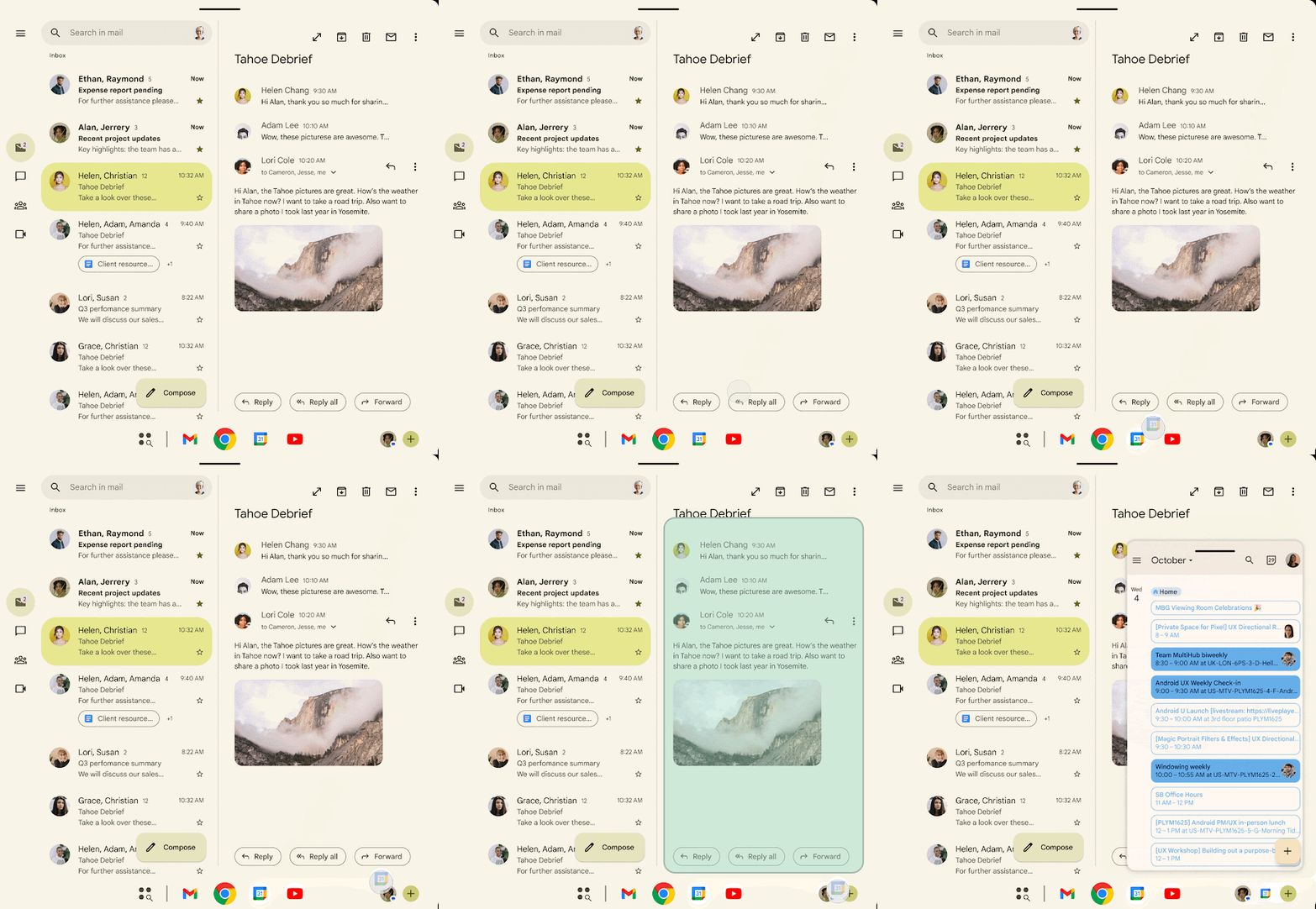
#Floating app bubbles
2. Floating app bubbles make multitasking easier 
Although Android’s floating bubbles have existed for years, they were strictly limited to messaging and chat applications. Android 17 takes a massive leap forward by letting you transform virtually any app into a floating bubble. 
Android 17 Beta 2 Bubbles feature
Bubbles in Android 17
Imagine watching a YouTube tutorial 


Whenever you’re done, you can simply dismiss the app bubble by dragging it to the bottom of your screen. 
Naturally, this feature truly shines on large-screen devices like tablets and foldables, where you have plenty of visual real estate to juggle multiple floating windows. 
3. A more powerful screen recording with a preview screen 
Android 17 is overhauling the screen recording experience, introducing a highly refined interface and a brand-new preview screen. 
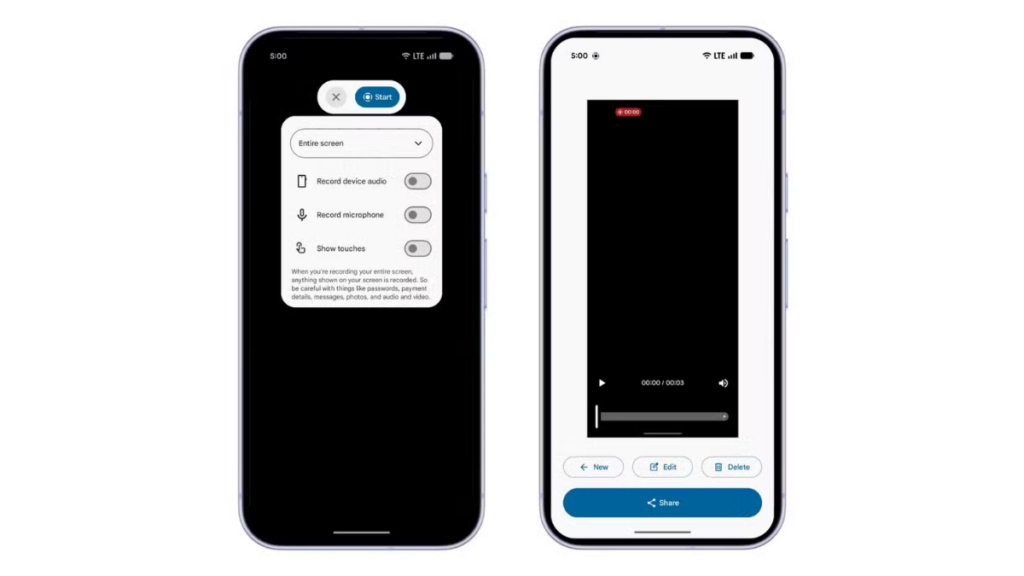
#screen recording
In Android 17, that clunky pop-up is replaced by a sleek, floating pill interface. 

screen recording in Android 17
The best part happens when you stop recording: a dedicated preview screen instantly appears. 

4. Mandatory Large-Screen Adaptivity 
Google is laying down the law regarding app resizability and orientation. 

This bold move is intended to force the Android ecosystem to become truly adaptive. 

Mobile games, however, are exempt from this mandate to ensure complex graphical layouts don’t break during critical gameplay. 
Google actually started phasing out fixed orientations in Android 16, but developers were given an opt-out loophole. With Android 17, the training wheels are off—adaptivity is now mandatory, and developers can no longer bypass the requirement. 
5. Hide app names on the home screen 
Introduced in the Beta 3 build, Google is finally giving users the option to hide app labels on the home screen. While it might seem like a minor tweak, it’s a fantastic tool for minimalists looking to curate a beautifully clean and uncluttered interface. 

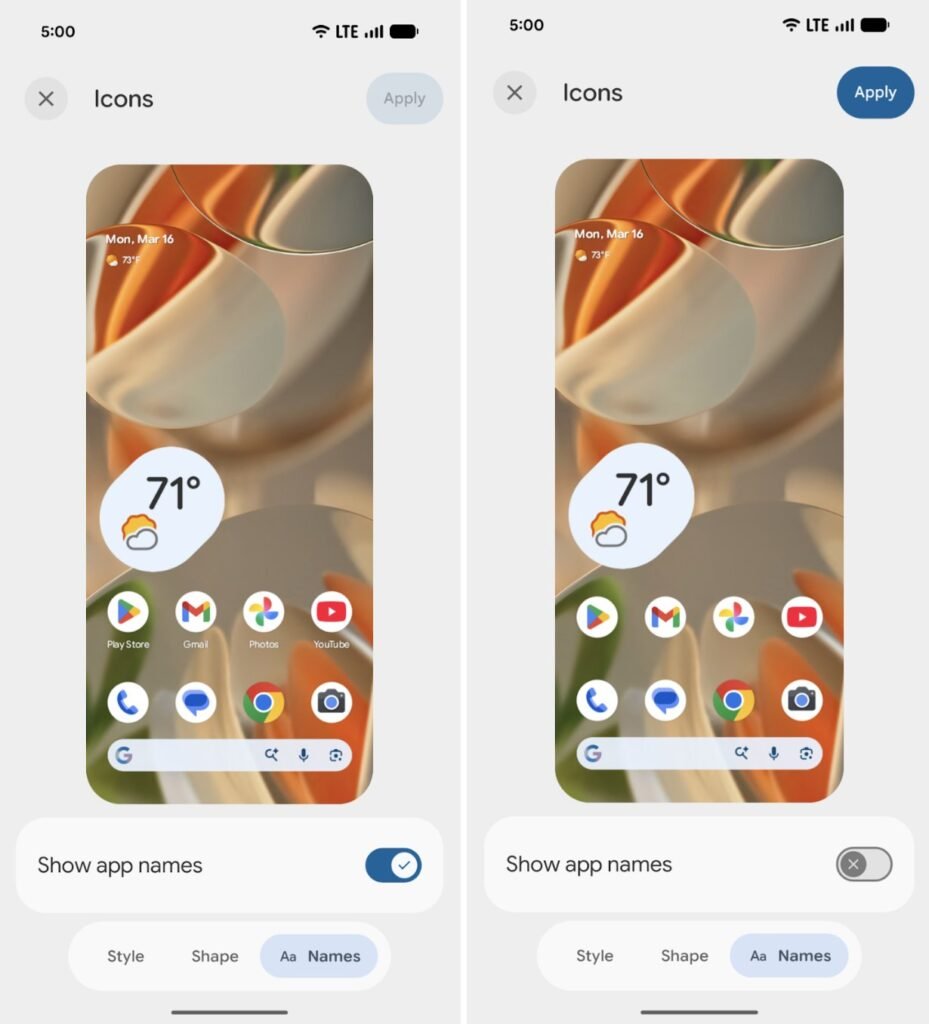
#Hide app
To achieve this text-free look, navigate to Wallpaper & style, tap Home screen, select Icons, find the Names tab at the bottom, and disable the “Show app names” toggle. 
6. Separate Wi-Fi and mobile data toggles 
On Pixel devices running Android 16 or older, managing your connectivity is surprisingly tedious. 
Users have voiced their frustration over this unnecessary extra step for years. Now, after almost four and a half years of the unified menu, Android 17 finally restores the ability to add distinct, individual toggles for Wi-Fi and mobile data. 
This is a massive win specifically for Pixel purists, as most competing Android interfaces—like Samsung’s One UI and OnePlus’s OxygenOS—wisely never abandoned the separate toggles to begin with. 
7. Give apps limited access to your contacts 
Currently, Android’s contact permissions are an all-or-nothing affair. If an app requests access to your contacts and you hit “allow,” it gains unfettered access to your entire address book. 

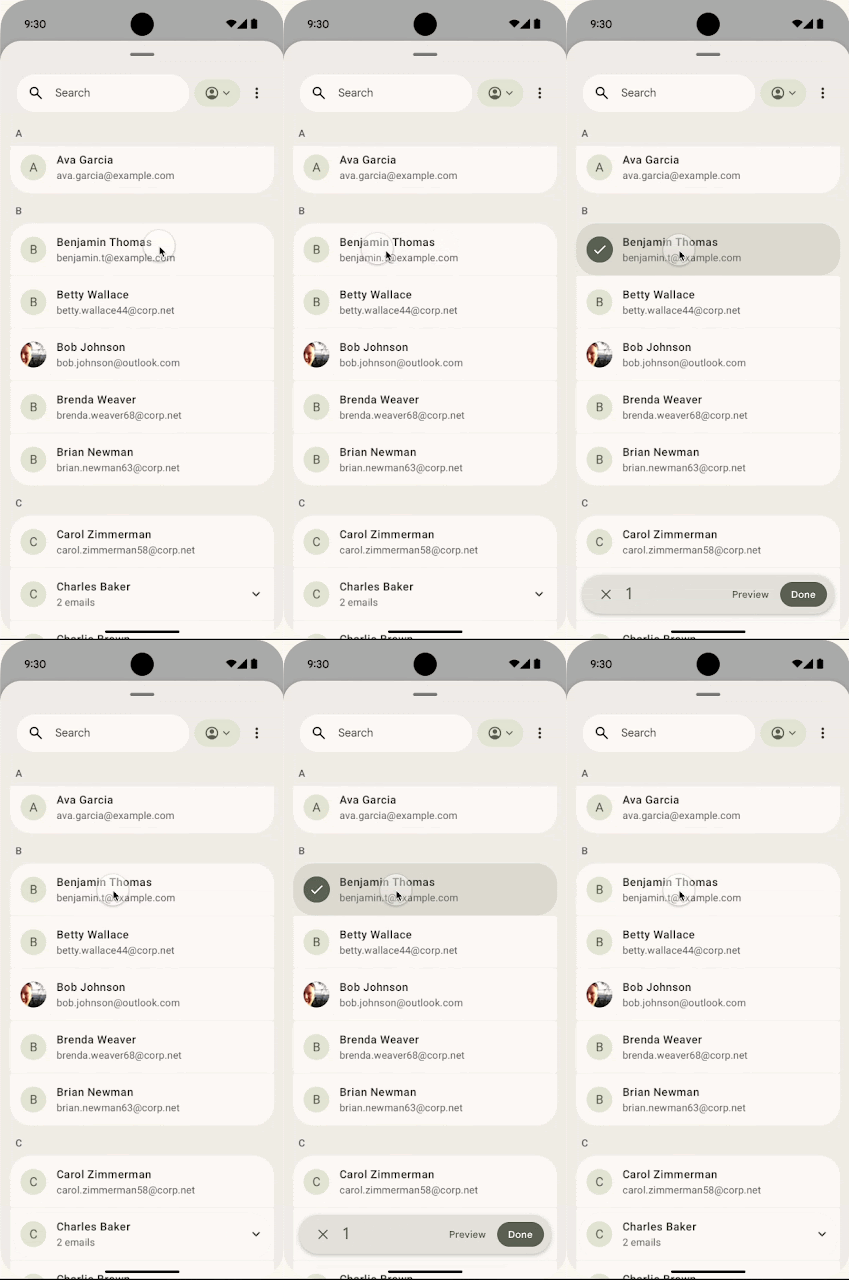
#Contact picker UI in Android 17
Because this isn’t exactly a privacy-friendly approach, Google is rolling out a system-level Contact Picker. 
Contact picker UI in Android 17
The Contact Picker operates by granting temporary, session-based read access strictly to the data fields you choose to share. 

8. Seamless task continuity on another device 
Google is developing a powerful “Task Continuity” feature aimed at unifying your tech ecosystem. 

As noted by Android Authority, the feature works by displaying a smart suggestion on your taskbar that represents the active app from your other device. 

This is powered by the new Handoff API, which Google unveiled in Android 17 Beta 2. It allows developers to dictate exactly how their applications should resume on a secondary device, prompting the Android system to push a contextual handoff suggestion to the launcher of your nearby tech. 
Final build may not include all of them
If you’re a veteran of Android update cycles, you know that not everything tested in a beta makes it to the final cut. 
Every feature highlighted above is currently live in the Android 17 beta builds. 
