
Laptop & PC
Elevate Your Laptop Audio: Simple Tips for Better Sound Quality 🔊💻✨

Tired of tinny laptop speakers? Learn how to boost your sound quality with external speakers, smart devices, and simple setup tweaks for a better experience.

#Laptop Audio
It is a nearly universal truth that laptop speakers leave much to be desired. The complaints are consistent: tinny vocals, nonexistent bass, and generally muddy performance 📉. But you don’t have to settle for a subpar listening experience. There are several effective ways to unlock your machine’s sonic potential 🚀. Let’s explore how to boost your laptop’s output and get the most out of your audio setup 🎵.
Upgrade Your Laptop Audio with External Speakers 📢
#Laptop Audio
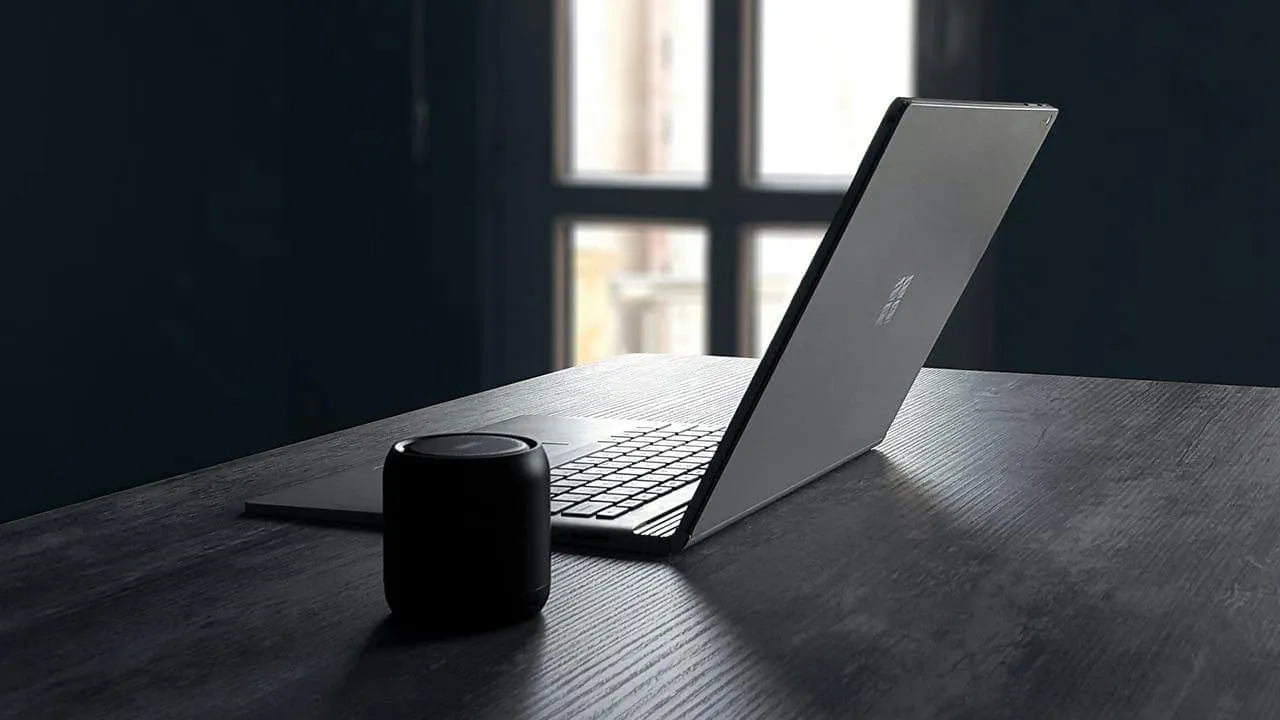
The quickest route to better sound is simply bypassing the internal hardware entirely. Portable Bluetooth speakers are an excellent fix for on-the-go listening, offering a wireless, hassle-free connection 📶. If you prefer a stationary setup, smart speakers like Apple’s HomePod or Google Nest deliver impressive fidelity 🏠🍏. Just keep in mind that wireless connections can occasionally introduce slight latency or compression artifacts ⚡.
Leverage Your Existing Stereo System 📻
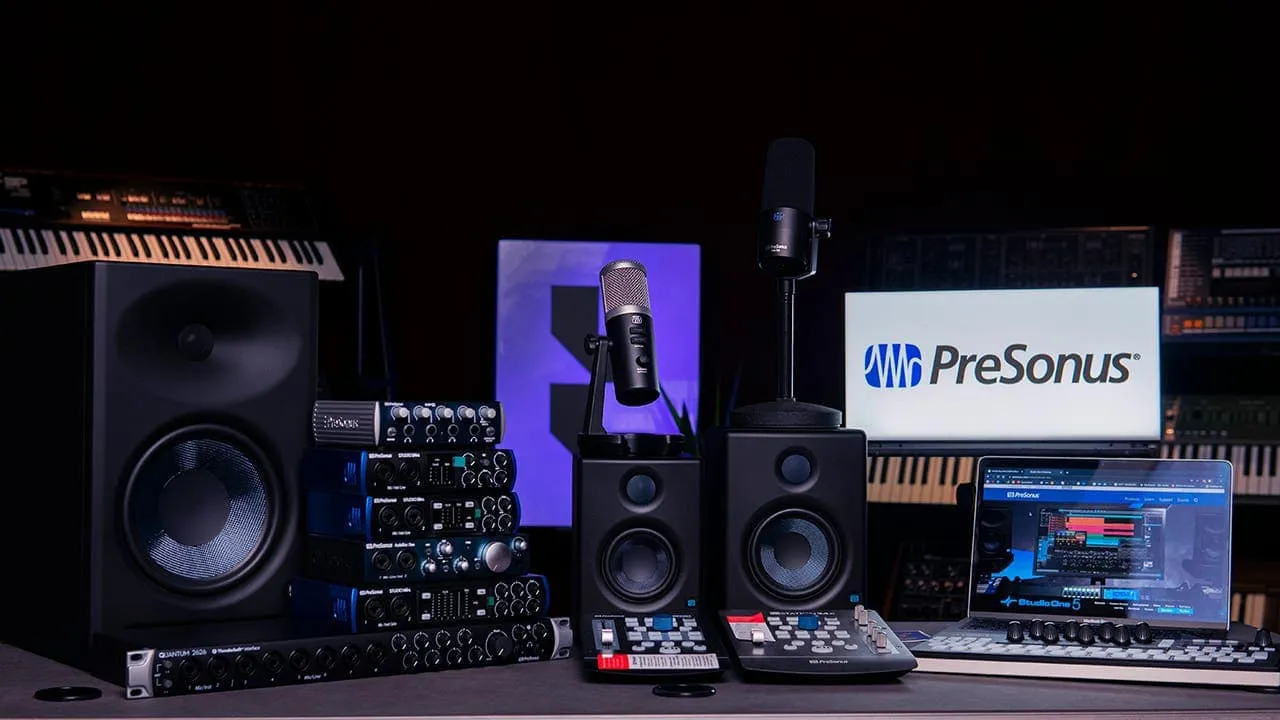
Don’t overlook the gear you already own; that dust-gathering stereo system can be given a second lease on life 🧹. Utilizing your laptop’s headphone jack to connect to a receiver can offer an immediate, noticeable upgrade 🔌. For the audiophiles out there, adding a Digital-to-Analog Converter (DAC) to the chain will bridge the gap between digital files and analog warmth for superior results 💎.
#Stereo System
Invest in Dedicated Desk Speakers 🖥️🔊
If you are anchored to a desk for most of the day, dedicated speakers can significantly elevate your audio experience. Almost any desktop set will outperform even high-end built-in laptop drivers. The market is vast, so weigh your budget against your sonic preferences 💰. It is always wise to audition speakers in person if the opportunity arises 👂.
For those seeking budget-friendly value, 2.1 systems like the Logitech Z407 or Creative Pebble Plus offer respectable performance and Bluetooth utility 🎶. If you desire a more aesthetic or powerful setup, consider the iconic Harman Kardon SoundSticks 4 or the neutral, accurate Pioneer DJ DM-50D studio monitors 🎼.

#Desk Speakers
Active speakers—units with built-in amplification—provide another versatile option, often featuring various inputs for different devices ⚡. Brands like Klipsch (The Fives) and Q Acoustics (M20) produce exceptional active speakers across various price points 🏷️.
Ultimately, the best choice depends entirely on your specific ear and your budget 🎯.
Enjoy Better Sound with Headphones 🎧
Sometimes, the best acoustic environment is a personal one. High-quality headphones, whether wired or wireless, will drastically outshine your laptop’s speakers 🌟.

#Better Sound
Comfort is paramount, particularly for extended sessions 😌. Open-back headphones are worth considering; they allow airflow for a wider soundstage, though they do leak sound 🌬️. If you treat them like near-field speakers in a quiet room, this leakage is rarely an issue. For true high-fidelity, pair premium headphones with a dedicated amp or DAC to unlock their full potential 🔋.
Update Your Audio Drivers ⚙️🛠️
Sometimes the bottleneck isn’t hardware, but software. Outdated drivers can strangle sound quality, so updating them is a crucial troubleshooting step. Here is how to ensure your system is communicating correctly:
Check for updates using your computer’s command center 🖥️
Many pre-built systems include proprietary software to manage system health. Look for a “command center” or similar application from your manufacturer and check for specific audio driver updates there 🔄.
Use Windows Device Manager 🪟
#Deive Manager
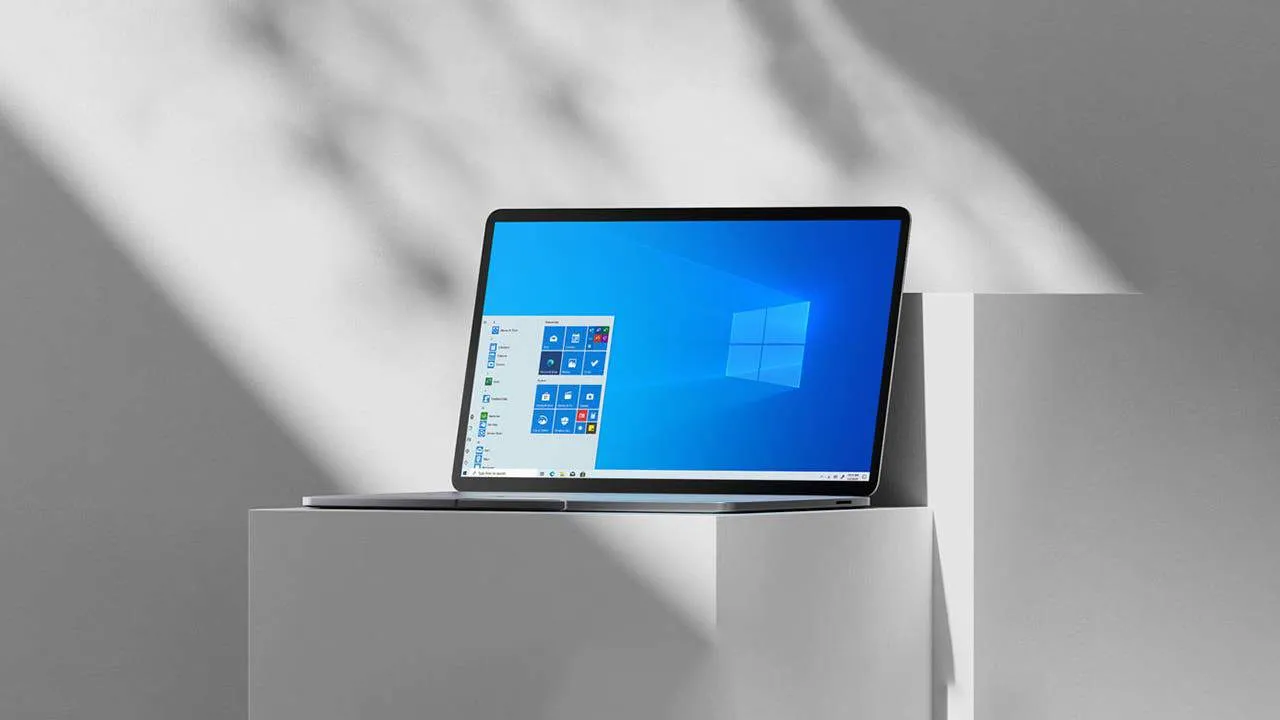
Alternatively, right-click the Start button and select “Device Manager.”
Expand the section labeled “Sound, video, and game controllers 🎮.”
Right-click your specific audio device and choose “Update driver.”
Select “Search automatically for updated driver software,” or choose “Browse my computer” if you have already downloaded a specific driver file 📂.
Maintaining up-to-date drivers ensures your hardware communicates correctly, optimizing performance and resolving potential glitches ✅.
Other Tips for Better Laptop Audio 💡
While external hardware offers the most dramatic improvements, there are several housekeeping steps you can take to optimize your laptop’s native sound:
Equalizer settings: Dive into your laptop’s built-in equalizer or use third-party software to sculpt the frequencies to your taste 🎚️.
Software enhancements: Many playback applications offer virtualization or bass boost features. Experiment with these to see if they enrich your listening experience 🪄.
Laptop placement: Avoid resting your laptop on soft surfaces like beds or couches, which can muffle bottom-firing speakers 🛋️🚫.
Volume level: Pushing volume to the maximum often introduces distortion. Keep levels reasonable to maintain clarity 🔉.
Regular cleaning: Dust is the enemy of clear audio. Gently clean your speaker grilles with a soft brush to prevent buildup from affecting sound output 🧹✨.
By combining these practical maintenance tips with the hardware upgrades mentioned earlier, you can transform your laptop from a tinny annoyance into a capable audio hub 🎶🌈.


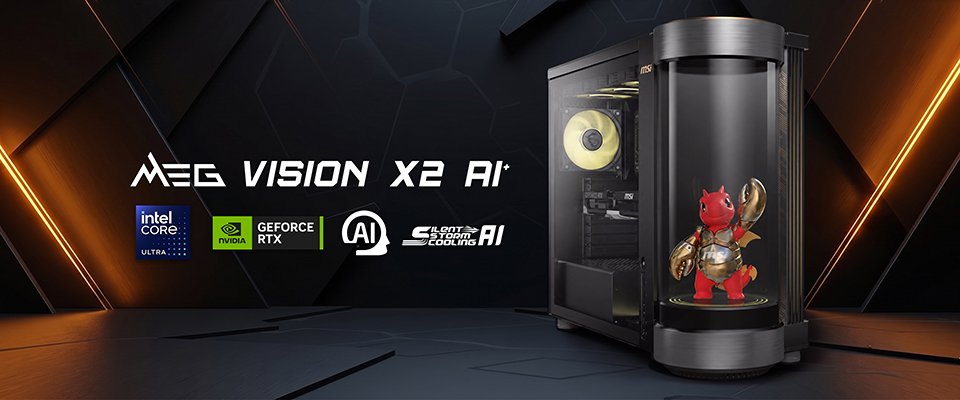
Forget dedicated AI buttons—MSI just built a holographic AI companion 🤖 directly into your next gaming PC 🎮.
MSI’s newest gaming desktop, the MEG Vision X2 AI+ 🖥️, takes the current industry trend of adding AI to everything and makes it literal. Instead of just relying on software features or a dedicated keyboard button ⌨️, MSI has built a secondary display directly into the front of the PC case to house a virtual assistant 💁♂️.
The company calls this cylindrical screen the AI Holostage ⚪. It serves as a physical home for LuckyClaw, an AI companion that runs locally on the machine. According to MSI, you can use natural voice 🗣️ or text commands 💬 to ask LuckyClaw to adjust your system’s performance profiles ⚡, change monitor settings 🖥️, or swap out your RGB lighting colors 🌈.
If you aren’t interested in using MSI’s default mascot, the software also supports custom third-party avatars 🎭. It is basically a voice-activated settings menu with a face 👤. MSI says the software will get updates over time to add more features 🔄.

#MEG Vision X2 AI+
MSI MEG Vision X2 AI+ ✨
If you look past the built-in screen, the MEG Vision X2 AI+ is simply a very high-end gaming PC 🔝. It can be configured with Intel’s Core Ultra processors 🧠 and up to an Nvidia RTX 5090 graphics card 👾. The system can reach up to 3400 TOPS of total AI performance 🚀.
To keep the hardware cool, the desktop includes a 360mm liquid cooler ❄️💧. The interior design relies on MSI’s Project Zero motherboard standard, which moves all the power connectors to the back of the board. This hides the cable clutter and keeps the inside of the case looking neat 🧹 behind the glass panel 🧊.
The rest of the specifications include modern standards like PCIe 5.0 storage 💾, DDR5 memory, Wi-Fi 7 📶, 5G Ethernet, and Thunderbolt 5 support ⚡.
MSI has not announced a release date 📅 or pricing details yet 💸.
In related news, MSI has recently launched a 425Hz 1440p gaming monitor 🖥️ that costs less than $330 💵.
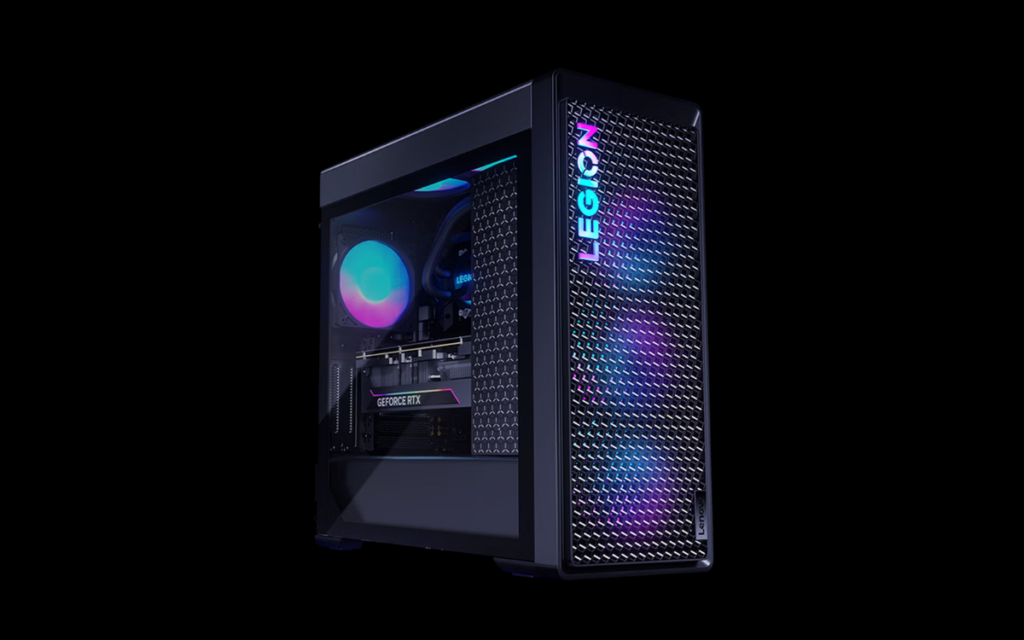
✍️ Lenovo is rewriting the pre-built playbook with its new Legion Blade 7000K, a high-performance 🧟♂️ “Frankenstein” desktop that pairs a laptop-grade i7 processor with the 🎮 RTX 5060 and a bizarre 🧠 24GB of RAM.
Lenovo has added a new configuration to its Legion Blade 7000K desktop PC lineup, combining an Intel Core i7-13650HX processor with an Nvidia RTX 5060 graphics card. ⚙️ The system is currently available with a promotional launch price of 💰 9,999 yuan ($1,478), and will eventually shift to a standard retail price of 🏷️ 10,499 yuan ($1,552).
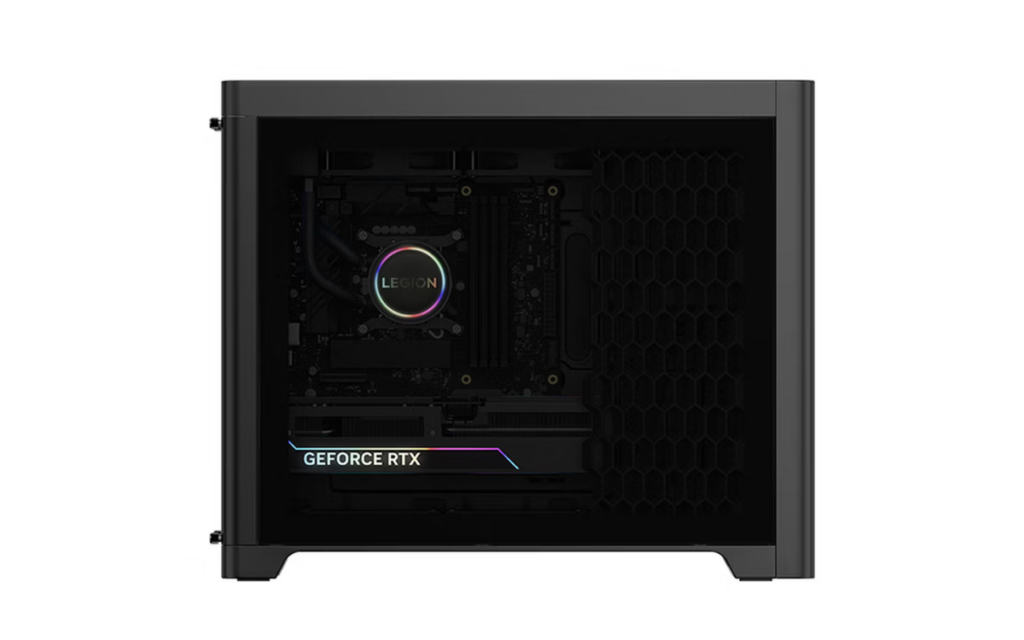
🖥️ Lenovo Legion Blade 7000K desktop
#Legion Blade 7000K
📋 Lenovo Legion Blade 7000K Specifications
🧐 The most interesting part of this build is the choice of processor. The Core i7-13650HX is actually a mobile chip designed for high-end laptops, though it is built on repurposed desktop silicon. 🔬 Lenovo has opted to use it here inside a standard desktop tower. It features a 🚀 14-core, 20-thread configuration, which is split into six performance cores and eight efficiency cores.
The chip also includes a 24MB Smart Cache and reaches a peak turbo frequency of ⚡ 4.90 GHz. It operates at a 55W base power but can draw up to 🔌 157W when pushed to its maximum turbo consumption. Lenovo paired this processor with Nvidia’s RTX 5060, a graphics card that handles standard 1080p and 1440p gaming, as well as basic video encoding and 🤖 AI tasks.
For memory, the system comes with 🐏 24GB of DDR5 RAM running at 5600MHz. That is an unusual amount for a pre-built PC, since they usually ship with either 16GB or 32GB. 🧩 It gives you a bit more room for multitasking than a standard 16GB setup without making the computer as expensive as a 32GB model. For storage, it includes a standard 🗄️ 1TB PCIe 4.0 NVMe SSD.
Lenovo Legion Blade 7000K desktop
🏗️ The case design is functional and sticks to the established look of the Legion brand. The chassis comes in a Titanium Crystal Gray finish and relies on a mesh front panel for intake ventilation. Behind this mesh, Lenovo included a textured airflow shroud, which the company refers to as its 🌑 Night Sky design, to help direct air over the internal components. 🌬️
Like most modern gaming desktops, the Blade 7000K includes customizable lighting. 🌈 The front panel features an ARGB Legion logo, and the internal cooling fans are equipped with 💡 12-LED RGB rings. It also features a standard 💎 tempered glass side panel that allows users to see the internal hardware, while the primary I/O ports are situated on the top edge of the case.
🗞️ In related news, Lenovo recently unveiled the Lecoo Air 14, Intel’s first laptop based on the Project Firefly initiative, and also introduced the 2026 ThinkPad X13 powered by the 📈 Ryzen AI 7 445 with up to 32GB of LPDDR5x memory.
Laptop & PC
CHUWI CoreBook Air Launches as a Copilot+ PC with Intel Lunar Lake, 2.8K Display and 15-Hour Battery 🚀🔋✨
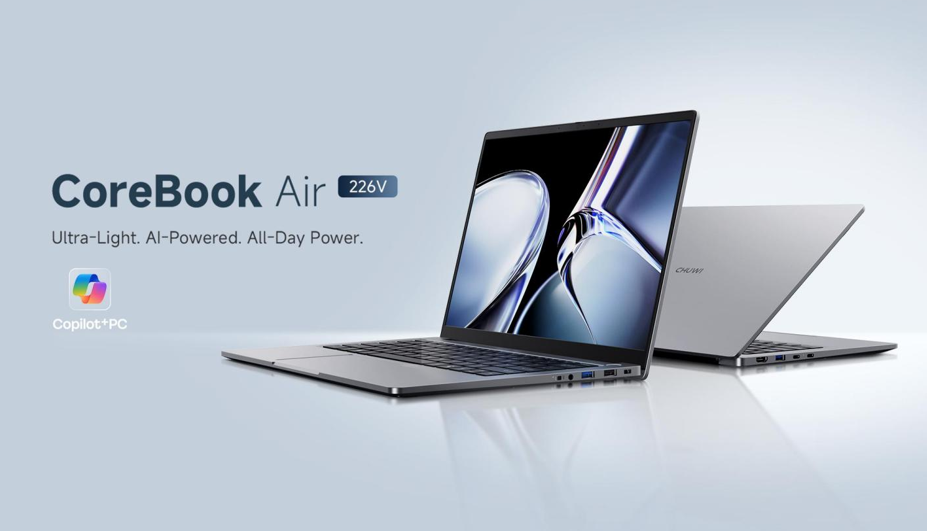
Is this the ultimate budget MacBook killer? 💻 CHUWI has officially launched the CoreBook Air—a next-generation Copilot+ PC that packs Intel’s revolutionary Lunar Lake power ⚡ and a stunning 2.8K 120Hz display 🖥️ into an ultra-light 1.2kg frame 🪶, all for an unbeatable early-bird price of $749. 💰
#CHUWI CoreBook Air
CHUWI has officially introduced the new CoreBook Air, a next-generation Copilot+ PC designed to deliver powerful AI capabilities 🤖, long battery life 🔋, and premium portability. According to CHUWI CEO Jesea Yang 🗣️, the CoreBook Air combines Lunar Lake performance and Copilot+ AI capabilities in an ultra-light 1.2kg design, helping bring advanced AI PCs to a wider audience at a more accessible price point. The company aims to make advanced AI-powered computing more accessible to students 🎓, professionals 💼, creators 🎨, and remote workers. 🏠
#CHUWI CoreBook Air
Premium Design Built for Portability ✨
The CHUWI CoreBook Air features a slim and lightweight design that weighs just 1.2kg, making it easy to carry throughout the day. 🎒 The laptop uses a premium CNC-crafted aluminum chassis that provides a durable and professional appearance while maintaining portability. Its compact form factor makes it suitable for students attending classes, content creators working on the move, business professionals, and remote workers who need a dependable travel companion. ✈️
#CHUWI CoreBook Air
Sharp 2.8K Display with Smooth Visuals 📺
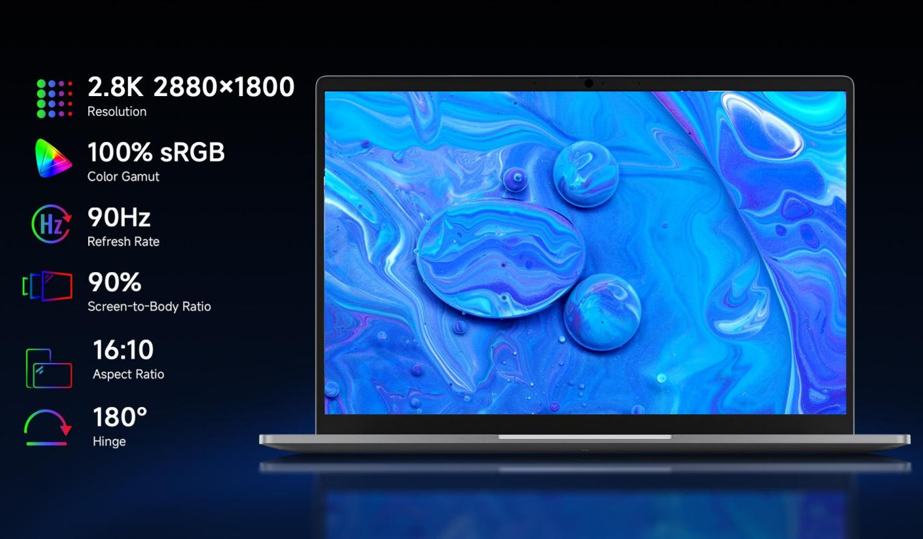
The laptop comes equipped with a 14-inch IPS display featuring a 2.8K resolution of 2880 × 1800 pixels. 🌈 It also supports a 120Hz refresh rate and covers 100% of the sRGB color gamut. This combination delivers sharper text, detailed visuals, smoother scrolling, and an improved video viewing experience. 🎬 The high-resolution panel is also designed to provide comfortable viewing during long work sessions. 👁️
Intel Lunar Lake Performance with Advanced AI 🧠
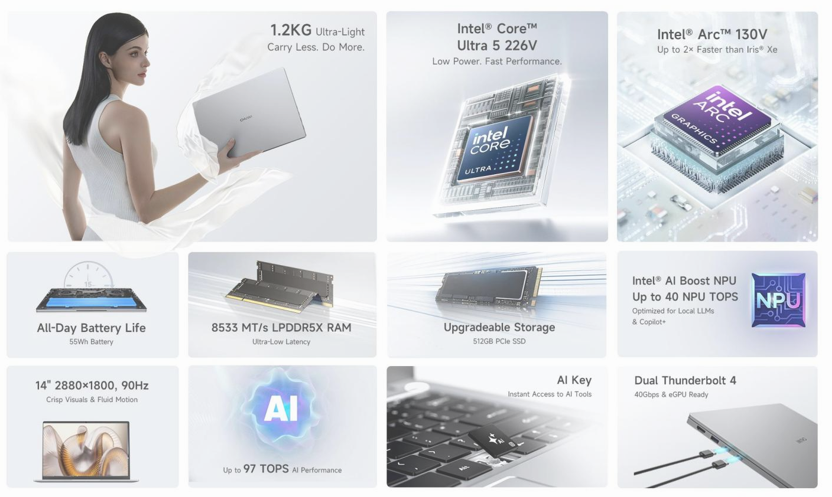
At the heart of the CoreBook Air is the Intel Core Ultra 5 226V processor based on Intel’s Lunar Lake (Series 2) architecture. ⚙️ The chip features 8 CPU cores and 8 threads, with boost frequencies reaching up to 4.5GHz. Users can expect strong computing performance, improved power efficiency, broad software compatibility, enhanced security, and advanced AI processing capabilities. 🚀
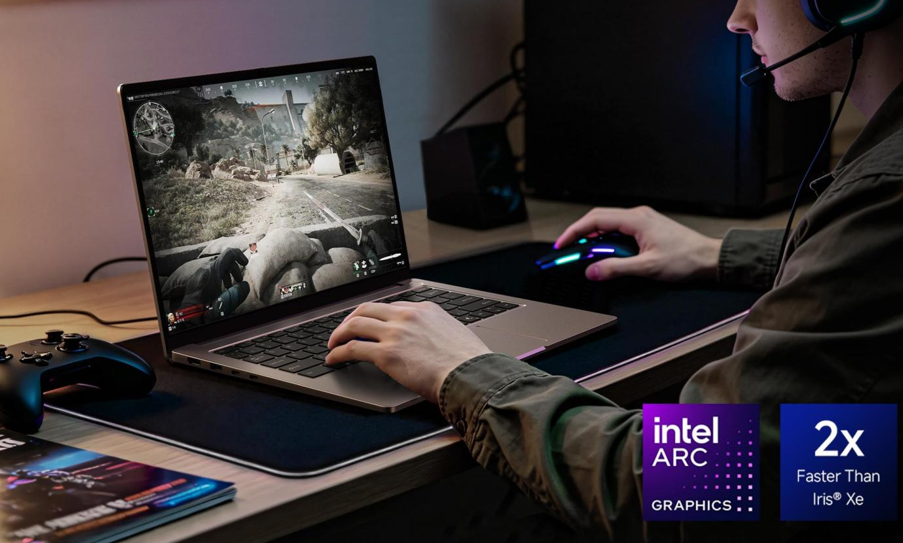
Graphics duties are handled by the integrated Intel Arc 130V GPU, which CHUWI claims can deliver up to twice the graphics performance of older Intel Iris Xe solutions. 🎮 The GPU supports hardware-accelerated ray tracing, casual gaming, content creation tasks, multimedia streaming, and GPU-accelerated applications. 🎞️
#CHUWI CoreBook Air
Copilot+ Features and AI Acceleration 🪄
One of the biggest highlights of the is its AI performance. The system delivers up to 97 TOPS of total AI computing power and includes an Intel AI Boost NPU capable of up to 40 NPU TOPS. ⚡ This dedicated AI hardware enables faster on-device AI processing, reduced dependence on cloud services, improved privacy, and quicker AI responses. 🛡️
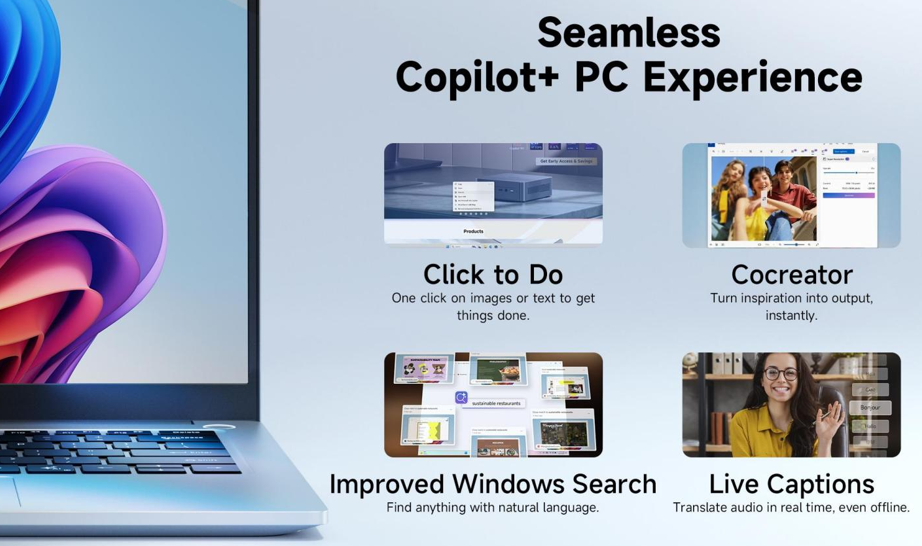
Running Windows 11 Pro out of the box, the laptop supports Microsoft Copilot+ PC experiences such as Click to Do, Cocreator, and Live Captions. ⌨️ A dedicated AI key also provides instant access to Microsoft Copilot. 🤖
Memory, Storage, Battery, and Connectivity 🔋
The CoreBook Air includes 16GB LPDDR5X memory running at 8533 MT/s using a memory-on-package design for faster multitasking, lower latency, and better efficiency. ⚡ Storage is handled by a 512GB PCIe SSD, while users can upgrade storage later through PCIe 4.0 x4 SSD support. 💾
A 55Wh battery powers the laptop and is rated for up to 15 hours of local video playback. ⏳ Charging is handled by a 65W USB-C Power Delivery adapter, capable of charging the battery to around 63% in approximately one hour. 🔌
For connectivity, the laptop supports Wi-Fi 6E for faster wireless speeds, lower latency, and improved stability. 📶 Port selection includes two Thunderbolt 4 ports with up to 40Gbps bandwidth, Power Delivery support, external display connectivity, and eGPU compatibility. Users also get three USB-A ports, an HDMI 2.0 output, and a 3.5mm audio jack. 🎧
Pricing and Availability 🏷️
The is available for pre-order now. 🛒 The laptop carries an official retail price of $799, but early buyers can take advantage of a limited-time Super Early-Bird discount of $50, reducing the launch price to $749. 📉 The promotional offer is available on a first-come, first-served basis while launch stock lasts. ⏰
CHUWI CoreBook Air – Specs Sheet
Category Specifications
Model CHUWI CoreBook Air
Operating System Windows 11 Pro
Copilot+ PC Certification Yes
Build Material Premium CNC-Crafted Aluminum Chassis
Weight Approx. 1.2 kg
Dimensions 312.9 × 222.5 × 16.8 mm
Display
Category Specifications
Display Size 14-inch
Panel Type IPS
Resolution 2880 × 1800 (2.8K)
Aspect Ratio 16:10
Refresh Rate 120Hz
Color Gamut 100% sRGB
Display Features Sharper text rendering, smoother scrolling, improved video playback, comfortable long-duration viewing
Performance
Category Specifications
Processor Intel Core Ultra 5 226V
Architecture Intel Lunar Lake (Series 2)
CPU Cores 8 Cores
Threads 8 Threads
Maximum Turbo Frequency Up to 4.5GHz
Graphics Intel Arc 130V GPU
Graphics Features Hardware-Accelerated Ray Tracing, Casual Gaming, Content Creation, Multimedia Streaming, GPU-Accelerated Applications
AI Processor Intel AI Boost NPU
NPU Performance Up to 40 TOPS
Total AI Performance Up to 97 TOPS (CPU + GPU + NPU)
Memory & Storage
Category Specifications
RAM 16GB LPDDR5X
Memory Speed 8533 MT/s
Memory Type Memory-on-Package
Storage 512GB PCIe SSD
Storage Expansion User Upgradeable
Expansion Support PCIe 4.0 x4 SSD Upgrades
Battery & Charging
Category Specifications
Battery Capacity 55Wh
Video Playback Up to 15 Hours Local Video Playback
Charger 65W USB-C Power Delivery Adapter
Fast Charging Supported
Charging Speed Up to 63% Charge in Approximately 1 Hour
AI Features
Category Specifications
AI Platform Copilot+ PC
AI Key Dedicated Microsoft Copilot Key
AI Workloads Local AI Processing, AI Productivity, Creative AI Workflows, LLM Inference
Supported Features Click to Do, Cocreator, Live Captions
Privacy Benefits Enhanced Local AI Processing with Reduced Cloud Dependency
Ports & Connectivity
Category Specifications
Thunderbolt Ports 2× Thunderbolt 4
Thunderbolt Features 40Gbps Data Transfer, Power Delivery Charging, Video Output, eGPU Support
USB Ports 1× USB 3.2 Gen 2 Type-A (10Gbps)
1× USB 3.2 Gen 1 Type-A (5Gbps)
1× USB 2.0 Type-A (480Mbps)
HDMI 1× HDMI 2.0 (Up to 4K @ 60Hz)
Audio Port 3.5mm Headphone/Microphone Jack
Wireless Connectivity
Category Specifications
Wi-Fi Wi-Fi 6E
Bluetooth Bluetooth 5.3
Camera & Multimedia
Category Specifications
Webcam 2MP Camera
Privacy Feature Physical Privacy Shutter

Tech4 months ago
JBL Live 780NC and Live 680NC Debut 🎉 in India: Featuring True Adaptive ANC, Spatial Audio, and Up to 80 Hours of Battery Life 🔋

Tech4 months ago
Vivo X Fold 6 Set to Redefine Foldables with a 7,000mAh Battery 🔋 and IPX8/IPX9 Durability 🛡️

Tech4 months ago
Why Next-Gen AI Smartphones May Ditch LPDDR for LLW 🪐

Entertainment9 years ago
The final 6 ‘Game of Thrones’ Trailer

Smartphones5 months ago
Oppo Android 17 (ColorOS 17) update: Full list of eligible devices 📱📲

Entertainment9 years ago
The old and New Edition cast comes together to perform

Videos5 months ago
Vivo X Fold 6 with Dimensity 9500 ⚙️, 200MP triple cameras to launch by June end 🚀

Videos8 months ago
Marvel Tōkon: Fighting Souls 🥊 arrives on PS5 and PC 🎮 this August 6, bringing the X-Men ❌ along for the ride.

Entertainment8 months ago
Samsung Galaxy Unpacked 2026 📅: The Galaxy S26 series ✨,
-
 Entertainment9 years ago
The final 6 ‘Game of Thrones’ Trailer
-
 Smartphones5 months ago
Oppo Android 17 (ColorOS 17) update: Full list of eligible devices 📱📲
-
 Entertainment9 years ago
The old and New Edition cast comes together to perform
-

 Buying9 years ago
Phillies’ Aaron Altherr makes mind-boggling barehanded play
-

 Videos9 years ago
Uber and Lyft are finally available in all of New York State
-

 Entertainment9 years ago
Disney’s live-action Aladdin finally finds its stars
-

 Buying9 years ago
Steph Curry finally got the contract he deserves from the Warriors
-

 Smartphones9 months ago
OnePlus 16 May Borrow Massive 9,000mAh Battery From Turbo 6 Series 🔋⚡