
8 Android 17 features in development I can’t wait to use 🤩

Google has already rolled out four beta versions of Android 17, giving us a remarkably clear picture of what the next major update entails. 🤖 Alongside brand-new capabilities, we’re seeing essential refinements to existing features that promise to make the operating system significantly more versatile and user-friendly. ✨
As the official Android 17 release draws closer, here are eight highly anticipated features and upgrades I am genuinely excited to try. 🤩
#App Lock
1. A native app lock, finally 🔒
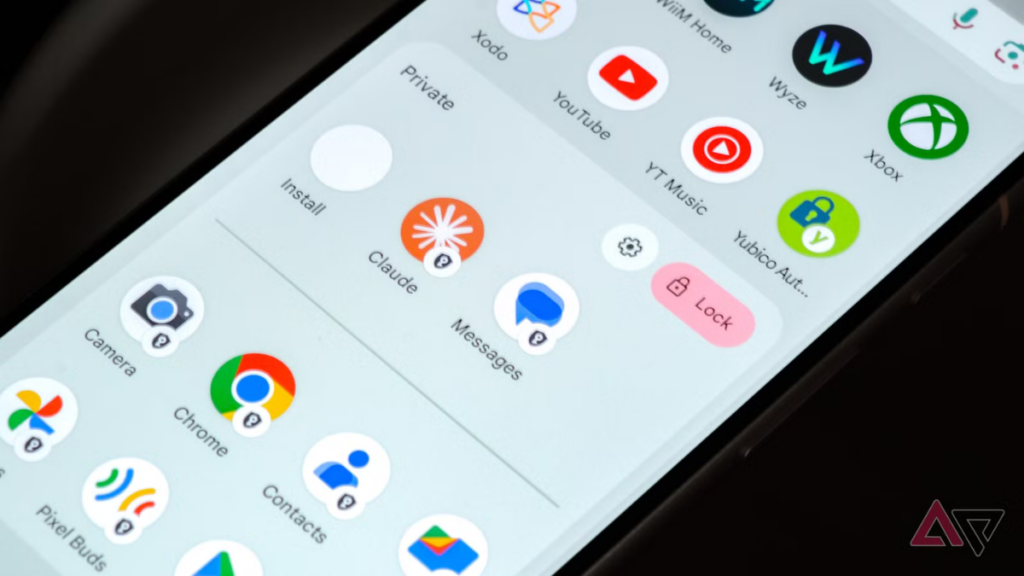
Google is finally answering years of user requests by introducing the ability to lock individual apps natively. 🛡️ You’ll be able to secure your apps straight from the home screen—just long-press an icon and select the “App lock” option from the quick action menu. 🔑
This built-in security measure can be configured using a PIN, pattern, password, or biometrics (like face unlock 🤳 or your fingerprint ☝️), completely eliminating the need for third-party workarounds. On Google Pixel devices, it functions exactly as you’d expect, with an added privacy bonus: locking an app also hides its notifications, widgets, and shortcuts. 🤐
App lock in Android 17
App lock interface in Android 17 (image credit: Android Police)
Google does note that specific AI tools, like Gemini’s screen automation, might still interact with these secured apps depending on your granted permissions. 🤖 However, the system will actively notify you if any other applications have access to the app you’re attempting to lock. ⚠️
While many custom Android skins—such as Samsung’s One UI—have offered this functionality for a while, it’s a long-overdue and highly welcome addition to the stock Pixel experience. 📱
#Floating app bubbles
2. Floating app bubbles make multitasking easier 🫧
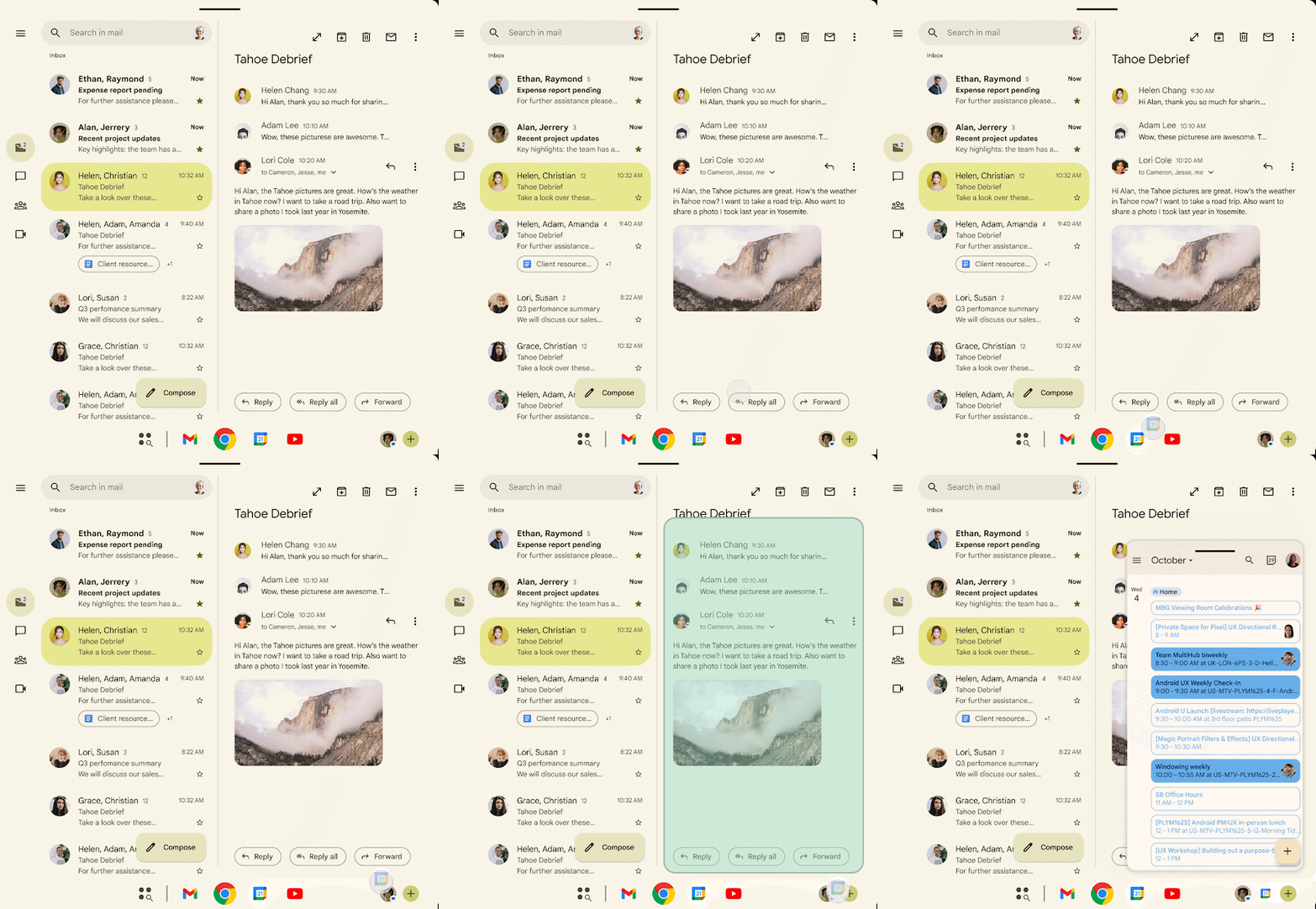
Although Android’s floating bubbles have existed for years, they were strictly limited to messaging and chat applications. Android 17 takes a massive leap forward by letting you transform virtually any app into a floating bubble. 🔄
Android 17 Beta 2 Bubbles feature
Bubbles in Android 17
Imagine watching a YouTube tutorial 📺 while taking notes in Google Keep. 📝 Instead of clumsily toggling between the two or cramming them into split-screen mode, you can minimize Keep into a convenient bubble. Tapping it opens a compact, floating window over your full-screen video, keeping your workflow seamless and uninterrupted. 🪟
Whenever you’re done, you can simply dismiss the app bubble by dragging it to the bottom of your screen. 🗑️
Naturally, this feature truly shines on large-screen devices like tablets and foldables, where you have plenty of visual real estate to juggle multiple floating windows. 📟
3. A more powerful screen recording with a preview screen ⏺️
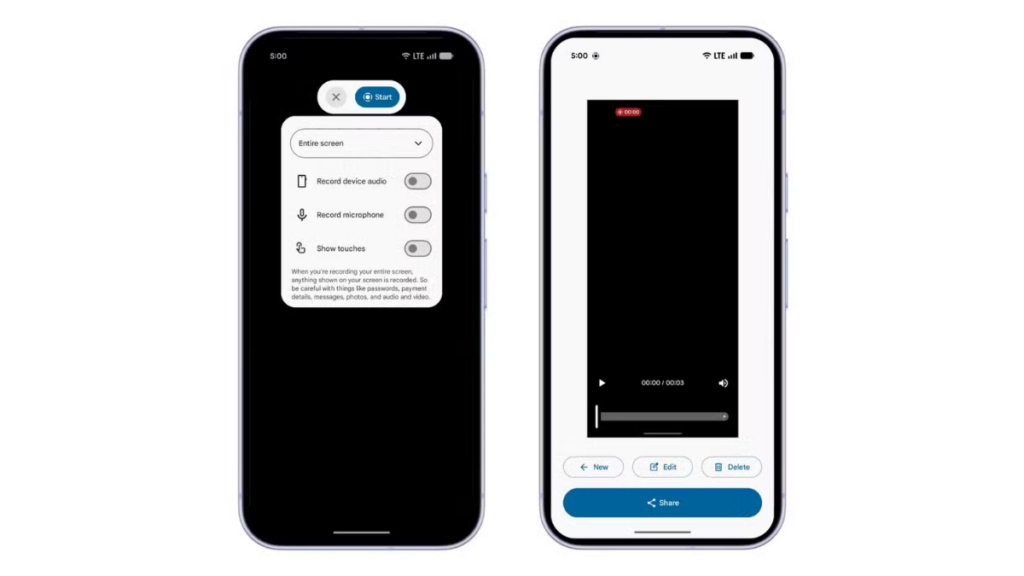
Android 17 is overhauling the screen recording experience, introducing a highly refined interface and a brand-new preview screen. 🎬 Currently, tapping the screen record tile in Quick Settings triggers a basic pop-up for audio and capture area preferences.
#screen recording
In Android 17, that clunky pop-up is replaced by a sleek, floating pill interface. 💊 This new menu lets you easily dictate what gets recorded, manage microphone and device audio toggles, and choose whether to display screen touches. 🎙️ If you minimize it, simply tapping the recording indicator in your status bar will bring the floating pill right back.
screen recording in Android 17
The best part happens when you stop recording: a dedicated preview screen instantly appears. 🎞️ From here, you can play, trim, delete, or share your new clip immediately, completely bypassing the need to hunt for it in your gallery. ✂️
4. Mandatory Large-Screen Adaptivity 📏
Google is laying down the law regarding app resizability and orientation. ⚖️ A strict new policy prevents developers from locking their apps to a single orientation on large devices (specifically those with a minimum width of 600dp). This effectively targets tablets and foldables, leaving standard smartphones largely unaffected. 🖥️
This bold move is intended to force the Android ecosystem to become truly adaptive. 🧩 On Android 16 and older, opening a portrait-locked app on a landscape tablet results in a stubborn, narrow column flanked by ugly black bars. In Android 17, that same app is forced to rotate and scale, utilizing the available screen space for a vastly superior user experience. 🚀
Mobile games, however, are exempt from this mandate to ensure complex graphical layouts don’t break during critical gameplay. 🎮
Google actually started phasing out fixed orientations in Android 16, but developers were given an opt-out loophole. With Android 17, the training wheels are off—adaptivity is now mandatory, and developers can no longer bypass the requirement. 🛠️
5. Hide app names on the home screen 🙈
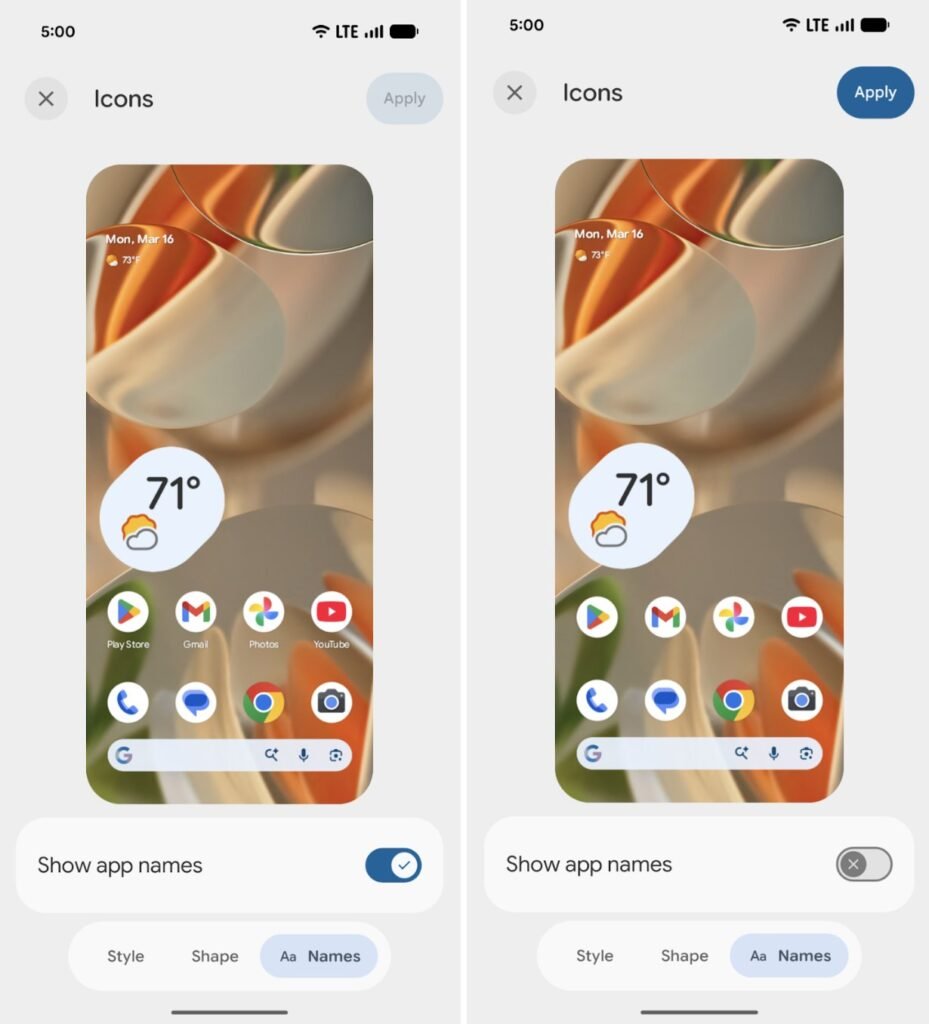
Introduced in the Beta 3 build, Google is finally giving users the option to hide app labels on the home screen. While it might seem like a minor tweak, it’s a fantastic tool for minimalists looking to curate a beautifully clean and uncluttered interface. 🪄
#Hide app
To achieve this text-free look, navigate to Wallpaper & style, tap Home screen, select Icons, find the Names tab at the bottom, and disable the “Show app names” toggle. 🎨 Just bear in mind that this aesthetic change only applies to the main home screen; labels will still appear in your app drawer and inside folders. ✨
6. Separate Wi-Fi and mobile data toggles 📶
On Pixel devices running Android 16 or older, managing your connectivity is surprisingly tedious. 😩 To toggle Wi-Fi or mobile data, you have to pull down your Quick Settings, tap the unified “Internet” tile, and then adjust your network preferences in a secondary menu.
Users have voiced their frustration over this unnecessary extra step for years. Now, after almost four and a half years of the unified menu, Android 17 finally restores the ability to add distinct, individual toggles for Wi-Fi and mobile data. 🌐
This is a massive win specifically for Pixel purists, as most competing Android interfaces—like Samsung’s One UI and OnePlus’s OxygenOS—wisely never abandoned the separate toggles to begin with. 🏆
7. Give apps limited access to your contacts 👥
Currently, Android’s contact permissions are an all-or-nothing affair. If an app requests access to your contacts and you hit “allow,” it gains unfettered access to your entire address book. 🙅♂️
#Contact picker UI in Android 17
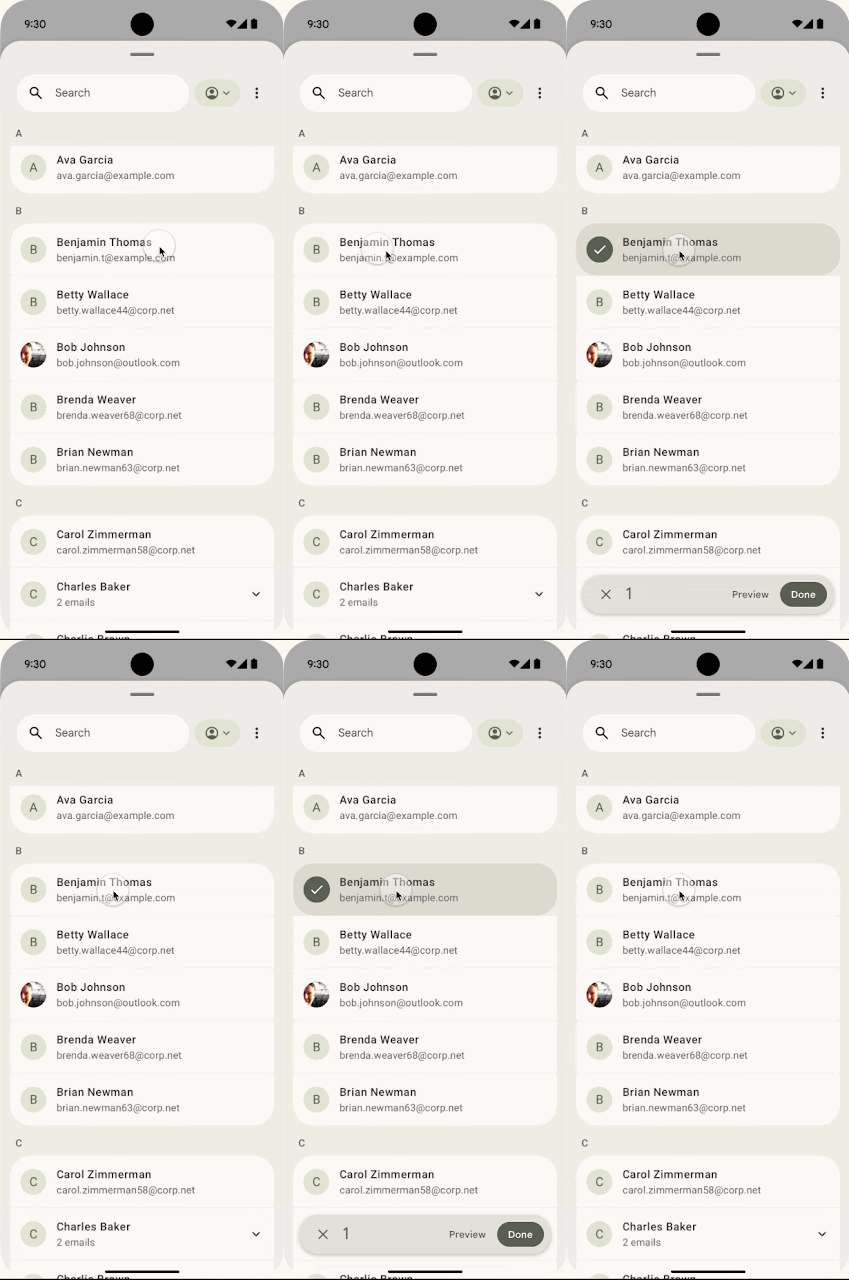
Because this isn’t exactly a privacy-friendly approach, Google is rolling out a system-level Contact Picker. 🛡️ This new interface empowers you to handpick exactly which specific contacts an app can see. 👤 Furthermore, Google ensures that third-party apps will be completely blind to any future edits you make to that contact’s information.
Contact picker UI in Android 17
The Contact Picker operates by granting temporary, session-based read access strictly to the data fields you choose to share. ⏳ Once the session times out, the app loses access and must request permission again, providing a massive boost to your personal privacy. 🔐
8. Seamless task continuity on another device 🔗
Google is developing a powerful “Task Continuity” feature aimed at unifying your tech ecosystem. 🌐 Expected to debut with Android 17, this tool will let you sync notifications, share files, and dynamically continue app sessions across all your linked Android devices. 📲 Essentially, it allows you to freeze an app’s current state on your phone and instantly pick it right back up on another device. 💻
As noted by Android Authority, the feature works by displaying a smart suggestion on your taskbar that represents the active app from your other device. 💡 Clicking this prompt triggers a seamless handoff, perfectly transferring the remote app’s live state. 🤝
This is powered by the new Handoff API, which Google unveiled in Android 17 Beta 2. It allows developers to dictate exactly how their applications should resume on a secondary device, prompting the Android system to push a contextual handoff suggestion to the launcher of your nearby tech. 📡
Final build may not include all of them ⚠️
If you’re a veteran of Android update cycles, you know that not everything tested in a beta makes it to the final cut. ⏳ However, given the polish we’re seeing, there’s an incredibly strong chance that the majority of these additions will survive to the stable launch. ✅
Every feature highlighted above is currently live in the Android 17 beta builds. 🧪 You can flash the beta on an eligible Google Pixel device right now to test them yourself, or simply sit tight for the stable release, which is expected to arrive around June 2026. 📅





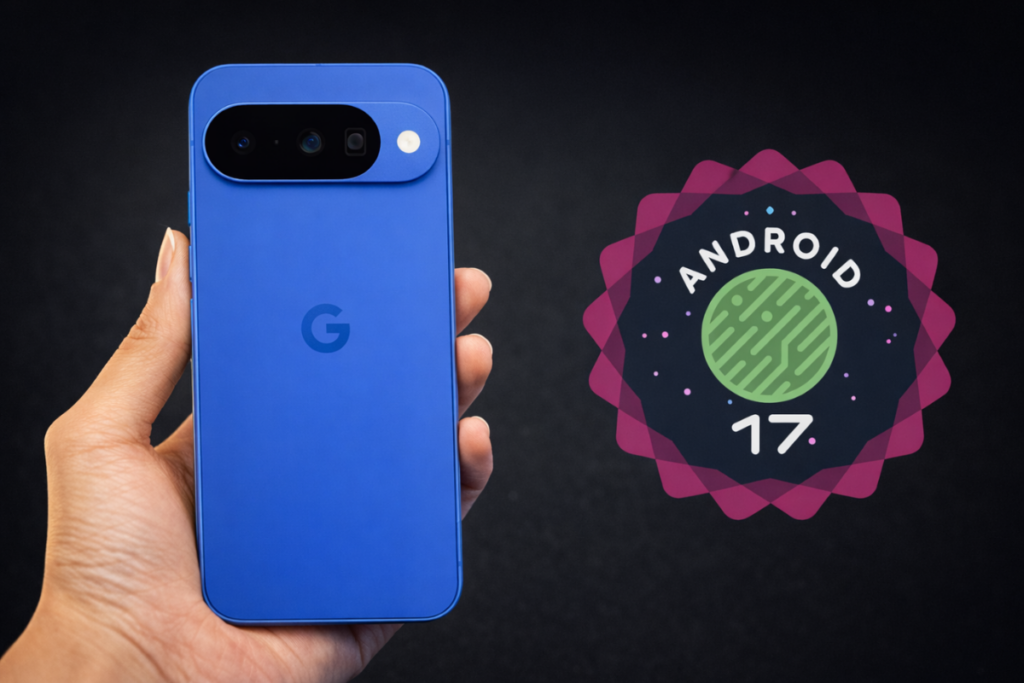
Android 17 🤖 is shaping up to be a substantial leap forward, particularly for the Pixel 9 and Pixel 10 📱, both of which are slated for major AI-driven enhancements 🧠. Even if you’re using an older Pixel model, there is plenty to be excited about, as the update brings a host of refinements and new features across the board. But the big question remains: when can you actually download it? 📥 We might finally have an answer.
The short answer: Google could roll out the official release of Android 17 as early as today or at any point throughout this week. 🗓️
Last year, Google shifted its strategy with Android 16, moving away from a single annual update in favor of a dual-release schedule. Under this new framework, the company pushes a major platform release in the second quarter, followed by a smaller, minor update later in the year. 🔄
Android 17 continues this cadence, with the major release anticipated for June. Interestingly, Google bypassed the traditional Developer Preview phase entirely this time around, opting to move straight into public beta testing. 🧪
Related: 8 Android 17 features in development I can’t wait to use 🚀
The inaugural Android 17 beta arrived on February 13, with the second following shortly after. While these early builds launched slightly behind the Android 16 timeline, the gap has steadily closed. The OS reached platform stability with the arrival of Beta 3 on March 27—just two weeks after the corresponding milestone for Android 16. ✅
Following the April 17 launch of Beta 4 and the subsequent minor update, Beta 4.1, on June 1, we appear to have reached the end of the testing cycle. The next version will be the stable build, and it could drop at any moment. Google typically favors Tuesdays for major software releases, which points directly to today, June 9. If it doesn’t arrive today, you can almost certainly expect it to land before the week is out. ⏳
Android 17 Release date 📅
Beta 1 Feb 13, 2026
Beta 2 Feb 26, 2026
Beta 3 Mar 26, 2026
Beta 4 Apr 16, 2026
Beta 4.1 Jun 1, 2026
Stable Second week of June (expected) ✨
If you are using an older Google Pixel, it is worth confirming whether your device is eligible for this major upgrade. You can review the full list of supported devices here. 🔍
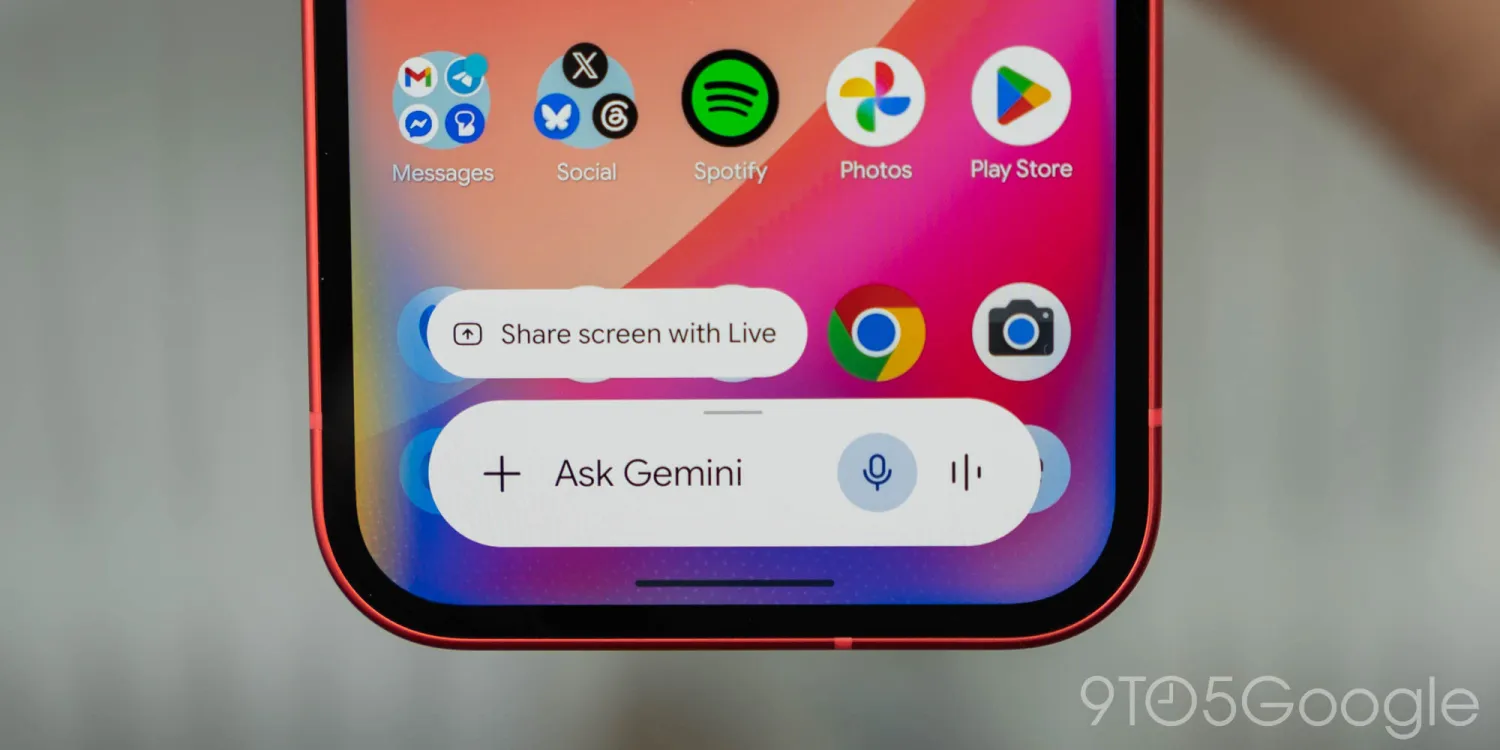
Is Gemini just a “flashy” ✨ gimmick, or is it actually saving you time? ⏳ From coding shortcuts 💻 to “impossible” spreadsheet formulas 📊, I’m finally finding where AI makes sense—and I want to know if you are too. 🤔
Further reflecting on Google’s practical focus for Gemini and AI in general at I/O 2026 last week 🗓️, I still find myself struggling to find ways to actually make this technology useful in ways that actually matter. 😵💫 So, what are you doing with Gemini? 🤖
Over the past couple of years, AI has been a part of daily life. 📅 Not necessarily in use, but at least in hearing about all the “progress” being made with it. 📈 I don’t really consider myself a flat-out AI hater, but I’m not exactly the biggest fan of this technology. 🙅♂️ AI can do impressive things, but it usually feels like a game of trying to reinvent the wheel. 🎡 Gemini’s AI Overviews and AI Mode in Search are a pretty flashy new experience, but they ultimately do the same thing, though often while being worse at that thing (all while Google admits the web is “in rapid decline” 📉 – I wonder why). AI tools, Google’s or otherwise, just don’t feel like an objectively better improvement, but usually a lateral evolution that’s also wildly resource-intensive 🔋 – I’m totally not bitter about RAM prices or anything. 💾
But, through it all, I am still trying to find places where Gemini and AI as a whole make actual sense in my life – it’s just an uphill battle. 🏔️
Perhaps the best real-world use case I’ve seen for AI is in coding. ⌨️ Being large language models, the reasoning of building out code is something these tools can be remarkably good at. I’ve only toyed around with this, building out a quick Chrome extension 🧩 I needed, but I can immediately see the appeal. I still believe that a good developer 👨💻 needs to be behind anything built by AI – especially anything sold or widely distributed – but the utility is obvious. 🛠️
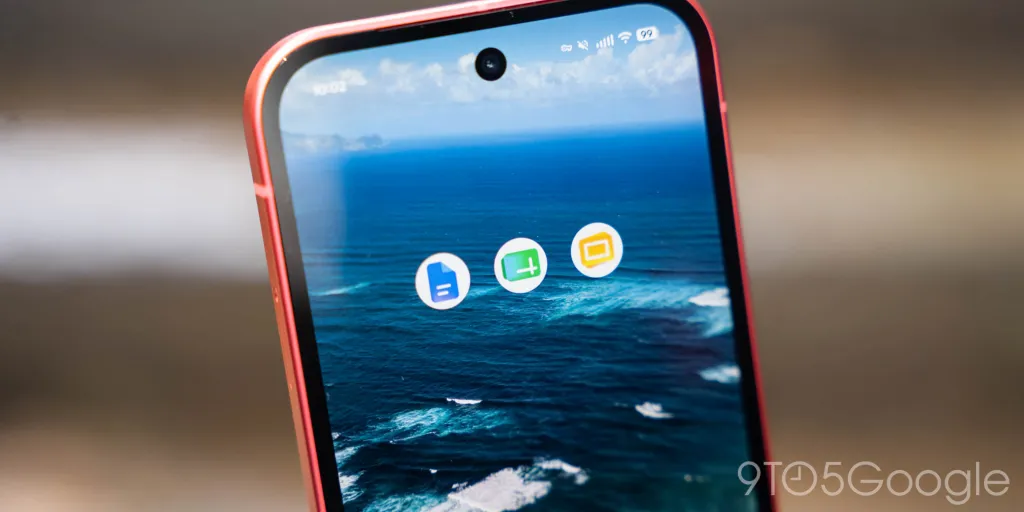
Outside of that, though, it’s pretty hit or miss. 🎯
As mentioned in last week’s Weekender, I think Google is doing a good job in coming up with ideas for where AI can be useful. 💡 One recent “eureka” moment for me in finding use cases for Gemini was in Google Sheets. 📁
Spreadsheets can be a huge headache 🤕, but they’re really good at their job if you know how to use them. Personally, I think I’m at least not inept at using a spreadsheet and creating formulas to get what I need done, but the advanced side of things has never been easy. It usually involves a ton of searching around the web for tips and tricks, and then a ton of trial and error to make those tips work in the specific context of what I’m actually working on. 🔍 Gemini is really good at this, though. Without getting into the details, I was trying to build out a spreadsheet that could take multiple inputs – player names, payments, and a payout structure – and spit out results. 💸 I spent an hour trying to do this the “old-fashioned” way, but eventually I tried out Gemini’s integration into Sheets. Using natural language, it was able to spit out formulas that could actually use the context of the rest of the spreadsheet, creating “COUNTIF” and “XLOOKUP” formulas 🔢 that were far beyond what I would have been able to figure out on my own, and frankly, didn’t even know to research in the first place. I still had to make plenty of manual tweaks ✍️, something I couldn’t do if I hadn’t already learned how to use a spreadsheet and its formulas without AI’s help, but Gemini saved me a ton of time and frustration. ✅
Workspace as a whole is somewhere Gemini can be handy. 🛠️ I’m still left with an uneasy feeling about the whole “Docs Live” demo from I/O, but Sheets formula generation and perhaps image generation 🖼️ in a Slides presentation are actually useful ways to put AI to work. 🚀
#image_title
But, really, I want to hear from our readers on this one. 🗣️
What are you using Gemini for? ❓
Search? Productivity? Coding? I’m really quite curious how you find Google’s AI tools useful. Let’s discuss! 💬
This Week’s Top Stories 📰
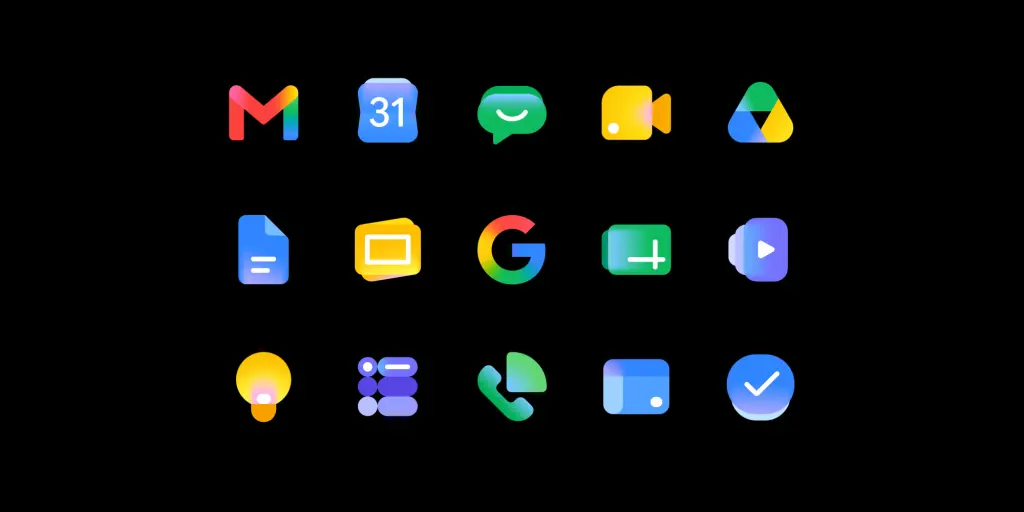
Why Google redesigned Workspace icons, again 🎨
Rolling out widely, Google’s new Workspace icons are a big change for the second time in recent memory. Why the change? 🔁 In short, Google is using these new designs to reflect the “Gemini era” while also giving every app its own identity 🆔 – the latter being everyone’s problem with the last big redesign.
Google on why it redesigned the Gmail and Workspace icons 📧
Motorola was hijacking the Amazon app, and we still don’t know why 🕵️♂️
We reported earlier this week on some bizarre behavior on Motorola smartphones 📱 which left the Amazon app redirecting through your browser with just enough time to inject an affiliate code 🔗, monetizing your traffic. The behavior has since stopped, but Motorola declined to explain what happened, and why this was routed through a random fashion influencer. 👠
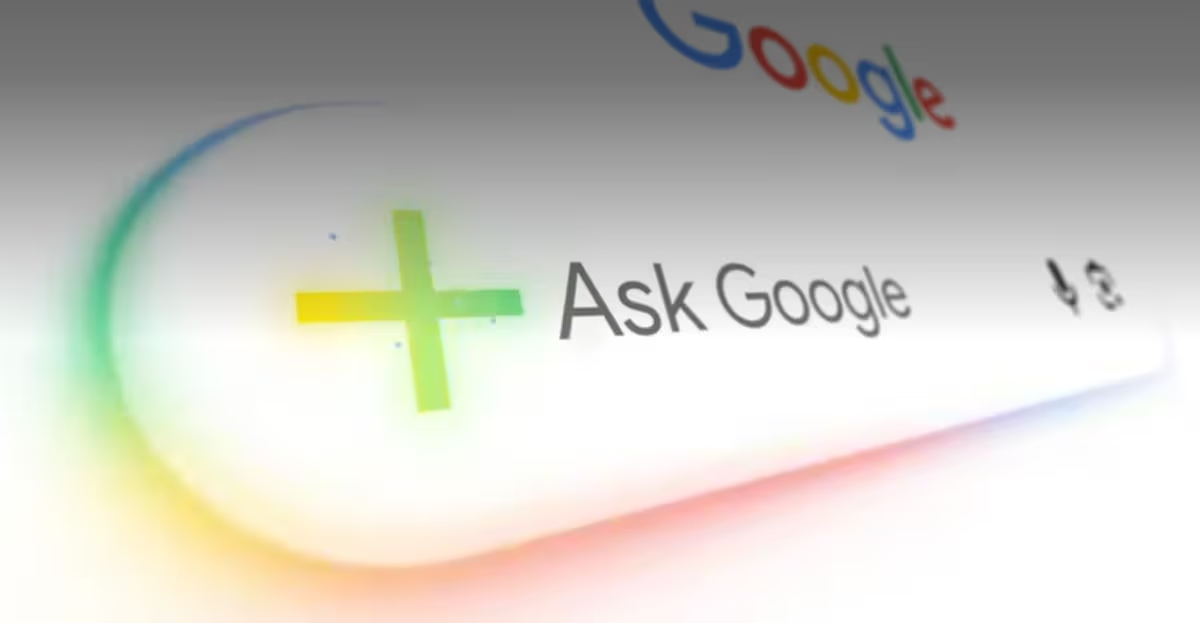
Google just unveiled one of the most significant overhauls to its search engine in years at Google I/O 2026 🌐. By weaving artificial intelligence deeper into the fabric of Search 🤖, the tech giant is rolling out smarter utilities, heightened personalization, autonomous AI agents, and bespoke interactive features ✨. Here is a breakdown of the nine most crucial takeaways from Google’s ambitious new AI Search roadmap 🗺️.
Gemini 3.5 Flash becomes the new global standard ♊⚡
Google confirmed that Gemini 3.5 Flash will now serve as the default engine powering AI Mode in Search across the globe 🌍. According to the company, this newly integrated model is specifically engineered to process advanced tasks with greater speed and superior overall performance 🚀.
A completely reimagined, AI-centric search box 🔍
The traditional search bar is getting a massive upgrade 🆙. Google has introduced a redesigned, AI-first search box that encourages users to type longer, more conversational queries 💬. It also embraces multimodal inputs, allowing you to search using images, uploaded files, videos, and even active Chrome tabs 🖼️📹📂.
Seamless follow-up conversations 🗣️
Gone are the days of starting a new search from scratch. Users can now ask follow-up questions directly within their AI-generated results 🔄. Google notes that the system retains the conversational context from your previous prompts, ensuring that subsequent answers and supporting links remain highly relevant 🧠🔗.
Autonomous AI agents arrive in Search 🤖🕵️♂️
In a major leap forward, Google is deploying information-gathering AI agents capable of continuously monitoring the web on your behalf 🌐. These agents can keep a watchful eye on specific topics and alert you to updates regarding apartment listings 🏠, product drops 🛍️, financial market shifts 📈, and sports scores ⚽.
Streamlined bookings and local services 📅📍
Search is vastly expanding its utility when it comes to booking local services and experiences. You can now input highly specific requirements, and Google will do the heavy lifting by pulling together real-time pricing and availability data from a variety of providers 💰🛠️.
Let Google make the call for you 📞
For certain service categories—namely beauty 💇♀️, home repair 🏠, and pet care 🐾—Google is rolling out a feature that allows Search to actually contact businesses on your behalf. Currently, this concierge-like capability will only be available to users in the United States 🇺🇸.
A highly interactive user interface 🖥️✨
Search is moving beyond static text with new, AI-driven generative UI experiences. Depending on the complexity of your query, the engine can now generate interactive visual elements, real-time simulations, data tables, and dynamic graphs on the fly 📊🎨.
Custom AI mini-apps for everyday tasks 📱🛠️
Google announced that Search will soon have the ability to build personalized dashboards and tracking tools for ongoing projects, like planning a fitness routine 🏋️♂️, organizing a move 📦, or coordinating an event 🎈. These custom, AI-powered mini-apps will initially launch exclusively for Google AI Pro and Ultra subscribers in the US 💎.
The future of traditional Search results 🔮
These sweeping AI upgrades signal a definitive, albeit gradual, pivot away from Google’s classic “10 blue links” format 🔗. While regular Search will still display standard web pages, most of these new capabilities are locked into AI Mode 🤖. However, as AI-generated summaries, conversational flows, and autonomous agents take center stage, it is highly likely that users will eventually spend less time manually clicking through multiple websites 🖱️📉.

Tech4 months ago
JBL Live 780NC and Live 680NC Debut 🎉 in India: Featuring True Adaptive ANC, Spatial Audio, and Up to 80 Hours of Battery Life 🔋

Tech4 months ago
Vivo X Fold 6 Set to Redefine Foldables with a 7,000mAh Battery 🔋 and IPX8/IPX9 Durability 🛡️

Tech4 months ago
Why Next-Gen AI Smartphones May Ditch LPDDR for LLW 🪐

Entertainment9 years ago
The final 6 ‘Game of Thrones’ Trailer

Smartphones5 months ago
Oppo Android 17 (ColorOS 17) update: Full list of eligible devices 📱📲

Entertainment9 years ago
The old and New Edition cast comes together to perform

Videos5 months ago
Vivo X Fold 6 with Dimensity 9500 ⚙️, 200MP triple cameras to launch by June end 🚀

Videos8 months ago
Marvel Tōkon: Fighting Souls 🥊 arrives on PS5 and PC 🎮 this August 6, bringing the X-Men ❌ along for the ride.

Entertainment8 months ago
Samsung Galaxy Unpacked 2026 📅: The Galaxy S26 series ✨,
-
 Entertainment9 years ago
The final 6 ‘Game of Thrones’ Trailer
-
 Smartphones5 months ago
Oppo Android 17 (ColorOS 17) update: Full list of eligible devices 📱📲
-
 Entertainment9 years ago
The old and New Edition cast comes together to perform
-

 Buying9 years ago
Phillies’ Aaron Altherr makes mind-boggling barehanded play
-

 Videos9 years ago
Uber and Lyft are finally available in all of New York State
-

 Entertainment9 years ago
Disney’s live-action Aladdin finally finds its stars
-

 Buying9 years ago
Steph Curry finally got the contract he deserves from the Warriors
-

 Smartphones9 months ago
OnePlus 16 May Borrow Massive 9,000mAh Battery From Turbo 6 Series 🔋⚡