
Smartphones
✨ Honor Magic 7 Pro Receives Major MagicOS 10 Update Based on Android 16 📱

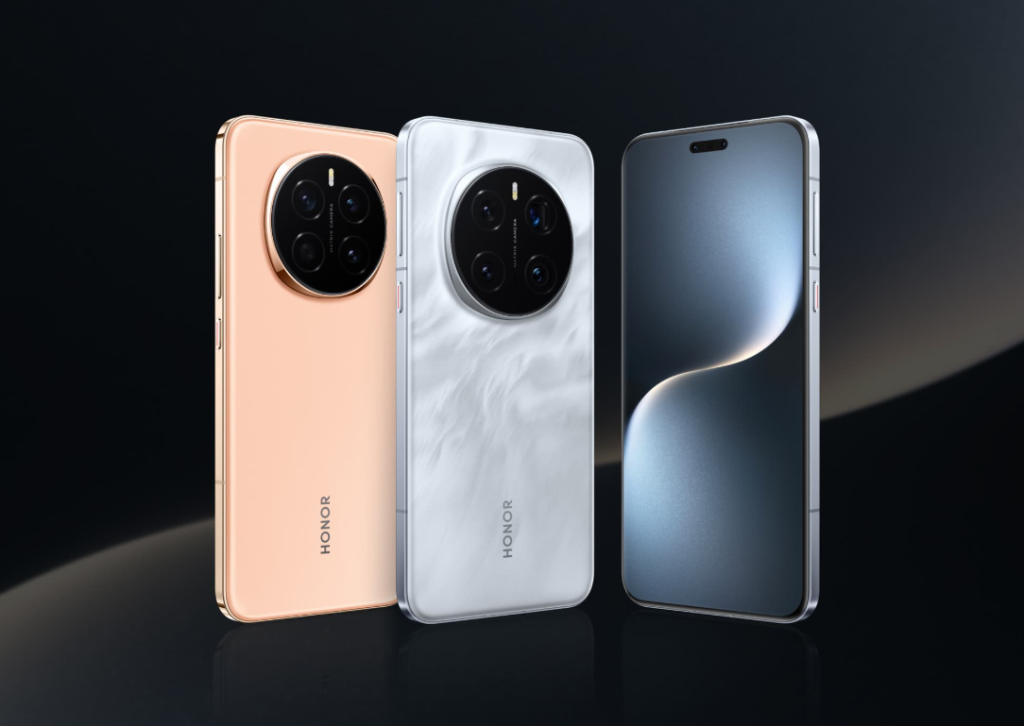

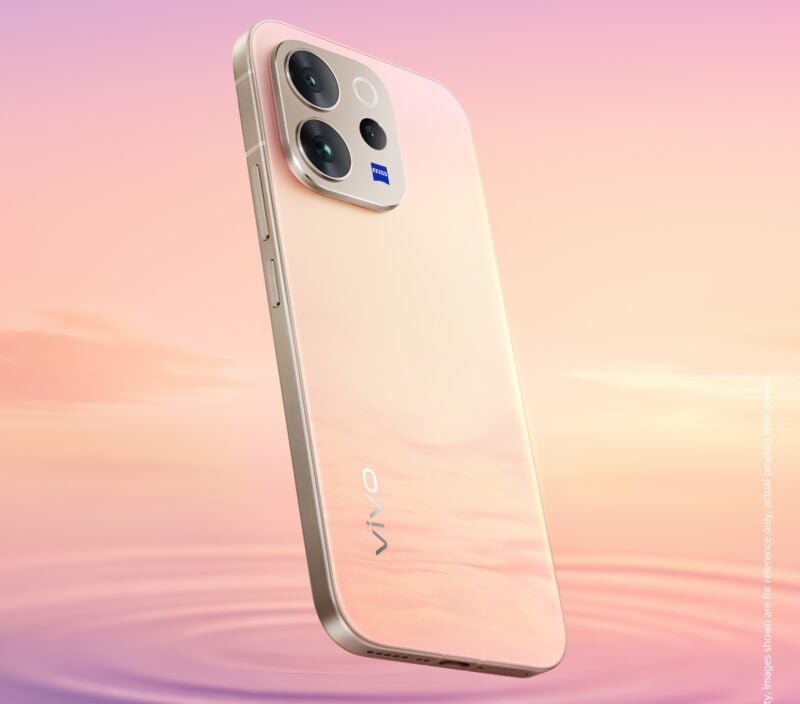
Recent leaks suggest that Vivo is poised to join the growing trend of mega-battery smartphones with a powerful new device. ⚡🚀
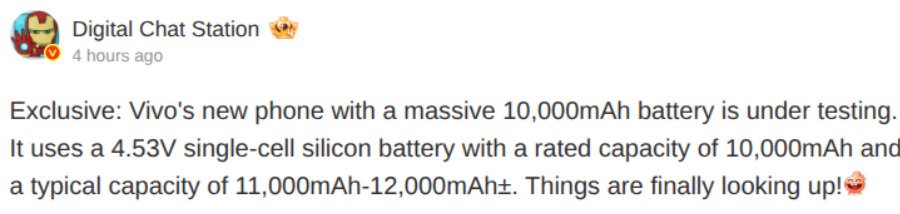
According to the noted tipster Digital Chat Station on Weibo, Vivo is currently putting a new phone through its paces—one that boasts a rated 10,000mAh battery. 🕵️♂️💬
#Leak
The hardware reportedly utilizes a 4.53V single-cell silicon battery with a rated capacity of 10,000mAh. However, the typical value is expected to be even higher, ranging between 11,000mAh and 12,000mAh, subject to standard margins of error. 🔋📈
The industry push toward 10,000mAh 🔝
Smartphone battery capacities have been on a consistent upward trajectory recently, a trend driven largely by Chinese manufacturers. 📈🇨🇳
While 5,000mAh has become the baseline standard, devices packing 7,000mAh to 8,000mAh cells are becoming increasingly frequent in the Chinese market. Notably, competitors like Honor and Realme have already introduced handsets featuring 10,000mAh batteries. 🔋📱
Wider market implications 🌎
The leak has naturally sparked discussion regarding the competition. When pressed about Xiaomi’s strategy for large-capacity devices, the tipster indicated that such phones are currently in the planning phase and will come equipped with “all the necessary features.” This suggests Xiaomi is eyeing the sector, though concrete details remain unfinalized. 🧐💡
In a separate interaction, the leaker clarified expectations for Vivo’s flagship lineup. Digital Chat Station suggests that while the main flagship series is unlikely to reach the 9,000mAh mark this year, sub-brand iQOO could very well feature a 9,000mAh cell in its upcoming roster. 🏎️⚡
For the moment, this information remains a leak. As noted, the Vivo handset with the purported 11,000mAh to 12,000mAh typical capacity is still undergoing testing. Even if these trials prove successful, a commercial launch could still be some time away. We will continue to monitor the situation. ⏳🧪👀
Stay ahead in tech! Join our Telegram community and sign up for our daily newsletter of top stories! 📲📧🔔

Oppo has officially confirmed that its next-generation foldable is on the horizon 🌅. The company announced today that the Oppo Find N6 is “coming soon,” 🔜 accompanied by the tagline “Smooth Sailing.” ⛵ While the teaser poster is somewhat cryptic, the imagery strongly hints that the new foldable will feature a significantly shallower crease. 📱
For years, foldable phones have struggled with the visible and tactile indentation that forms where the screen bends 📉. Earlier this month, Oppo addressed this directly during an internal product appreciation event for the Find N6, where the company compared the improved crease to the narrow gap between two makeshift beds. 🛌
To understand the context of this upgrade 📈, it helps to look at the previous model. The Oppo Find N5 already boasted a limited crease depth of around 0.15mm, which was considered industry-leading at the time. With the Find N6, Oppo says it is pushing that engineering further ⚙️, promising a smoother transition when you run your finger across the fold. ☝️
🔍 Oppo Find N6 Specifications 📋
According to regulatory filings 📝, the Find N6 is likely to launch under model numbers PLP110 and PLP120. The former is expected to be the standard edition, while the latter appears to be a satellite communication version reportedly supporting Beidou connectivity 🛰️. All versions are said to include 80W wired fast charging as standard. ⚡🔋
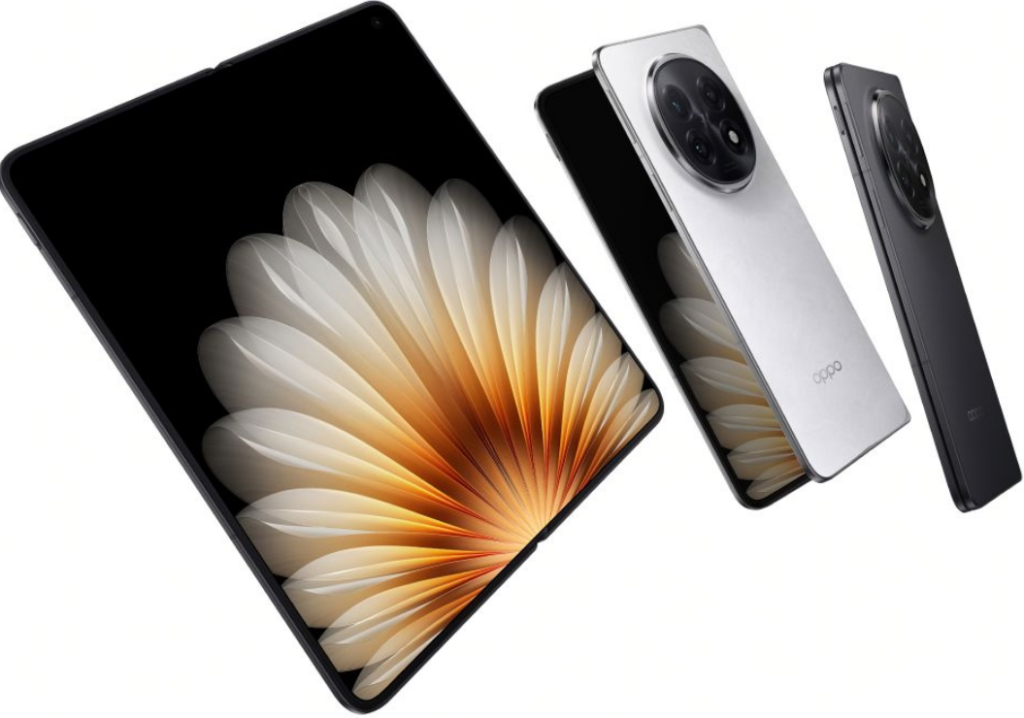
#Oppo Find N6
🧬 Evolution from the Oppo Find N5 🔄
On the hardware side, the foldable reportedly features an expansive 8.12-inch inner display and a 6.62-inch outer screen 📺. Powering the device could be Qualcomm’s Snapdragon 8 Elite Gen 5 (7-core) platform 🧠, paired with a robust 6,000mAh battery. 🔋
The camera system also stands out on paper 📸. The rear main camera is said to utilize a 200-megapixel sensor. Alongside it, the device is expected to house a periscope telephoto lens 🔍, an ultra-wide shooter, and a multispectral sensor. 🖼️
According to earlier reports, the Find N6 may launch on March 17 🗓️, shortly after the Spring Festival 🌸. Both the standard and Beidou satellite versions are rumored to support an AI stylus accessory. 🖊️🤖

Honor is returning to Barcelona 🇪🇸 with an ambitious agenda. The tech giant 🏢 confirmed today that its global launch event at Mobile World Congress 2026 is scheduled for March 1 📅. The keynote promises the unveiling of two distinctly different devices: the next-generation Honor Magic V6 🪄 and the experimental Honor Robot Phone 🤖.
The Honor Magic V6 📱
First up is the Honor Magic V6, the company’s latest entry in the book-style foldable market 📖. Fresh off a series of live image leaks earlier this week, the device is expected to double down on Honor’s reputation for ultra-thin, lightweight engineering 🪶. Under the hood, it is slated to run on Qualcomm’s newest flagship silicon, the Snapdragon 8 Elite Gen 5 ⚡.
Powering that sleek chassis will reportedly be a massive 7,150mAh battery 🔋 capable of 120W wired fast charging 🔌. Beyond raw power, the handset is also tipped to feature Honor’s proprietary silicon, specifically the C1+ radio frequency enhancement chip 📡 and the E2 energy efficiency chip to optimize performance ⚙️.
Honor Magic V6 image 🖼️
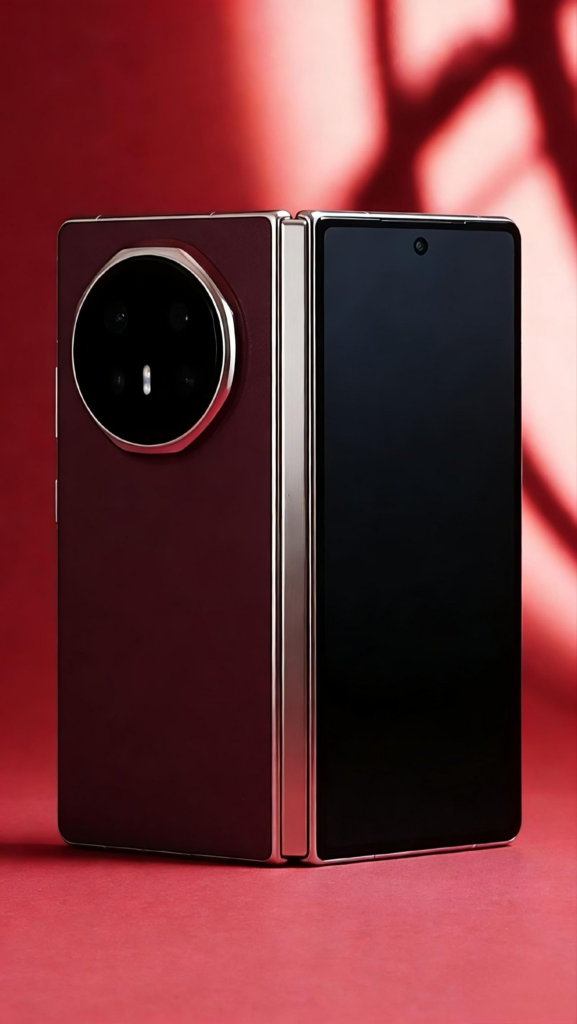
#Magic V6
Photography enthusiasts can look forward to a serious upgrade 📸, with rumors pointing to a 200-megapixel large-sensor main camera paired with a periscope telephoto lens 🔍. Honor is also promising robust durability with full-level waterproofing 💧 and support for Beidou satellite communication 🛰️.
The Honor Robot Phone 🤖🦾
Sharing the stage with the foldable is something far more unconventional: the Honor Robot Phone. Billed by the company as the industry’s first device of its kind, it features a hidden robotic arm gimbal that deploys with a single tap, transforming the handset’s form factor ✨.
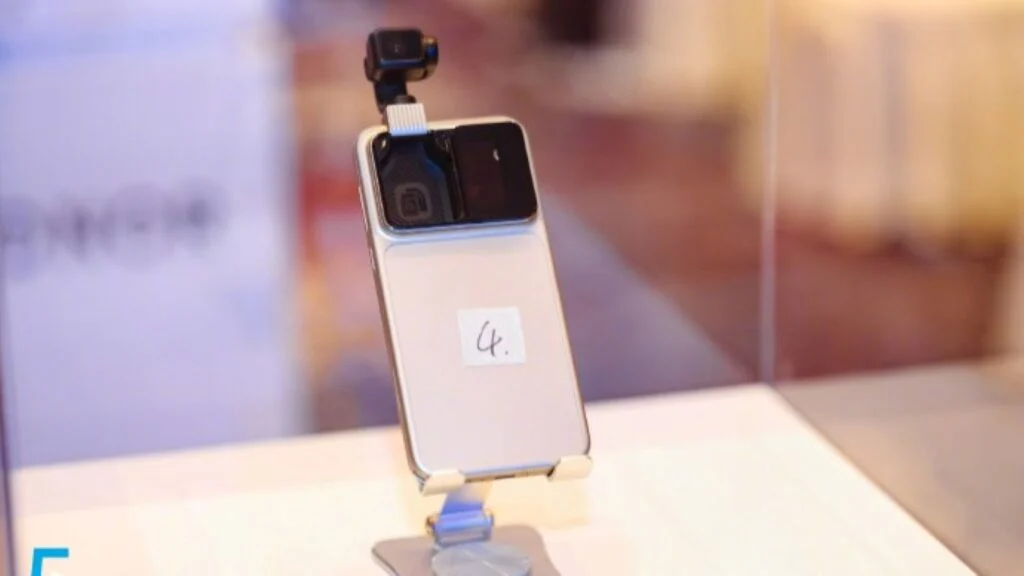
#Honor
According to Honor, this mechanical innovation isn’t just a gimmick; it allows the phone to physically articulate itself for automatic shot composition, precise subject tracking, and superior image stabilization 🎯.
The hardware is backed by a sophisticated AI system 🧠 designed to perceive and respond to its environment in real time. Essentially, the phone is built to follow users and capture moments autonomously, acting as a personal camera operator 🎥.
At the core of this experience is the YOYO large-scale model, which Honor claims possesses “emotional perception capabilities” 💖. This allows the assistant to proactively suggest content, coordinate seamlessly across the ecosystem, and offer a digital assistant experience that feels significantly more personal and context-aware 🤝.
We will have to wait until March 1 ⏳ to see how much of this ambitious vision translates into real-world utility.
Don’t miss a beat—join our Telegram community for instant updates ✈️ and subscribe to our free daily newsletter for the very best tech stories! 📧🗞️

Tech2 weeks ago
Roborock unveils the P20 Max: A vacuum powerhouse with 35,000Pa suction & AI smarts 🤖🌪️🧠

Smartphones2 weeks ago
Vivo reportedly testing a massive single-cell 12,000mAh smartphone 📱🔋

Tech2 weeks ago
Xiaomi Electric Scooter 6 Ultra poised for global debut: 75km range and 1200W peak power 🛴🌍🔋⚡

Entertainment9 years ago
The final 6 ‘Game of Thrones’ Trailer

Entertainment9 years ago
The old and New Edition cast comes together to perform

Buying9 years ago
Phillies’ Aaron Altherr makes mind-boggling barehanded play

Videos2 weeks ago
Marvel Tōkon: Fighting Souls 🥊 arrives on PS5 and PC 🎮 this August 6, bringing the X-Men ❌ along for the ride.

Entertainment3 weeks ago
Samsung Galaxy Unpacked 2026 📅: The Galaxy S26 series ✨,

Videos3 weeks ago
Bradley the Badger channels Wreck-It Ralph in a meta video game adventure 🦡🕹️
-
 Entertainment9 years ago
The final 6 ‘Game of Thrones’ Trailer
-
 Entertainment9 years ago
The old and New Edition cast comes together to perform
-
 Buying9 years ago
Phillies’ Aaron Altherr makes mind-boggling barehanded play
-

 Videos9 years ago
Uber and Lyft are finally available in all of New York State
-

 Entertainment9 years ago
Disney’s live-action Aladdin finally finds its stars
-

 Buying9 years ago
Steph Curry finally got the contract he deserves from the Warriors
-

 Entertainment9 years ago
From ‘Dick Clark’s New Year’s Rockin’ Eve’ 🎸 to ‘Nashville’s Big Bash,’ 🤠
-
Buying9 years ago
Boxing continues to knock itself out with bewildering, incorrect decisions