
Apps
Adobe is once again expanding its AI toolkit 🛠️ within Creative Cloud ☁️,


Adobe is once again expanding its AI toolkit 🛠️ within Creative Cloud ☁️, this time headlining with a new Photoshop AI Assistant 🤖 designed to handle the drudgery of repetitive tasks 🔄. Unveiled at Adobe Max 2025 🗓️, the assistant joins a host of updates for Photoshop 📸, Premiere 🎬, and Lightroom 💡, alongside the debut of a new generative model 🧬 and the integration of third-party tech from companies like Topaz 💎.
Available in both Photoshop and Express (Adobe’s all-in-one media tool), this conversational AI Assistant 💬 promises to give users “more control, power and potential time-savings ⏳.” The idea is simple: you can chat with the AI to execute multi-step creative workflows—think color correction 🎨 or resizing 📐—without hunting through menus. Crucially, the system allows for a fluid workflow where you can toggle between natural language prompts ⌨️ and traditional manual tools, like sliders 🎚️, to adjust brightness and contrast. It even doubles as a guide, offering tutorials for complex techniques 🎓.
During a brief demonstration, Adobe showcased an “agentic” mode ✨ that strips away the typically dense interface in favor of a clean, prompt-based UI. Users simply type in their desired outcome, and the agent executes the necessary steps automatically ⚙️. Once the heavy lifting is done, you can jump right back into the standard interface to fine-tune specific elements like brightness or levels manually 🔧.
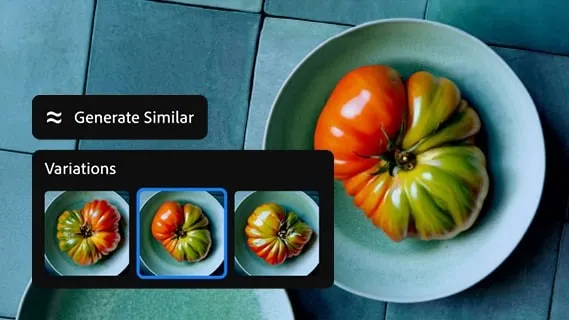
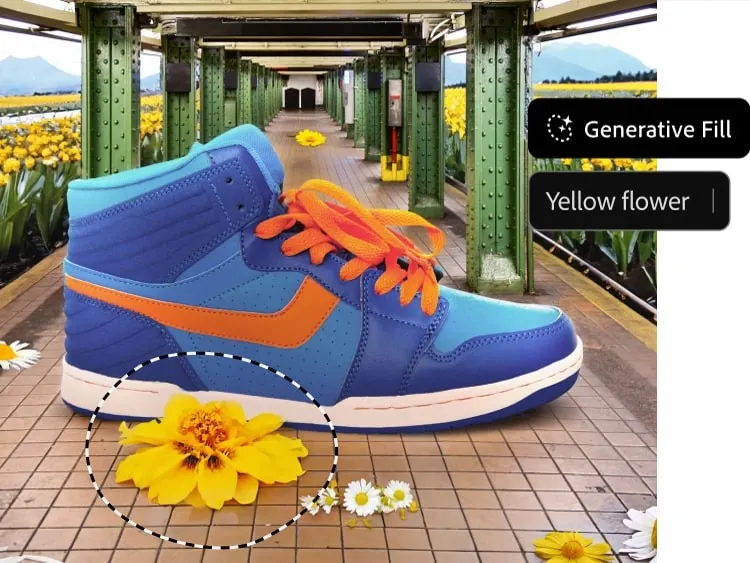
Beyond the assistant, Photoshop is getting a significant boost in generative capabilities 🚀. Most notably, Adobe is opening the door to partner models 🤝 for Generative Fill. Users can now leverage Google Gemini 2.5 Flash ♊ and Black Forest Labs’ FLUX.1 Kontext alongside Adobe’s own Firefly engines 🔥 to remove objects and fill gaps. Speaking of proprietary tech, the company also rolled out Firefly Image Model 5 🆕, touted as its most advanced image generation model to date.
Resolution and compositing are also seeing major upgrades 📈. A new Generative Upscale option, powered by Topaz Labs’ AI 💎, can transform small or cropped low-resolution images into 4K files 🖥️ while maintaining “realistic detail.” For compositors, the new Harmonize feature 🌈 aims to eliminate much of the tedious work involved in blending assets. It realistically places subjects into new environments by automatically matching the foreground’s lighting, color, and tone to the background 🖼️.
On the video front 🎥, Premiere is introducing a smart feature dubbed AI Object Mask 🎭. This tool automatically identifies and isolates people or objects within a scene, allowing for tracking 🏃♂️ and editing without the painstaking process of manual rotoscoping ✂️. The update also brings standard rectangle, ellipse, and pen masking tools to Premiere for targeted adjustments, plus a fast vector mask to speed up tracking workflows ⚡.
Lightroom hasn’t been left out, receiving a practical new tool called Assisted Culling 🧹. Designed to tame massive photo dumps 📸, it helps photographers quickly identify the best shots in a collection by filtering based on technical criteria like focus levels 🎯, angles, and degrees of sharpness 🔍.
As for when you can use these tools: Photoshop’s updated Generative Fill with partner models, Generative Upscale, and Harmonize are available to customers starting today ✅. The new Premiere masking tools and Lightroom’s Assisted Culling are launching today in beta 🧪. However, those eager to try the new Photoshop AI Assistant will need to join a private beta waitlist ⏳.

Apps
This new ColorOS 16 update is all about AI, smoother performance, and better cross-device experiences 🚀🤖✨
Oppo just changed the game for Indian smartphone users 🚀. The massive May 2026 ColorOS 16 update is officially here 📅, bringing groundbreaking AI Mind Pilot features 🤖 and a surprising new way to sync with iPhones 🍏—see if your Reno or Find X series device made the list 📋.
#ColorOS 16
Oppo has expanded the rollout of its May 2026 ColorOS 16 update to more smartphones in India 🇮🇳. The latest software release introduces a range of AI-powered features ✨, improved connectivity options 📶, and system enhancements aimed at making everyday smartphone use more intuitive. The company has also confirmed that the rollout will continue in phases across eligible devices through the end of May ⏳.
#ColorOS 16
May 2026 ColorOS 16 update brings a wider set of AI-powered experiences 🧠
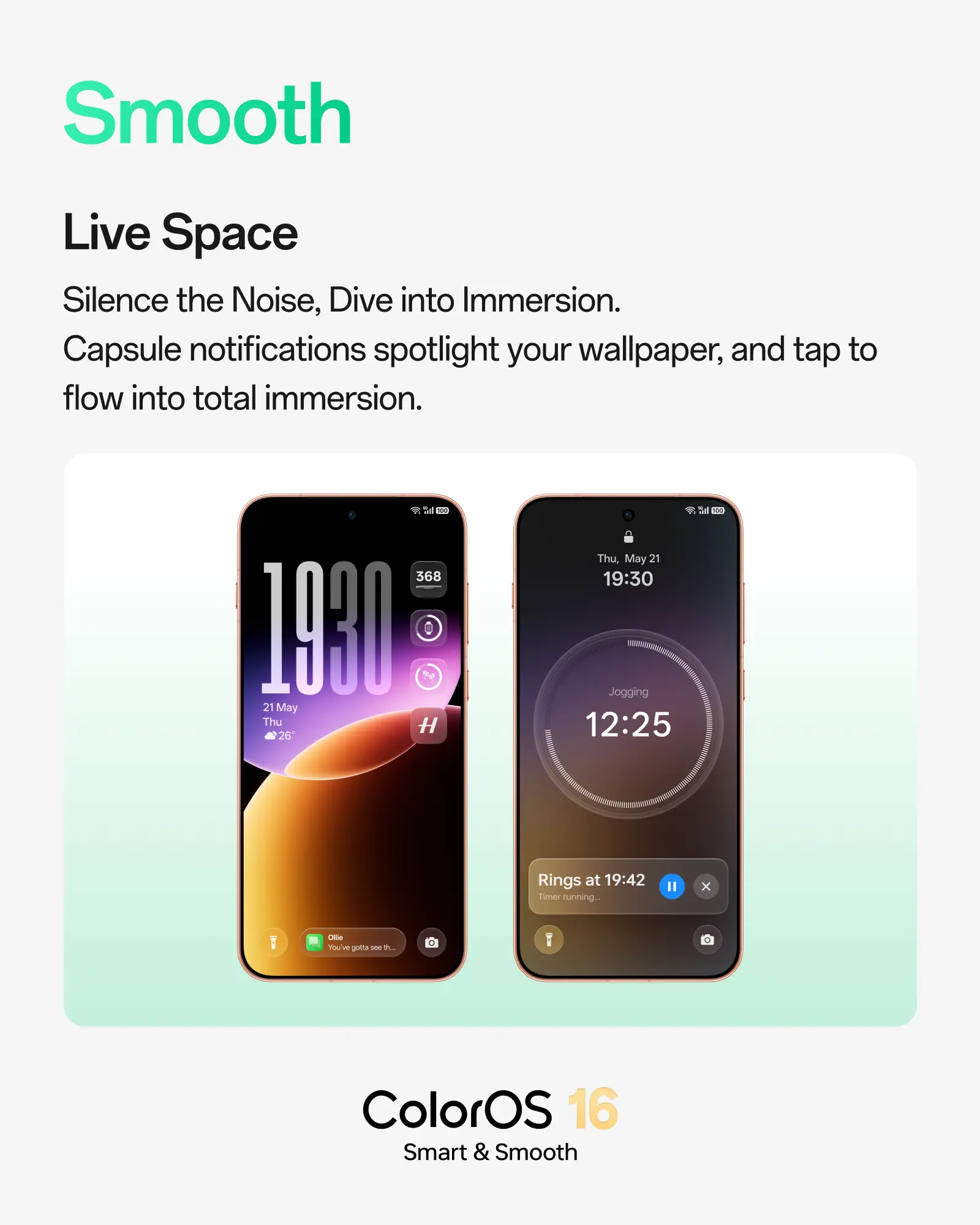
One of the headline additions is the updated Live Space interface ✨, which introduces smoother animations and a more responsive lock screen experience 🔒. Oppo says the feature is designed to deliver real-time information through compact notifications 🔔 while maintaining a cleaner and less distracting interface 🧹.
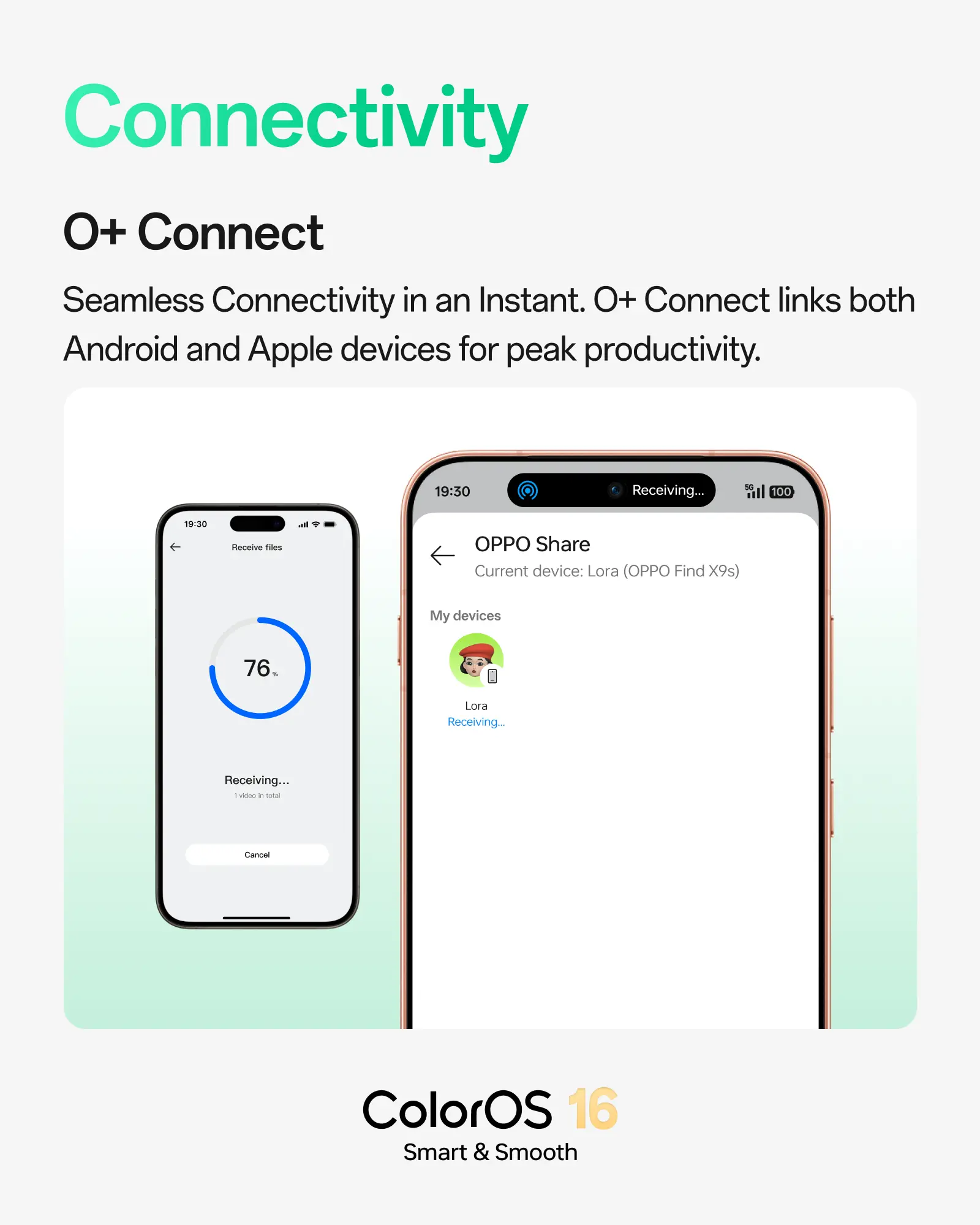
The update also improves cross-platform connectivity through O+ Connect 🔗. Users can now share files more seamlessly between Oppo and Apple devices 📲, making it easier to transfer content across ecosystems 🤝. This addition is aimed at users who regularly switch between Android smartphones and Apple products for work or personal use 💼.
#ColorOS 16
Another major highlight is AI Mind Pilot 🛸 (currently available only for Find X9s and X9 Ultra), which sits within the AI Mind Space ecosystem. The feature combines the capabilities of multiple AI models 🌐, including Gemini, GPT, and Perplexity, to provide contextual responses and information from different sources within a single interface 💬. According to Oppo, this approach helps users compare perspectives and access information more efficiently ⚡.
#ColorOS 16
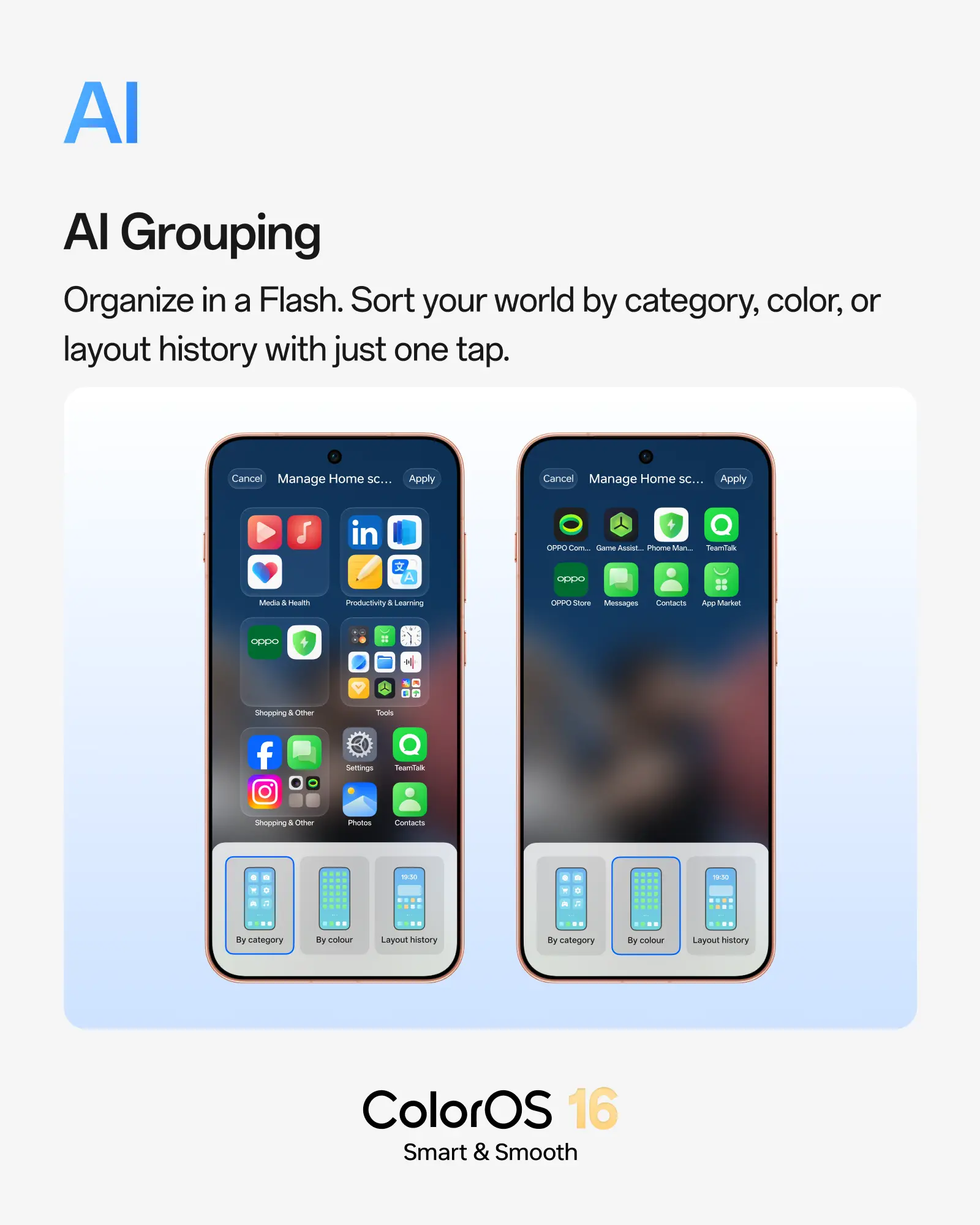
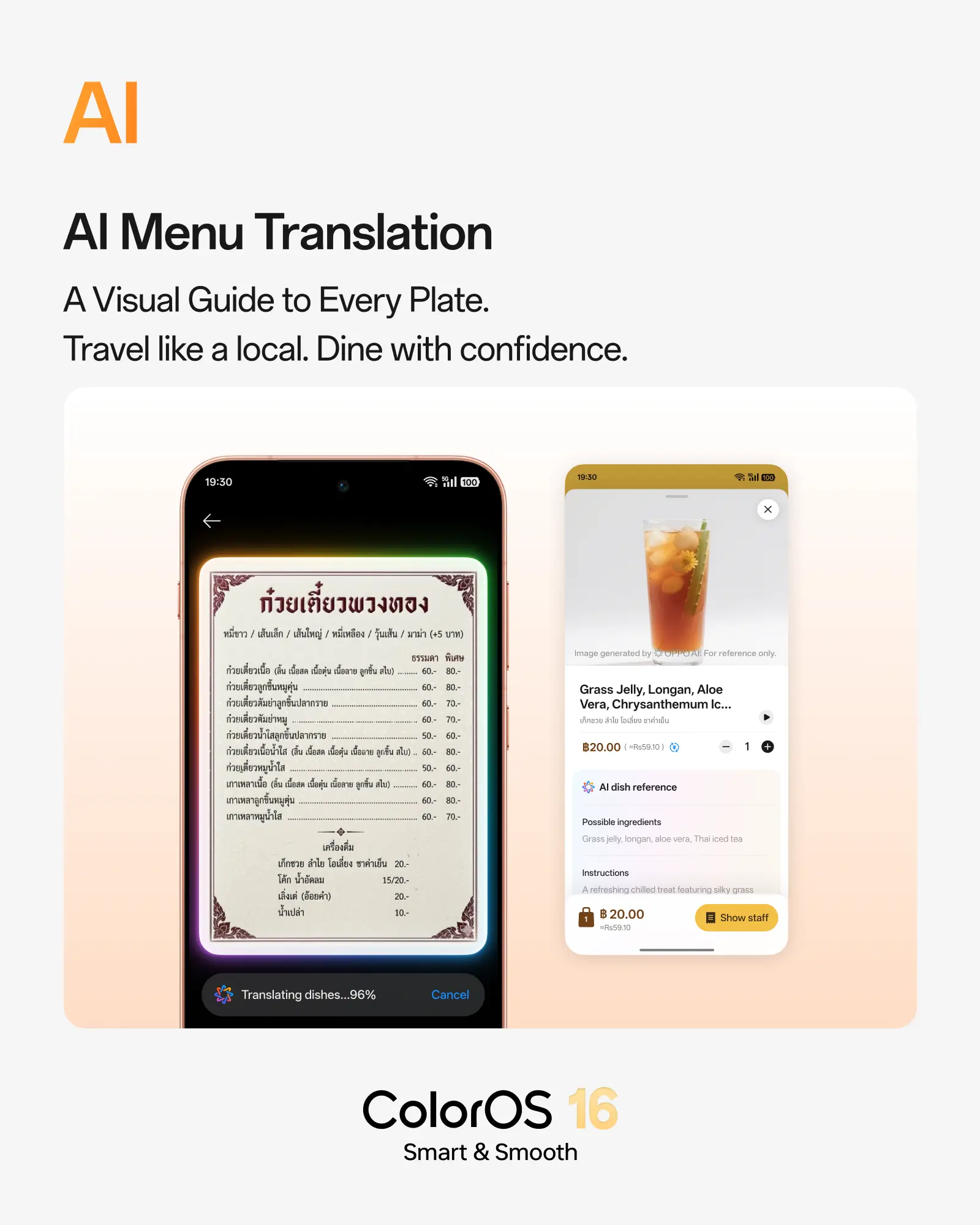
ColorOS 16 also introduces AI Grouping 📂, which helps organise applications and home screen layouts based on categories, colors, or previous arrangements. AI Menu Translation 🍱 can instantly translate restaurant menus and provide contextual assistance, making it useful for travellers ✈️. Meanwhile, AI Popout enables users to create 4K motion collages directly on their devices 🎬, while AI Scan simplifies document digitisation through enhanced image processing and automatic optimisation 📄.
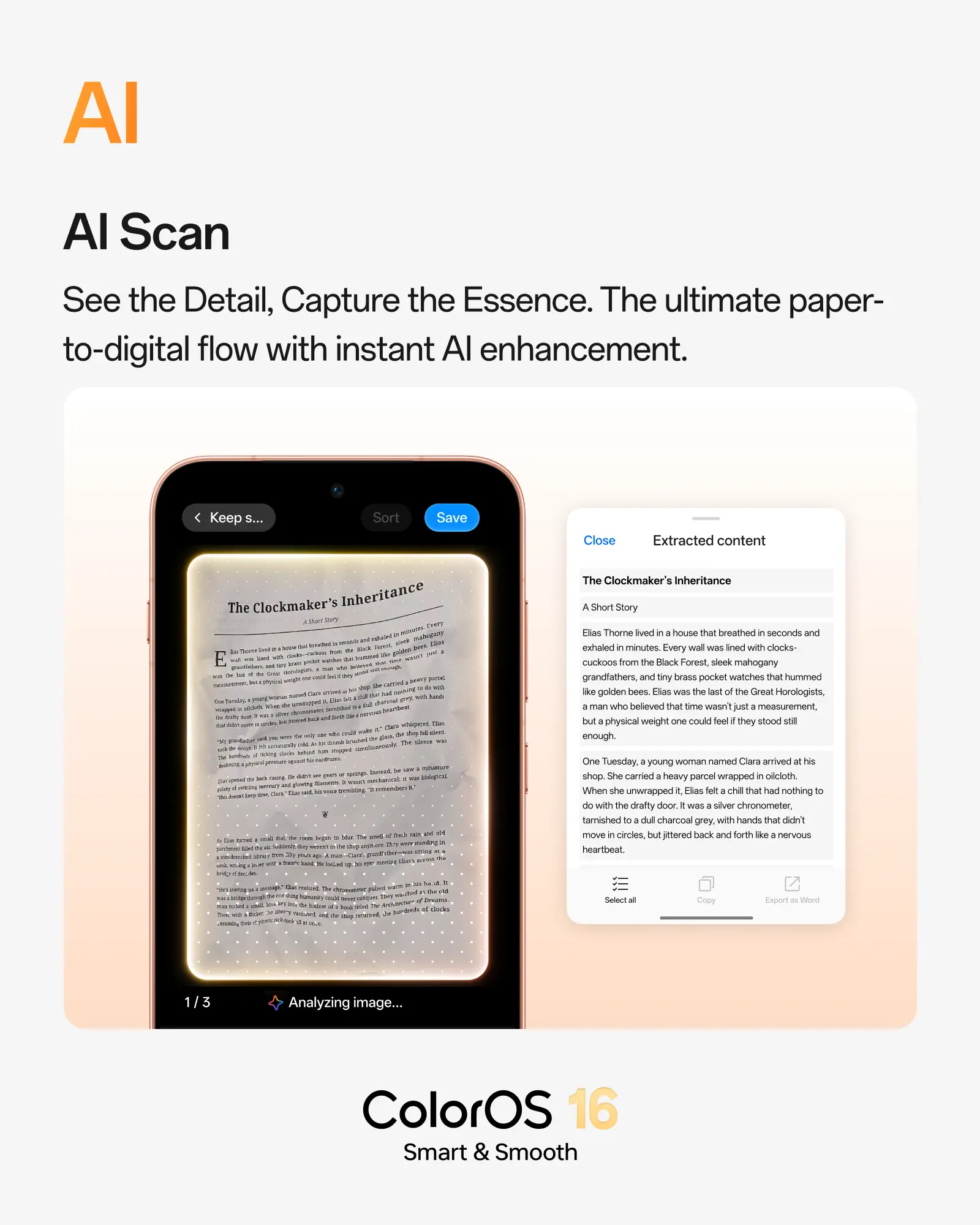
#ColorOS 16
Beyond the AI additions, Oppo says the update continues its focus on smoother performance ⚡, intelligent multitasking 📑, and personalised experiences. The rollout has already begun for supported devices and will continue through May 31, 2026, covering smartphones in the Find X9, Find X8, Reno 15 and Reno 14 series 📱.
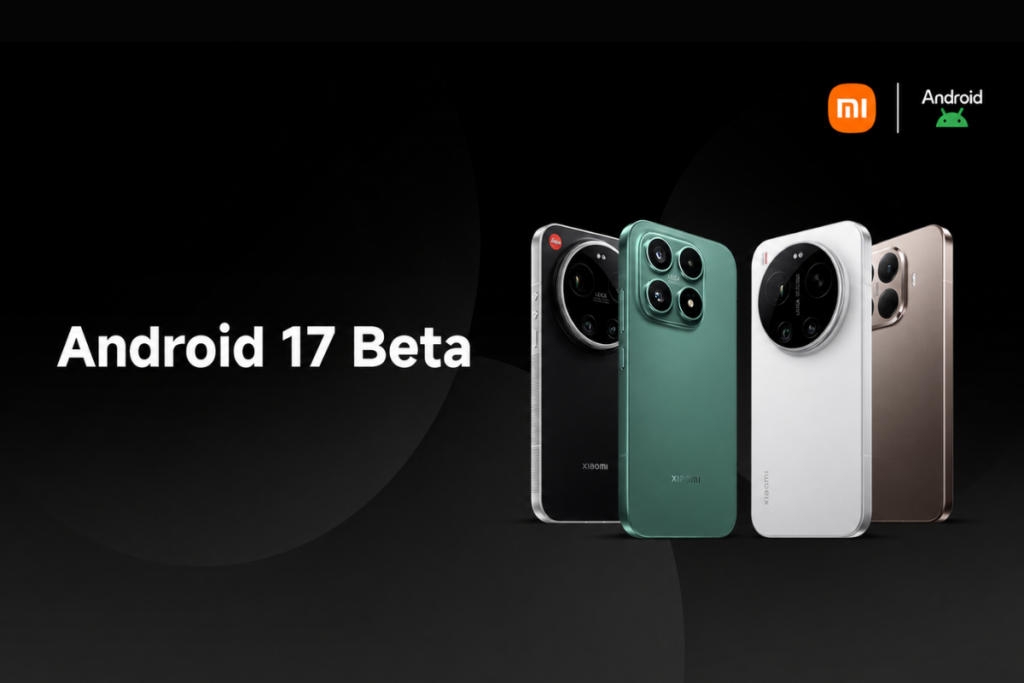
🚀 Xiaomi has officially launched its Android 17 Developer Preview program, bringing with it a surprise upgrade to HyperOS 3.3 ✨. While access to this beta phase is currently restricted to a select group of premium smartphones 📱, the company plans to roll out broader device compatibility in the near future. 🔜
At present, the Developer Preview is open to four specific models: the Xiaomi 17, Xiaomi 17 Ultra, Xiaomi 15T Pro, and the Leica Leitzphone powered by Xiaomi 📸. Owners of these flagship devices can enroll in the testing initiative to experience upcoming features well ahead of the general public 🧪. Interestingly, this rollout also marks a notable pivot in Xiaomi’s branding strategy for its custom Android skin. 🔄
As first reported by Ximi Time, the Android 17 beta firmware introduces HyperOS 3.3, entirely bypassing a HyperOS 3.2 release ⏩. This unexpected move strongly indicates that Xiaomi is holding off on a full leap to HyperOS 4, choosing instead to debut Android 17 alongside the 3.3 iteration. 🧐
🛠️ How to install the Android 17 beta on your Xiaomi device
⚠️ It is important to note that pre-release software is inherently unstable. Beta builds often contain bugs 🐛, unfinished features, and potential app compatibility issues. For these reasons, we strongly advise against using this firmware on your primary smartphone; a secondary testing device is ideal. 🧪
Before proceeding with the installation, be sure to comprehensively back up your important data 💾 to a cloud service or an external drive to prevent accidental data loss. 🛡️
✅ Step 1: Verify that your smartphone is running the necessary baseline firmware version.
📱 Xiaomi 17: OS3.0.301.0.WPCMIXM
📱 Xiaomi 17 Ultra: OS3.0.9.0.WPAMIXM
📸 Leica Leitzphone powered by Xiaomi: OS3.0.9.0.WPAMIXM
📱 Xiaomi 15T Pro: OS3.0.11.0.WOSMIXM
📥 Step 2: Download the appropriate Android 17 beta build for your specific model.
🔗 Xiaomi 17: Download link
🔗 Xiaomi 17 Ultra: Download link
🔗 Leica Leitzphone powered by Xiaomi: Download link
🔗 Xiaomi 15T Pro: Download link
📂 Step 3: Transfer the downloaded ROM upgrade ZIP file directly to your phone’s internal storage, if it isn’t saved there already. 📲
⚙️ Step 4: Navigate to Settings > About phone, then tap the Xiaomi HyperOS logo displayed at the top of the screen. 👆
🔓 Step 5: Tap “Xiaomi HyperOS” 10 consecutive times to unlock advanced options. Next, tap the three-dot menu icon in the upper-right corner and select “Choose update package.” 📑
🚀 Step 6: Locate the ROM upgrade file you downloaded in Step 2, select it, and initiate the installation.
Because this is a substantial system upgrade, the installation process will likely take longer than a standard security patch ⏳. To ensure a smooth update and optimal post-installation performance, verify that your device has at least 10GB of available storage space 📦 and is charged to a minimum of 40% before beginning. 🔋
Should you encounter critical bugs or simply wish to return to a stable release, you can downgrade your device using the firmware links provided below 🔙. The flashing process remains exactly the same, but be warned: rolling back your firmware will result in data loss, making your prior backup essential. ⚠️
⬇️ Fallback firmware files:
Xiaomi 17 (OS3.0.301.0.WPCMIXM): Download link
Xiaomi 17 Ultra (OS3.0.9.0.WPAMIXM): Download link
Leica Leitzphone powered by Xiaomi (OS3.0.9.0.WPAMIXM): Download link
Xiaomi 15T Pro (OS3.0.11.0.WOSMIXM): Download link
🔍 We will continue to monitor the Android 17 rollout and post all major updates in our dedicated Xiaomi section. Check back regularly for the latest details, or join our Telegram channel for real-time notifications. 📢 ✈️
Google has pulled back the curtain on its latest efforts to fortify the Android ecosystem 🤖, revealing a strategy heavily reliant on AI-driven protections and rigorous policy enforcement 🛡️. The tech giant is expanding its real-time defenses to shield users from an increasingly complex landscape of malware, fraud, and privacy intrusions 🔐.
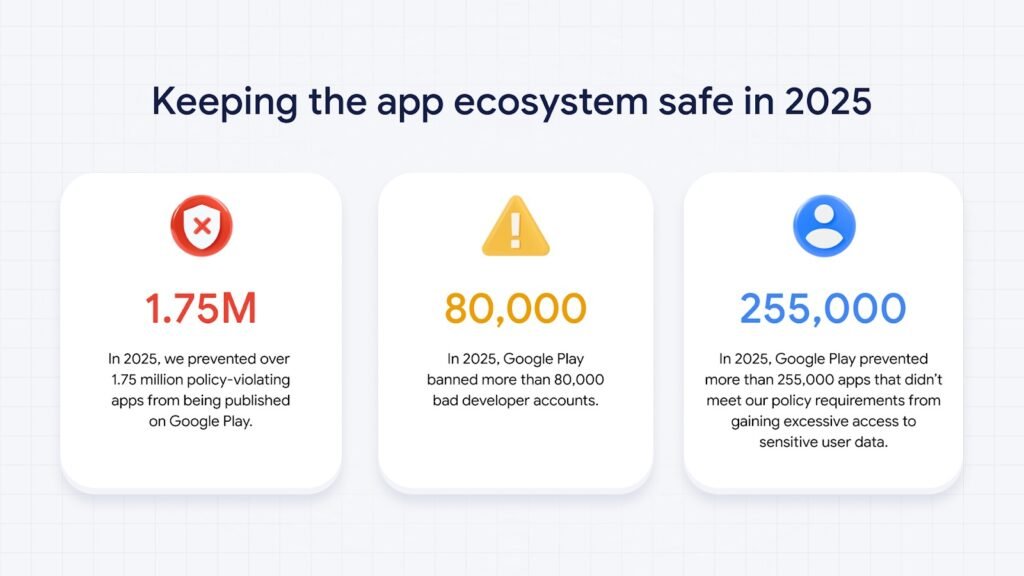
The numbers from 2025 illustrate the scale of this crackdown 👊. Google intercepted more than 1.75 million policy-violating apps before they could ever reach the Google Play Store 🛑. Simultaneously, the company purged over 80,000 developer accounts associated with malicious activity 👤. Google notes that by enforcing stricter verification protocols and mandatory pre-review checks ✅, it has significantly raised the barrier for bad actors 😈 while streamlining the process for legitimate developers to build compliant software 💻.
Getting an app listed is no longer a simple checkbox exercise ☑️. Every submission now undergoes a gauntlet of over 10,000 safety checks before publication 🔍, followed by continuous post-release monitoring 👁️. Throughout 2025, Google supercharged this process by integrating its latest generative AI models 🤖✨, equipping human reviewers with the tools to identify complex, malicious patterns with greater speed and accuracy 🎯.
Privacy remains a cornerstone of the company’s defensive strategy 🔒. By tightening its policies, Google blocked more than 255,000 apps that attempted to grab unnecessary access to sensitive user data 🤫. Furthermore, tools like the Data Safety section and Play Policy Insights in Android Studio 🛠️ have helped developers navigate these requirements, allowing them to reduce permission requests early in the build process 📋.
Integrity extends to user feedback as well 🤝. To preserve the reliability of app ratings ⭐, Google intercepted 160 million spam reviews, effectively neutralizing attempts to artificially inflate or crash scores 🚫. According to the company, these interventions prevented an average 0.5-star drop for apps targeted by coordinated “review bombing” campaigns 💣.
Google Play Protect continues to serve as the heavy lifter in Android’s defense architecture 🏋️. Scanning over 350 billion apps daily—including those sideloaded from outside the store 📥—the system’s real-time capabilities flagged over 27 million new malicious apps from external sources in 2025 alone 🌐. Fraud protection has also expanded significantly, now covering 2.8 billion devices across 185 markets 🌍. This layer alone blocked 266 million risky installation attempts tied to 872,000 high-risk apps ⚠️. Additionally, a new in-call scam protection feature now prevents users from being tricked into disabling Play Protect during suspicious phone calls 📞.
On the technical front, the Play Integrity API ⚙️ has been upgraded to support hardware-backed signals and “device recall” tools to spot repeat offenders. Android 16 is also stepping up with built-in tapjacking protection 👆, a feature developers can now enable with minimal coding effort 👨💻.
Looking ahead 🔮, Google has signaled that its investment in AI defenses and rigorous verification programs will only increase, aiming to solidify trust across the entire Android ecosystem 🤝.

Tech4 months ago
JBL Live 780NC and Live 680NC Debut 🎉 in India: Featuring True Adaptive ANC, Spatial Audio, and Up to 80 Hours of Battery Life 🔋

Tech4 months ago
Vivo X Fold 6 Set to Redefine Foldables with a 7,000mAh Battery 🔋 and IPX8/IPX9 Durability 🛡️

Tech4 months ago
Why Next-Gen AI Smartphones May Ditch LPDDR for LLW 🪐

Entertainment9 years ago
The final 6 ‘Game of Thrones’ Trailer

Smartphones5 months ago
Oppo Android 17 (ColorOS 17) update: Full list of eligible devices 📱📲

Entertainment9 years ago
The old and New Edition cast comes together to perform

Videos5 months ago
Vivo X Fold 6 with Dimensity 9500 ⚙️, 200MP triple cameras to launch by June end 🚀

Videos8 months ago
Marvel Tōkon: Fighting Souls 🥊 arrives on PS5 and PC 🎮 this August 6, bringing the X-Men ❌ along for the ride.

Entertainment8 months ago
Samsung Galaxy Unpacked 2026 📅: The Galaxy S26 series ✨,
-
 Entertainment9 years ago
The final 6 ‘Game of Thrones’ Trailer
-
 Smartphones5 months ago
Oppo Android 17 (ColorOS 17) update: Full list of eligible devices 📱📲
-
 Entertainment9 years ago
The old and New Edition cast comes together to perform
-

 Buying9 years ago
Phillies’ Aaron Altherr makes mind-boggling barehanded play
-

 Videos9 years ago
Uber and Lyft are finally available in all of New York State
-

 Entertainment9 years ago
Disney’s live-action Aladdin finally finds its stars
-

 Buying9 years ago
Steph Curry finally got the contract he deserves from the Warriors
-

 Smartphones9 months ago
OnePlus 16 May Borrow Massive 9,000mAh Battery From Turbo 6 Series 🔋⚡