Connect with us

Google

Google 🏢 and Epic Games 🎮 reach settlement 🤝 to end antitrust lawsuit ⚖️


Published

on

Google and Epic Games have reached a settlement to resolve their high-profile antitrust lawsuit over Play Store practices. Discover the details of the agreement.

The protracted legal battle ⚔️ between Google and Epic Games appears to be drawing to a close 🏁. The two companies have submitted a joint proposal to the federal court 🏛️ in San Francisco, requesting that US District Judge James Donato 👨‍⚖️ ratify a revised version of the remedial order issued following Google’s courtroom defeat. Confirming the move on X, Sameer Samat, President of Google’s Android Ecosystem, stated, “Together with Epic Games we have filed a proposed set of changes to Android and Google Play 📱 that focus on expanding developer choice and flexibility 🤸‍♂️, lowering fees 📉, and encouraging more competition 🏁 all while keeping users safe 🛡️.”

Epic Games CEO Tim Sweeney offered a similarly positive assessment 📈, praising the agreement for “genuinely [doubling] down on Android’s original vision as an open platform 🔓 to streamline competing store installs globally, reduce service fees for developers on Google Play and enable third-party in-app and web payments 💳.” The settlement serves as the capstone to a conflict that began in 2020 📅, when Epic Games sued Google, accusing the tech giant of maintaining an illegal monopoly 🏰 over app distribution and in-app billing services on Android devices 📲.
The momentum shifted decisively ⚡ when the court ruled in favor of Epic Games in late 2023, followed by Google losing its appeal this past July. Although Google petitioned the Supreme Court 🏛️ to stay Judge Donato’s injunction while it pursued further appeals, the high court denied the request 🚫. Consequently, Google faces strict prohibitions 🛑: it is barred from paying manufacturers or developers to distribute exclusively via the Play Store. Furthermore, the company must open its ecosystem to third-party app stores 🔓 and can no longer force developers to utilize its proprietary payment system exclusively 💸.
Under the new proposal 📝, Google will adhere to the majority of Judge Donato’s original mandates, though the parties have agreed to specific modifications. Crucially, they have established a framework to “allow developers and users to seamlessly use alternative payment mechanisms 💰”—whether in-app or via external links 🔗—while maintaining Google’s security standards 🛡️. The agreement also explicitly caps the fees Google can levy on these transactions at either 9 percent or 20 percent 📊, depending on the transaction type. Notably, the commission caps regarding third-party in-app payment systems will apply specifically to new app installations 📥.
Finally, the companies have agreed upon “reasonable, neutral criteria” ✅ that rival app stores must satisfy. Once these standards are met, users will be able to easily download alternative marketplaces 🛍️, fostering direct competition with the Play Store on a global scale 🌍.

Google

Google Pixel 10a launches with Tensor G5 and a focus on recycled materials 📱♻️

Published

on

By

Google launches the Pixel 10a featuring the Tensor G5 chip, a 3,000-nit Actua display, and recycled materials. Explore the latest specs and durability updates.

Google launches the Pixel 10a featuring the Tensor G5 chip, a 3,000-nit Actua display, and recycled materials. Explore the latest specs and durability updates.

The wait is finally over! ⏳ A few months after the initial leaks began to circulate 🕵️‍♂️, the Google Pixel 10a is officially here. For those who have been tracking the rumor mill, the device doesn’t offer many shocks; instead of a complete overhaul, Google has refined the familiar specifications of its predecessor while leaning heavily into software enhancements to define the experience. ✨
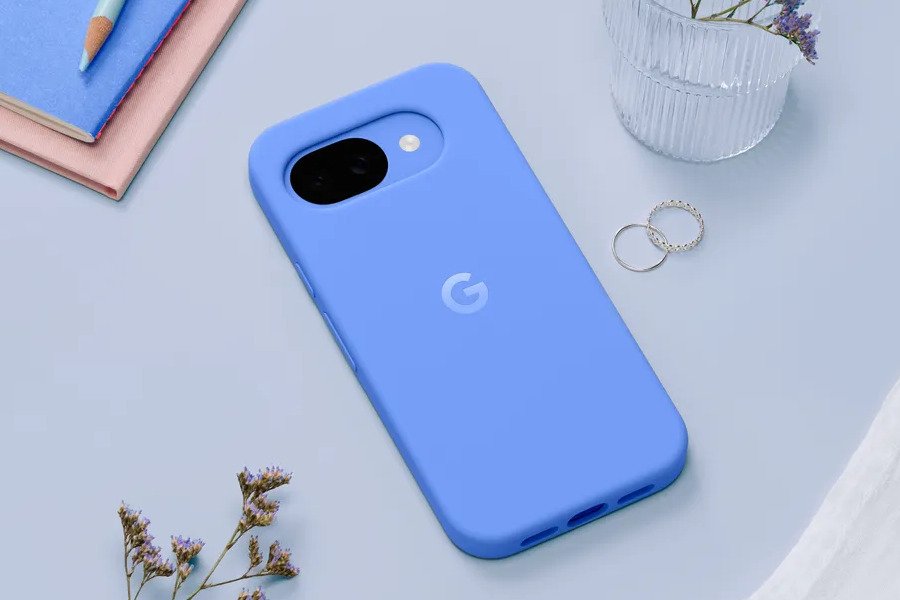
#Google Pixel 10a

Visually, the Pixel 10a retains the 6.3-inch Actua display, but with a notable improvement in luminance. ☀️ Google has boosted the peak brightness to 3,000 nits, a step up from the 2,700 nits found on the Pixel 9a. 📱 As expected, the device maintains its reliable IP68 rating for dust and water resistance. 💧🛡️

One of the most practical updates focuses on durability. 💪 The Pixel 10a has moved on from Gorilla Glass 3, now utilizing Gorilla Glass 7i for screen protection. 🛡️ According to Google, this upgrade offers superior scratch resistance and ensures the glass can survive drops from up to 1 meter (3.3 feet). 🔨

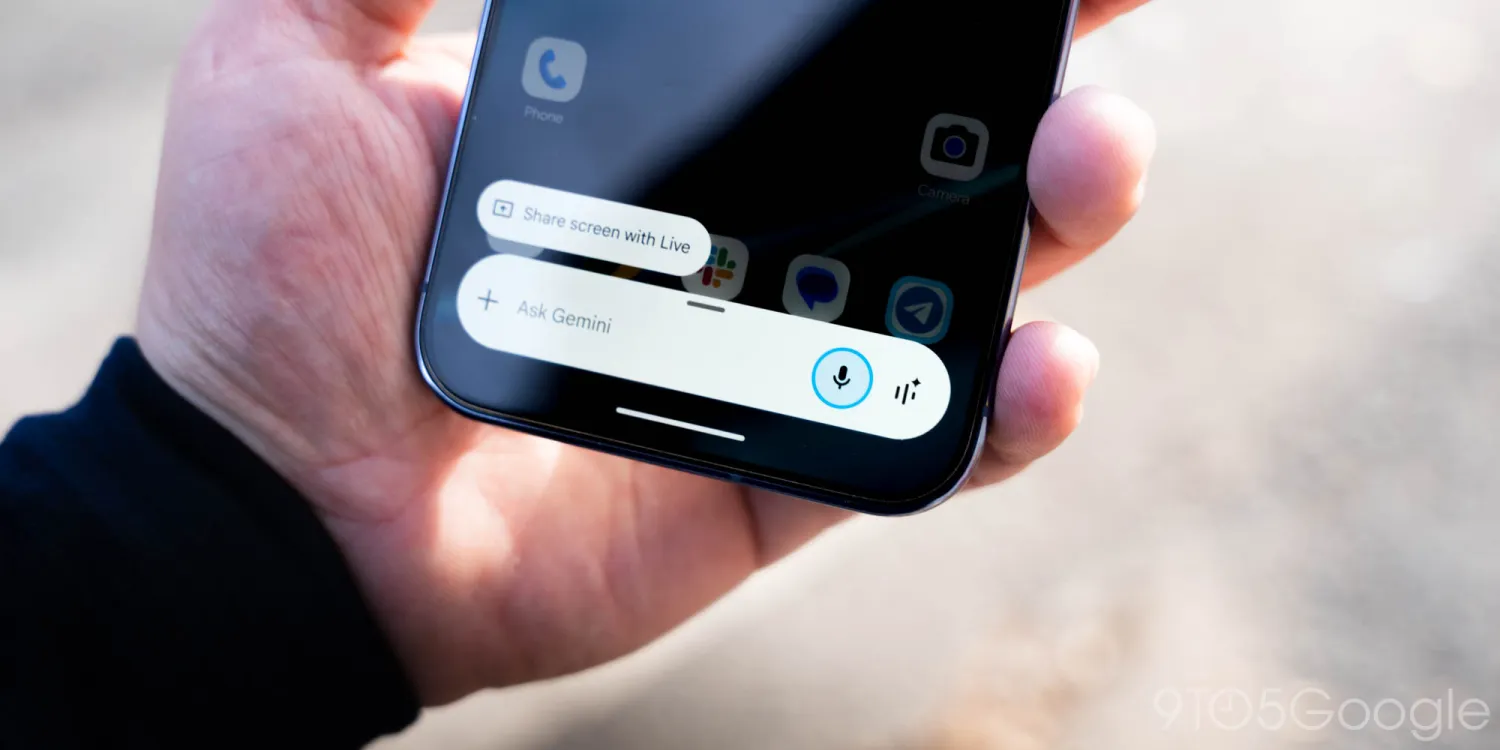
As is typical with Google’s hardware, the software experience is the true centerpiece. 🤖 The Pixel 10a ships with Android 16 out of the box, backed by an industry-leading promise of seven years of software updates. 🗓️ The phone is also deeply integrated with Google’s AI ecosystem, featuring suites ranging from the Gemini Assistant to Gemini Live. 🪄

Under the hood, however, the hardware remains consistent with the previous generation. ⚙️ The Pixel 10a is powered by the same Tensor G4 chipset found in the Pixel 9a. 🧠 The memory and storage configurations also remain unchanged, offering 8GB of RAM paired with either 128GB or 256GB of storage. 💾
#Google Pixel 10a

The camera system also sees a hardware carry-over, featuring a 48MP main rear lens, a 13-megapixel ultra-wide sensor, and a 13MP selfie camera. 📸 The upgrades here are entirely software-driven, with new AI features such as Camera Coach, Auto Best Take, and Add Me. 🤳✨

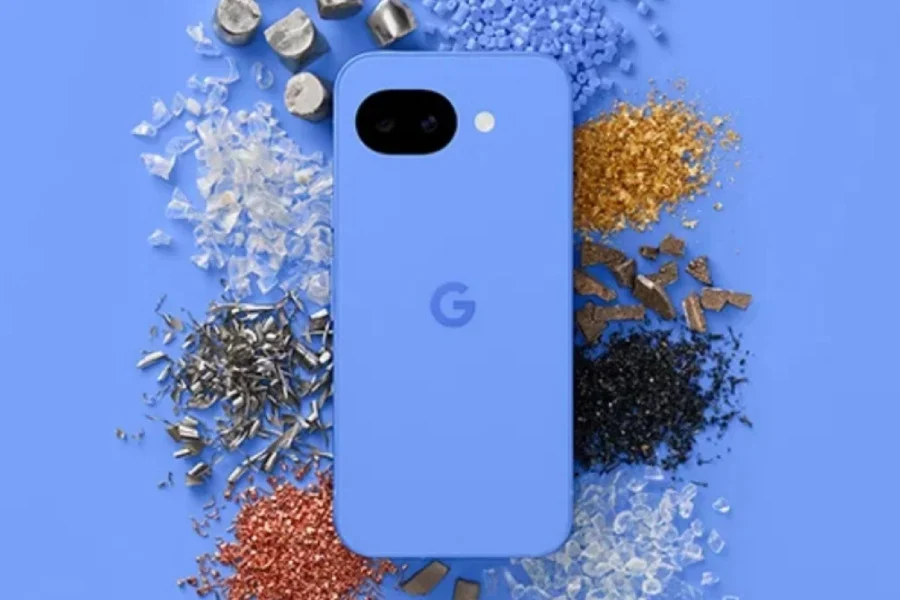
Google Pixel 10a vs Pixel 9a: What’s different? 🆚 The primary distinction for the Pixel 10a lies in its design and construction. 🛠️ The back panel is now crafted from 81% recycled plastic. ♻️ To complement the device, Google has introduced a new Pixel 10a Case made from 36 percent recycled plastic, color-matched to the phone. 📱 Note that neither the device nor the case includes built-in magnets. 🧲

Google claims the Pixel 10a utilizes more recycled materials than any previous phone in the a-series. 🌍 It is the first in the lineup to incorporate recycled cobalt, copper, gold, and tungsten, which collectively make up at least 36 percent of the product by weight. 💎 Additionally, the aluminum frame is sourced from 100 percent recycled material, and the packaging is entirely plastic-free. 📦🌱

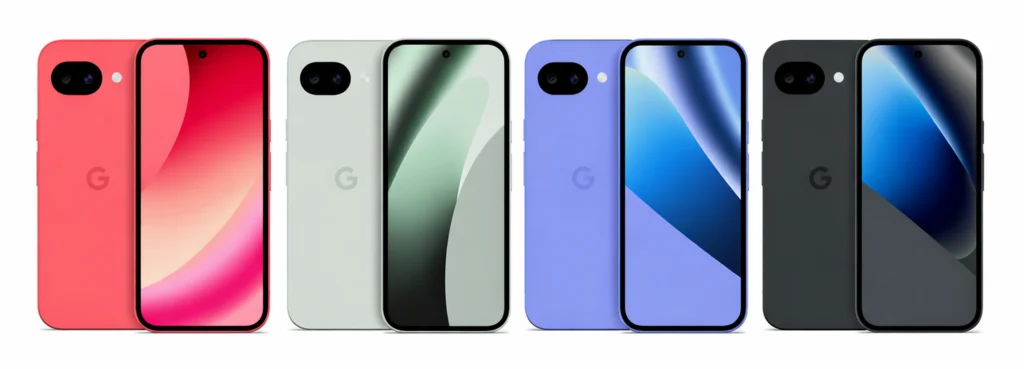
The Google Pixel 10a is available in four distinct colors: Fog 🌫️, Obsidian 🖤, Berry 🍓, and Lavender 🪻. Pricing remains competitive, starting at $499 in the US 💵 and Rs 50,000 in India 🇮🇳 for the 8/128GB variant. Pre-orders open today, with general availability starting on March 5. 📅🚀
Continue Reading

Google

Google 🌐 is refining how users interact with Gemini ✨ on Android 🤖,

Published

on

By

Google updates the Gemini UI on Android, introducing a new navigation layout, a dedicated share button, and a streamlined menu for a better user experience.

Google 🌐 is refining how users interact with Gemini ✨ on Android 🤖, rolling out a few UI tweaks 🎨 that put sharing 📤 and navigation 🧭 front and center.
#image_title
#image_title
#Gemini

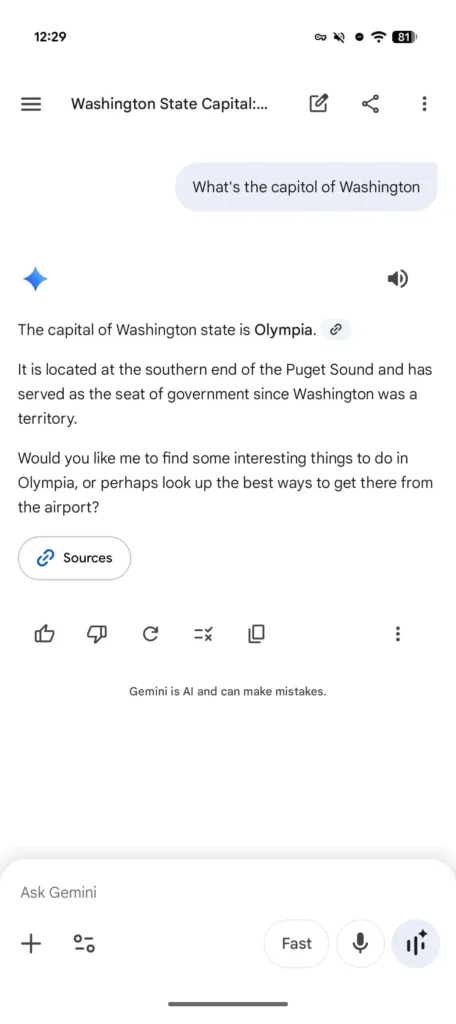
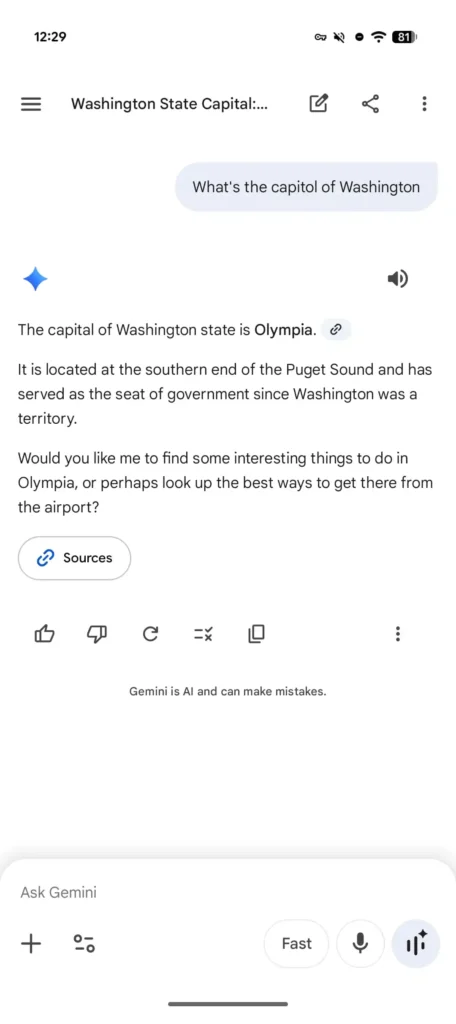
If you’ve used the app recently 📱, you might have noticed the top bar looks a bit busier. Previously, the interface was fairly minimalist 📉: the chat title sat right in the center, and tapping it would trigger a bottom sheet menu. A “new chat” button ➕ lived off by itself in the top-right corner.

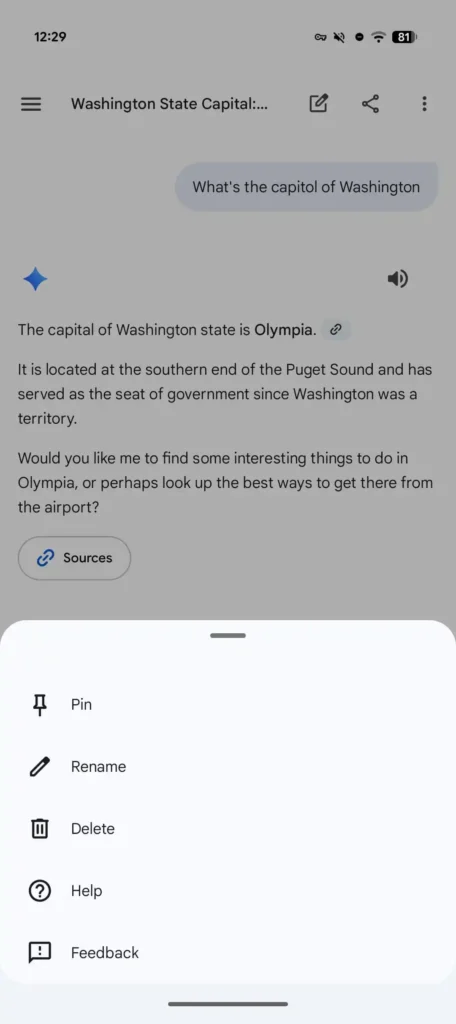
That’s changed 🔄. The title has now shifted to the left ⬅️, sitting right next to the new chat icon. Following those are two prominent additions: a dedicated share button 🔗—which instantly generates a link and pulls up the Android share sheet—and a standard three-dot overflow menu 📑. This menu is now the home for Pin 📌, Rename ✏️, Delete 🗑️, Help ❓, and Feedback 💬.

While this layout feels more “standard” 📏 for a Google app than the old downward-facing caret, it does make the header feel a little cramped 🤏, especially with the hamburger menu 🍔 still occupying the far left. You could argue that tucking the share button inside the overflow menu would have kept things a bit cleaner 🧹.
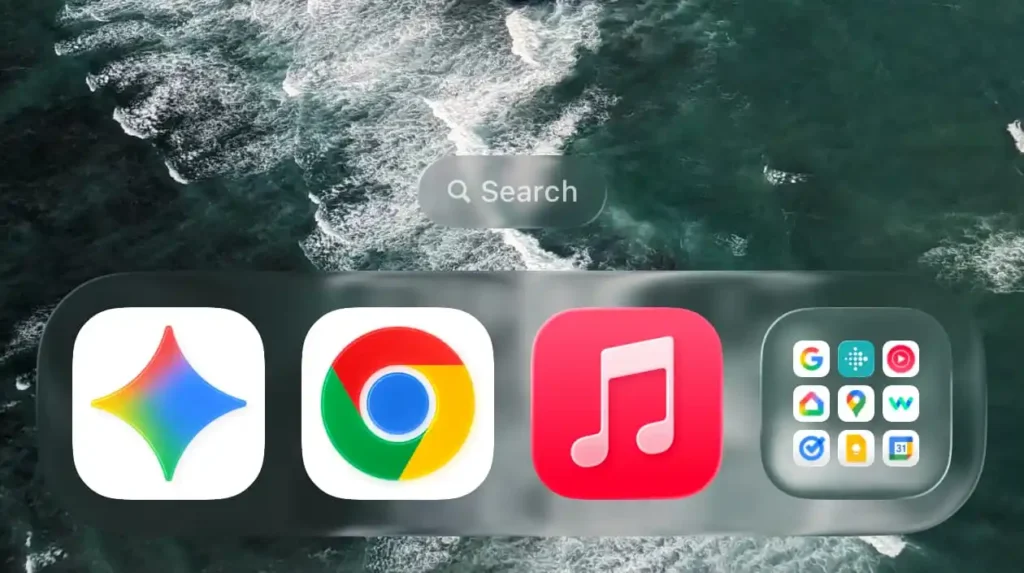
#Gemini

These side-by-side icons have also popped up on the web version 💻 of Gemini ✨, though they haven’t made their way to iOS 🍎 just yet.

That said, the iPhone and iPad app 📱 didn’t get left out entirely. An update earlier this week ⬆️ (version 1.2026.0570001) subtly boosted the size of the Gemini “spark” icon ✨. It’s a minor aesthetic shift 🎨, but the larger sparkle now fills out its rounded square container much better, bringing it in line with the design language used across the rest of Google’s mobile suite 📱.
Continue Reading

Google

Google caught everyone off guard 😲.

Published

on

By

Google surprises with the first Android 17 beta! Discover new privacy and security features, performance updates, and see if your Pixel device is eligible.

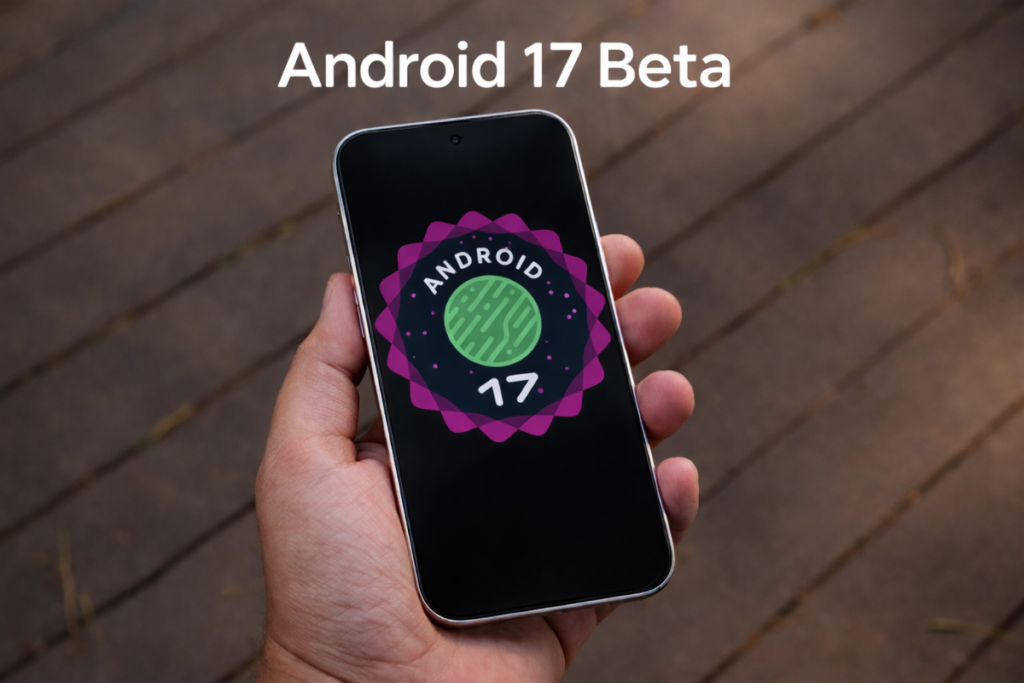
Google caught everyone off guard 😲. Just three days after confirming Android 17 was on the horizon 🌅, the first beta has officially landed 🚀. It’s an unexpectedly quick turnaround for a release that promises to sharpen privacy 🛡️, tighten security 🔒, and smooth out overall performance ⚡.

Beyond the usual under-the-hood polish ✨, there are some fundamental shifts in how Android handles apps and hardware ⚙️. Here is everything you need to know about the rollout, the devices that made the cut, and what’s actually changing 📋.

 Is your device on the list? 📱

As per usual, Google’s own Pixel lineup gets the first bite of the apple 🍎. While other manufacturers will eventually join the beta program, for now, it’s a Pixel-only affair 🤫.

If you own any of the following, you’re eligible to jump in 🙋‍♂️:

Pixel 6 Series:** 6, 6 Pro, 6a 📱

Pixel 7 Series:** 7, 7 Pro, 7a 📱

Pixel 8 Series:** 8, 8 Pro, 8a 📱

Pixel 9 Series:** 9, 9 Pro, 9 Pro XL, 9 Pro Fold, 9a 🤳

Pixel 10 Series:** 10, 10 Pro, 10 Pro XL, 10 Pro Fold 🌟

Foldables & Tablets:** Pixel Fold, Pixel Tablet 📖

Essentially, if you’re carrying a Pixel 6 or newer, you don’t have to wait months for the stable release to see what Google has been cooking 👨‍🍳.

 How to get Android 17 Beta 1 right now 📲

The installation process depends on where you’re starting from. If your Pixel is already enrolled in the beta program and running Android 16 QPR3 Beta 2.1, you can breathe easy—the update should hit your device automatically 📥. Just head to **Settings > System > Software Updates** to trigger the download ⚙️.

If you’re currently on a stable build, you’ll need to take an extra step 🚶‍♂️:

1.  Go to [google.com/android/beta](https://google.com/android/beta) 🌐.

2.  Sign in with the Google account linked to your phone 🔑.

3.  Find your device and select **“Opt in.”** ✅

4.  Once confirmed, check your phone’s settings for the update 🔄.

A quick word of advice:** This is a beta ⚠️. Things can (and sometimes will) break 💥. Before you hit install, make sure your photos and important files are backed up to the cloud or a physical drive ☁️💾.

 What’s actually new? ✨

This first release marks a bit of a structural shift. Google is moving away from the traditional “Developer Preview” label in favor of an Android Canary” program 🐦. The idea is to get features and APIs into the hands of developers faster, ensuring better stability without the headache of manual flashing ⚡.

 Better behavior on big screens 📺

If you use a tablet or a foldable, you’ve likely dealt with apps that refuse to resize or rotate properly 🔄. Android 17 is putting its foot down. For any device with a “smallest width” of 600dp or more, apps are now required to support resizable windows and both landscape and portrait orientations 📐. They can no longer opt out of these basic behaviors.

 Under-the-hood performance 🏎️

Google is also fine-tuning the engine. They’ve introduced a “Lock-free MessageQueue” to help eliminate those annoying dropped frames 🎞️ and “Generational Garbage Collection” to make the system more efficient with CPU usage 🧠. It’s technical stuff, but it translates to a phone that feels snappier and lasts longer on a charge 🔋.

Camera and Connectivity 📸

The update brings “Dynamic Camera Sessions” for smoother transitions between shooting modes 🎥 and “Versatile Video Coding” (VVC) support for hardware that can handle it. On the connectivity side, there are significant updates to Wi-Fi Ranging for better proximity detection 📶 and new dedicated profiles for medical devices and fitness trackers to make pairing and permissions less of a chore 🩺⌚.

What’s next? 🔮

Google is moving fast 🏃‍♂️. According to their roadmap, we’ll hit the “Platform Stability” phase as early as next month. That’s when the APIs are finalized and the final polish begins 💎. If everything stays on track, we should see the stable rollout sometime in the third quarter of 2026 📅.

We’ll be keeping a close eye on every new build as it drops 👀. You can check back here for updates or head over to our Telegram channel for instant alerts on the latest tech news 📢.

Continue Reading

Trending

WordPress Factory Constkit – Construction and Industrial Elementor Template Constructa – Building & Construction Elementor Template Kit Construction – Building & Renovation WordPress Theme Constructo – Construction WordPress Theme Constructoor – Construction & Building Elementor Template Kit Constructor | Construction WordPress Constructor One – Construction WordPress Theme Construk – Construction Elementor Template Kit Consulenza – Counseling Therapy WordPress Theme Consuloan | Multipurpose Consulting WordPress Theme