
Tech
How to recover deleted WhatsApp messages 📱

Lost important WhatsApp chats? Follow our guide to recover deleted messages using backups on Android and iPhone. Act fast to save your data!
Losing a WhatsApp conversation can be distressing 😟, especially when the messages hold sentimental value or crucial information. Fortunately, deleted chats are often recoverable 🔄. This guide outlines a clear, step-by-step process to retrieve them without the need for rushed decisions or risky third-party tools. The secret lies in your backups 💾. While recovery is difficult without one, many users have automatic backups enabled without realizing it. A crucial first step: stop using the app immediately 🛑. Incoming messages can overwrite old data, effectively destroying your chances of recovery ⚠️.
1. Check for an existing backup 🔍
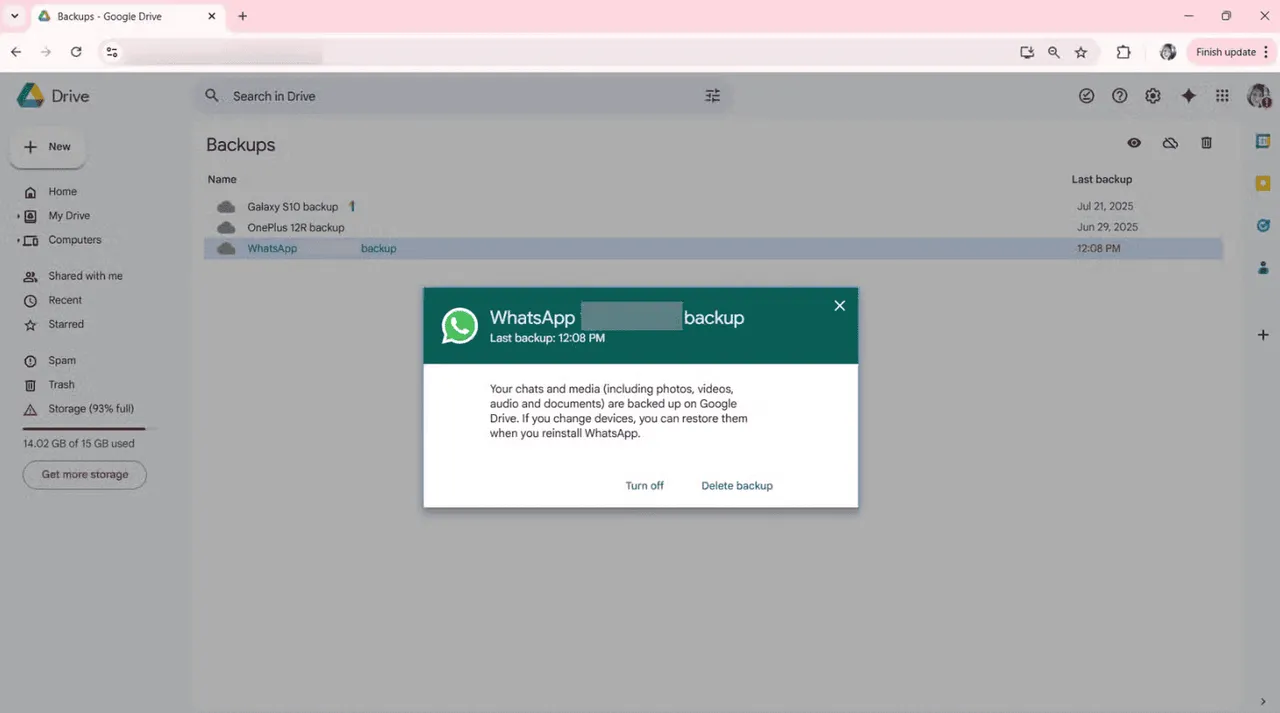
Open WhatsApp and navigate to the settings menu ⚙️. Select “Chats” and then “Chat Backup.” Look for the date and time of the last save 🕒. This timestamp is critical; it must be older than the message you deleted. If the backup is newer than the deletion, the old chat history has unfortunately been overwritten ⏳.
On Android devices, backups are stored on Google Drive ☁️ and local internal storage 📂. On iPhone, backups are exclusively saved to iCloud ☁️. Ensure you are signed into the exact Google or iCloud account associated with your WhatsApp previously 📧.
2. Prepare your phone 🛠️
To trigger a restore, you must uninstall WhatsApp from your device 🗑️. While deleting the app might seem alarming, your account status remains safe. Simply press and hold the app icon, select the option to delete or uninstall, and confirm the action. Removing the app clears the cached data, allowing the system to fetch information fresh from your backup 🔄. Before proceeding, verify you have a stable internet connection; a poor signal can corrupt or interrupt the restoration process 📶.
3. Reinstall WhatsApp 📲
Head to your respective app store 🏪 and reinstall WhatsApp. Launch the application and agree to the terms of service. You will be prompted to enter your phone number and verify it via a code sent by text 💬. Once your identity is confirmed, WhatsApp will automatically scan for an available backup 🔎.
4. Restore the backup 📥
When prompted to restore your chat history, tap “Restore” ✅. The duration of this process depends on the file size and your internet speed. Crucially, do not close the app or lock your screen while the restoration is in progress 🚫🔒. Allow the process to finish completely.
Once finished, tap “Next.” Your chat history should reappear up to the point of the last backup ✨. Keep in mind that any messages sent or received after that backup date will not be recovered.
5. For Android users only 🤖
If Google Drive comes up empty, you may still have a local backup saved on your device 📁. Open your File Manager app and navigate to the WhatsApp folder, then select “Databases.” You will see files labeled with dates. Select the file dated just prior to the accidental deletion.
Rename this file to msgstore.db.crypt14 ✍️. Ensure the file name is exact and contains no extra text. Once renamed, repeat the uninstall and reinstall process. When you tap restore, the app should prioritize this local file 📍.
6. For iPhone users only 🍎
iPhone users must rely strictly on iCloud backups to restore WhatsApp chats; local file manipulation is not an option on iOS 🔒.
Check your iCloud storage capacity 📦. If your storage is full, the restore may fail. Additionally, ensure WhatsApp has permission to access iCloud Drive in your settings, and that the service was active at the time the backup was created. If the backup file is valid, the restore should proceed smoothly 🧊.
What if no backup exists? ❓
If no backup existed prior to the deletion, WhatsApp cannot recover the messages ❌. The platform does not store chat logs on its servers for privacy reasons. Exercise extreme caution regarding third-party software claiming “magic” recovery solutions ⚠️. Most are ineffective, and many pose serious security risks to your personal data 🛡️.
How to avoid data loss in the future 🛡️
If your WhatsApp conversations are vital to you, proactive backup settings are essential to prevent future heartache 💡. Open WhatsApp, tap the menu or settings icon, navigate to “Chats,” and select “Chat Backup.” Change the frequency to “Daily” 🗓️ to ensure minimal data loss in an emergency. It is also wise to set backups to occur over Wi-Fi 📶 to preserve mobile data, and always ensure you have sufficient cloud storage available ☁️.
Losing digital conversations is stressful, but recovery is often possible with the right steps 🌈. With a valid backup, your messages can be retrieved. If not, setting up a robust backup schedule today is the best defense for tomorrow 🛡️.
Continue Reading
Tech
JBL Live 780NC and Live 680NC Debut 🎉 in India: Featuring True Adaptive ANC, Spatial Audio, and Up to 80 Hours of Battery Life 🔋

JBL has expanded its wireless audio portfolio 🎧 in India with the launch 🚀 of two premium headphones: the JBL Live 780NC and the JBL Live 680NC. Designed for users seeking a blend of style and substance, these new offerings promise immersive sound 🔊, robust active noise cancellation, and exceptional battery life.
Intelligent Audio 🧠: Advanced ANC, Spatial Sound 🪐, and AI-Enhanced Calls 🤖
Catering to different style preferences 🎨, the JBL Live 780NC features a comfortable over-ear design, while the Live 680NC offers a more compact on-ear profile. Under the hood, both models are powered by 40mm dynamic drivers and feature JBL Spatial Sound 3.0, bringing a theater-like depth 🎭 to your music, movies, and podcasts 🍿. Additionally, users can craft a bespoke listening profile using Personi-Fi 3.0, which calibrates the audio output to match their unique hearing sensitivity 👂.
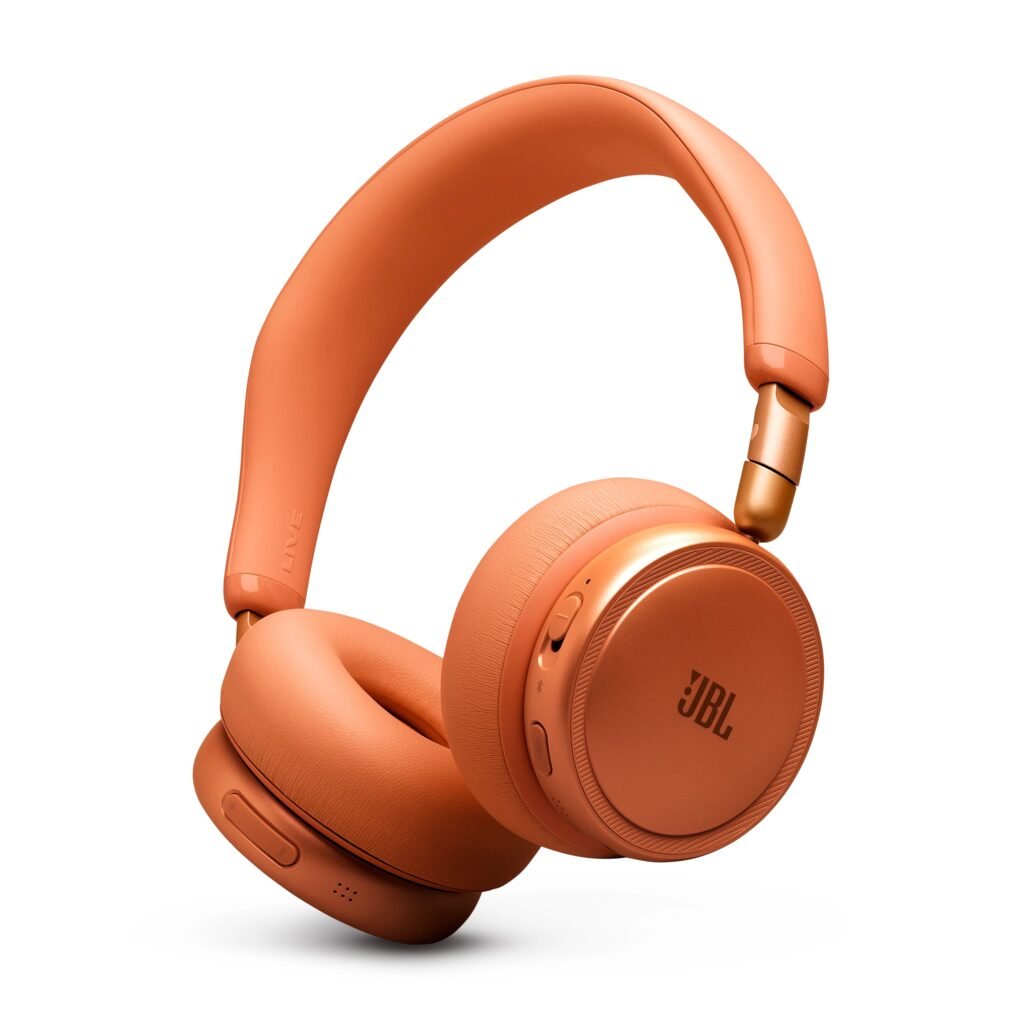
To block out distractions 🛡️, both models leverage JBL’s True Adaptive Noise Cancelling 2.0 technology. The over-ear Live 780NC utilizes a six-microphone array to monitor and neutralize ambient noise, while the on-ear Live 680NC relies on a highly capable four-microphone system. When it comes to voice calls, dual beamforming microphones work in tandem with an AI-driven noise-reduction algorithm to ensure crystal-clear 🔮 conversations, even in bustling environments.
On the connectivity front 🔗, the headphones are equipped with Bluetooth 6.0, multipoint pairing for seamless device switching, and Auracast support. Audiophiles will appreciate the high-resolution wireless audio enabled by LDAC codec support on compatible devices. Battery life 🔋 is another major selling point: both models deliver an impressive 80 hours of playback with ANC off, and up to 50 hours with ANC activated. If you’re in a rush, a quick five-minute charge ⚡ provides up to four hours of listening time.
Pricing and Availability Details 🏷️
The premium 🏆 JBL Live 780NC is priced at Rs 15,999 (approximately $170), while the on-ear JBL Live 680NC comes in at Rs 11,999 (around $130). Both models are available in an array of seven vibrant colorways 🌈: Black, Blue, White, Champagne, Green, Orange, and Purple. Early birds can pre-book 🎟️ the Live 780NC starting June 18 via Amazon and JBL India’s official website to enjoy a limited-time Rs 2,000 discount and a complimentary one-year extended warranty 🛡️.
The JBL Live 780NC is set to officially hit the shelves 🛍️ during Amazon Prime Day 📦, alongside availability at major retail stores. Meanwhile, the Live 680NC will be available for purchase starting July 15.
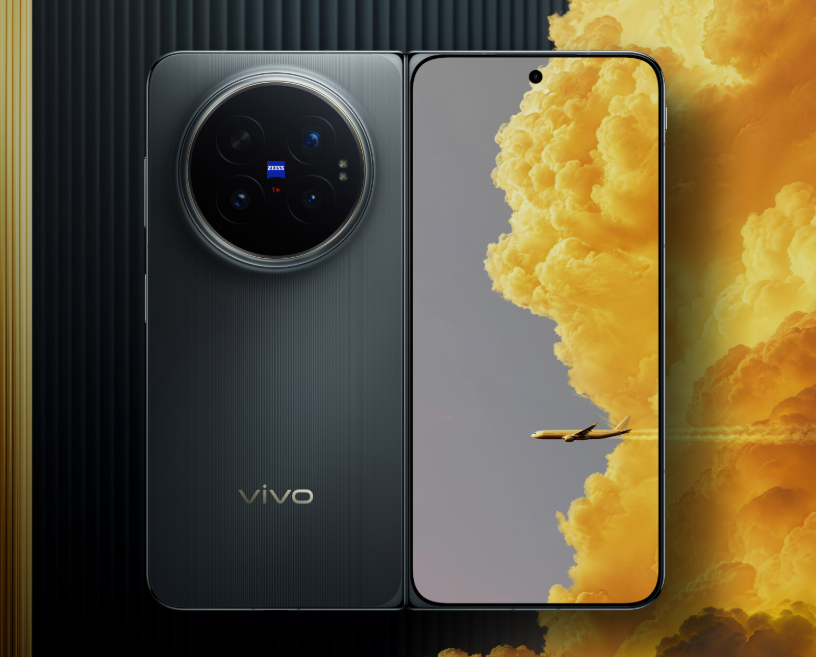
Vivo has released an exciting new demonstration video 📹 showcasing the real-world capabilities of its highly anticipated Vivo X Fold 6 📱. Rather than simply boasting about raw processing power or camera specs, the brand is shifting the spotlight to the features that truly impact daily use for frequent travelers ✈️ and power users: exceptional battery life 🔋, rugged durability 🛡️, and rock-solid connectivity 📶.
Vivo X Fold 6: Massive Battery 🔋 and Next-Gen Durability Confirmed 🏆
Vivo’s Product Manager, Han Boxiao, officially confirmed that every variant of the Vivo X Fold 6 will be powered by a massive 7,000mAh Blue Ocean battery 🌊. Setting a new industry benchmark 🚀, this cutting-edge foldable is set to be the first smartphone to leverage fifth-generation silicon-anode battery technology, paired with Vivo’s own third-generation semi-solid-state battery tech 🧪 to deliver unprecedented efficiency and longevity.
According to Boxiao, deep, multi-level optimization ⚙️ of the Blue Ocean battery system allows the device to survive up to 9.8 hours under the heavy workloads of Vivo’s Atomic Workbench 🧬. This translates to an impressive 30 percent leap in overall battery life compared to previous generations ⚡.
To prove its rugged credentials, Vivo put the phone through its paces in extreme environments 🌋. The X Fold 6 remained fully operational in freezing temperatures as low as -20°C ❄️, and was even demonstrated functioning seamlessly underwater 🤿. Boasting robust IPX8 and IPX9 water-resistance ratings, the device is built to withstand high-pressure jets and submersion 🧊. Additionally, a newly engineered, lightweight hinge ensures smooth, reliable folding action designed to last for years 🔄.
Uncompromising connectivity is another standout feature 📡. The Vivo X Fold 6 debuts the upgraded Global Signal Amplification System 3.0, powered by a proprietary “1+4” communication chipset architecture 🕹️. This innovative setup combines a dedicated signal amplification chip with four Wi-Fi enhancement chips, specifically engineered to maintain a strong connection in notorious dead zones 🔮.
In a dramatic display of this technology, Vivo demonstrated a crystal-clear voice call made during a skydive 🪂 from an altitude of 4,000 meters—proving the phone’s ability to rapidly lock onto and hold network signals under extreme conditions 🛸. This upgraded system is tailor-made to deliver seamless coverage on high-speed trains 🚄, inside elevators, along remote highways, and in other notoriously difficult signal areas 🍀.
These upgrades build on previously confirmed flagship specs, including a stunning 8.02-inch foldable OLED inner display reaching a peak brightness of 5,000 nits ☀️, the powerhouse Dimensity 9500 Super Edition chipset 💎, and a versatile triple-camera array. This setup features a massive 200-megapixel primary sensor 📸, a 50-megapixel ultra-wide lens, and a 50-megapixel periscope telephoto camera. Notably, it will also be Vivo’s first foldable to support an innovative telephoto extender attachment 🔭.
Buyers will be able to choose from multiple configurations 🛍️, including 12GB+256GB, 12GB+512GB, 16GB+512GB, and a top-tier 16GB+1TB variant 💾. The phone will debut in striking colorways: Blue Cave, Salt Lake, Polar Night, and a premium Black Gold Edition 🎨. The Vivo X Fold 6 is slated for an official launch in China on June 26, with a global rollout expected to follow shortly after in July 🌍.
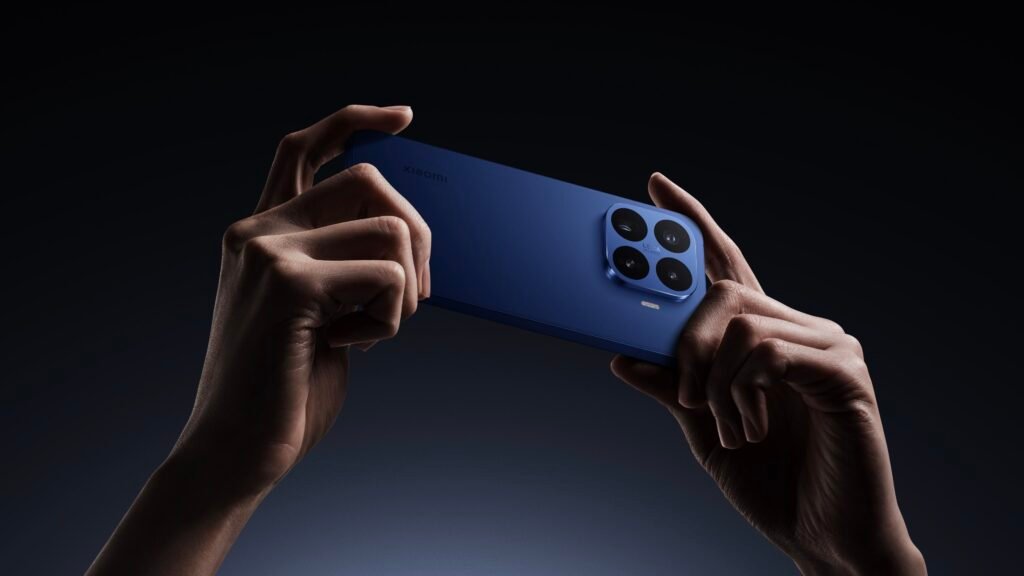
Smartphones 📱 are hitting a major memory bottleneck, and it is not something a simple software update can resolve. While modern mobile processors are fully capable of running large language models (LLMs) locally, on-device AI 🧠 is pushing hardware to its absolute limits.
The real bottleneck lies in current LPDDR memory technology, which struggles to feed data to these processors fast enough to keep up with AI demands. It is this exact challenge 🎯 that forces AI datacenters to rely on ultra-fast High Bandwidth Memory (HBM) ⚡.
To bridge this gap, a new memory standard called LLW (Low Latency Wide DRAM) is currently in development 🧬, promising to solve the mobile bottleneck once and for all 🔮.
LLW: The HBM-Style Solution for Smartphones 🚀
LLW takes a page out of the HBM playbook. HBM achieves blistering speeds ⚡ by stacking multiple memory layers close to the processor and linking them through an incredibly wide interface. This architecture delivers massive bandwidth, potentially performing 10 to 15 times faster 💥 than today’s top-tier LPDDR memory.
However, traditional HBM requires complex packaging and heavy-duty cooling 🧊 that simply won’t fit inside a smartphone. LLW aims to deliver the best of both worlds: offering the high bandwidth and low latency of stacked memory without the thermal and physical space constraints that usually come with it 💎.
Xiaomi 17T and 17T Pro: Early Adopters? 👀
Of course, these early rumors should be taken with a grain of salt 🧂. The current details stem from industry bloggers and tech tipsters rather than official manufacturer roadmaps.
According to a leak from tipster Fixed Focus Digital, LLW memory could slash power consumption by up to 50% 🔋 while simultaneously boosting overall performance by 1.5 times.
We will have to wait a while ⏳ to see this technology in action. The leak indicates that widespread adoption of LLW is still a few years away, with large-scale deployment not expected until the second half of 2027. When it does arrive, Xiaomi and Huawei are rumored to be among the first to adopt it, though neither brand has officially confirmed these plans 🏆.

Tech1 month ago
JBL Live 780NC and Live 680NC Debut 🎉 in India: Featuring True Adaptive ANC, Spatial Audio, and Up to 80 Hours of Battery Life 🔋

Tech1 month ago
Vivo X Fold 6 Set to Redefine Foldables with a 7,000mAh Battery 🔋 and IPX8/IPX9 Durability 🛡️

Tech1 month ago
Why Next-Gen AI Smartphones May Ditch LPDDR for LLW 🪐

Entertainment9 years ago
The final 6 ‘Game of Thrones’ Trailer

Entertainment9 years ago
The old and New Edition cast comes together to perform

Buying9 years ago
Phillies’ Aaron Altherr makes mind-boggling barehanded play

Videos2 months ago
Vivo X Fold 6 with Dimensity 9500 ⚙️, 200MP triple cameras to launch by June end 🚀

Videos5 months ago
Marvel Tōkon: Fighting Souls 🥊 arrives on PS5 and PC 🎮 this August 6, bringing the X-Men ❌ along for the ride.

Entertainment5 months ago
Samsung Galaxy Unpacked 2026 📅: The Galaxy S26 series ✨,
-
 Entertainment9 years ago
The final 6 ‘Game of Thrones’ Trailer
-
 Entertainment9 years ago
The old and New Edition cast comes together to perform
-
 Buying9 years ago
Phillies’ Aaron Altherr makes mind-boggling barehanded play
-

 Videos9 years ago
Uber and Lyft are finally available in all of New York State
-

 Entertainment9 years ago
Disney’s live-action Aladdin finally finds its stars
-

 Buying9 years ago
Steph Curry finally got the contract he deserves from the Warriors
-

 Videos6 months ago
Pixar’s Win or Lose debuts first episode for free on YouTube 🎬 🏆 🆓
-

 Entertainment9 years ago
From ‘Dick Clark’s New Year’s Rockin’ Eve’ 🎸 to ‘Nashville’s Big Bash,’ 🤠