
Just shy of Gemini 2’s first anniversary 🎂,


Google releases Gemini 3 Pro, setting new records in reasoning and “vibe coding.” Available now, it leads LMArena and tops Grok 4 in key AI benchmarks.
Google has officially unveiled Gemini 3 Pro 🚀. Naturally, the tech giant positions this as its most intelligent system to date 🧠, boasting state-of-the-art reasoning capabilities and class-leading “vibe coding” performance ✨. The best part is that you don’t have to wait to verify those claims—Google is rolling out Gemini 3 Pro across a wide array of its products and services starting today 📅.
#Gemini 3 Pro
To back up the hype, Google points to some significant benchmark victories 📈. In “Humanity’s Last Exam”—a test widely regarded as one of the most grueling challenges for AI labs 📝—the model achieved a new high-water mark of 37.5 percent accuracy. That score beats the previous record-holder, Grok 4, by a substantial 12.1 percentage points 🥇, notably achieving this without relying on web search tools. Furthermore, Gemini 3 Pro has claimed the top spot on the LMArena leaderboards with a commanding score of 1,501 points 🏆.
High scores are impressive, but practical application is what matters most to users 🛠️. Within the Gemini app, the new model promises answers that are both more concise and better formatted 📱. It also powers a new feature dubbed “Gemini Agent” 🤖. Building on the foundation of Project Mariner—the web-surfing Chrome AI introduced late last year 🌐—this tool allows users to delegate actual tasks to the AI. For instance, rather than just offering tips on how to organize your inbox, Gemini can now step in and manage that email workload for you 📧.
If you want to take Gemini 3 Pro for a spin within the Gemini app, simply select “Thinking” from the model picker 🧐. While the model is accessible to everyone, subscribers to AI Plus, Pro, and Ultra will enjoy higher usage caps before hitting rate limits 💎. To fully leverage the capabilities of Gemini Agent, you will need to grant the tool permission to access your suite of Google apps 🔓.
Over in Search, Gemini 3 Pro is making its debut within AI Mode, initially rolling out to AI Pro and Ultra subscribers 🔍. Google also intends to integrate the model into AI Overviews, specifically to tackle the most complex queries thrown at the search engine 🧩. In the coming weeks, a new routing algorithm will launch for both AI Mode and AI Overviews, automatically detecting when a question requires Gemini 3 Pro’s heavy lifting 🏋️♂️. Until then, subscribers can manually engage the new model in AI Mode via the “Thinking” option in the dropdown menu ⚙️.
Functionally, Google asserts that Gemini 3 Pro will elevate AI Mode by surfacing more credible and relevant content ✅. This improvement stems from an augmented “fan-out” technique; the tool performs a higher volume of searches and, combined with its upgraded intelligence, can uncover information that previous models might have overlooked 🔦. Additionally, Gemini 3’s superior multi-modal understanding allows AI Mode to generate dynamic, interactive interfaces 🎞️. For example, if you are researching mortgage loans, the tool can generate a functional loan calculator right within the response window 🧮.
For the developer and enterprise community, Google is deploying Gemini 3 across its standard ecosystem, including the Gemini API, AI Studio, and Vertex AI 💻. Simultaneously, the company is launching “Antigravity,” a new agentic coding application capable of autonomous programming, self-directed task creation, and progress reporting 🛸. Finally, alongside the Pro release, Google is introducing Gemini 3 Deep Think 🧠🔋. This enhanced reasoning mode is currently in the hands of safety testers but will eventually be released to AI Ultra subscribers 🛡️.







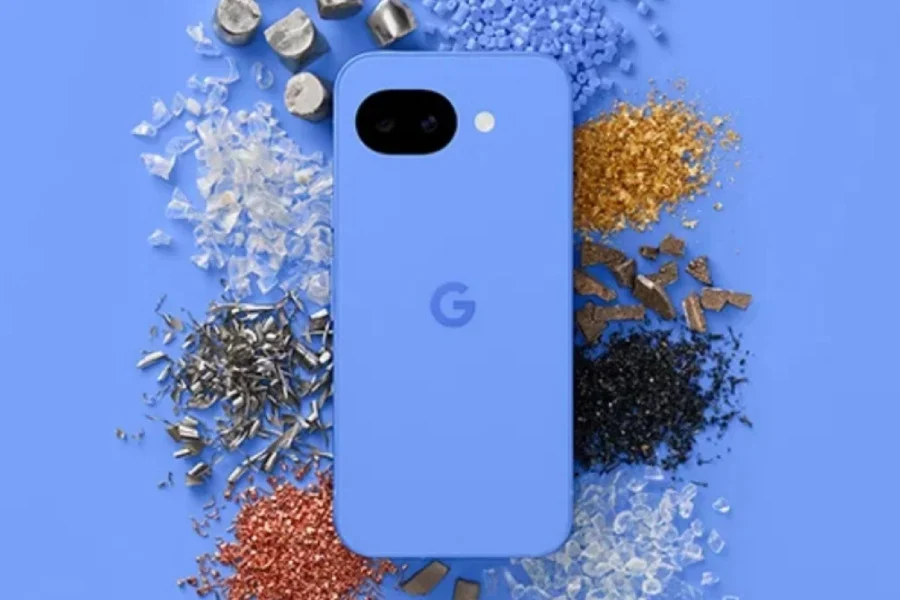
Google launches the Pixel 10a featuring the Tensor G5 chip, a 3,000-nit Actua display, and recycled materials. Explore the latest specs and durability updates.
The wait is finally over! ⏳ A few months after the initial leaks began to circulate 🕵️♂️, the Google Pixel 10a is officially here. For those who have been tracking the rumor mill, the device doesn’t offer many shocks; instead of a complete overhaul, Google has refined the familiar specifications of its predecessor while leaning heavily into software enhancements to define the experience. ✨
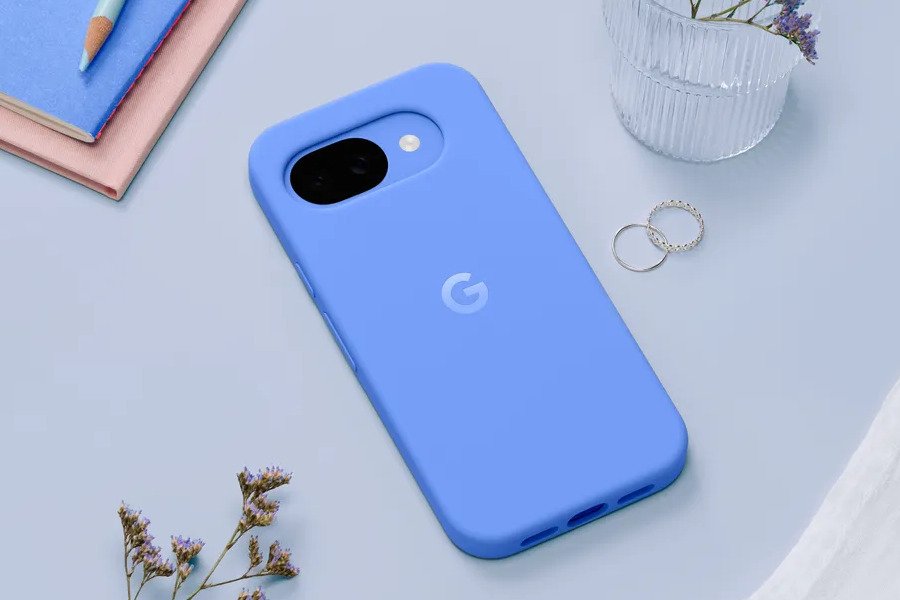
#Google Pixel 10a
Visually, the Pixel 10a retains the 6.3-inch Actua display, but with a notable improvement in luminance. ☀️ Google has boosted the peak brightness to 3,000 nits, a step up from the 2,700 nits found on the Pixel 9a. 📱 As expected, the device maintains its reliable IP68 rating for dust and water resistance. 💧🛡️
One of the most practical updates focuses on durability. 💪 The Pixel 10a has moved on from Gorilla Glass 3, now utilizing Gorilla Glass 7i for screen protection. 🛡️ According to Google, this upgrade offers superior scratch resistance and ensures the glass can survive drops from up to 1 meter (3.3 feet). 🔨
As is typical with Google’s hardware, the software experience is the true centerpiece. 🤖 The Pixel 10a ships with Android 16 out of the box, backed by an industry-leading promise of seven years of software updates. 🗓️ The phone is also deeply integrated with Google’s AI ecosystem, featuring suites ranging from the Gemini Assistant to Gemini Live. 🪄
Under the hood, however, the hardware remains consistent with the previous generation. ⚙️ The Pixel 10a is powered by the same Tensor G4 chipset found in the Pixel 9a. 🧠 The memory and storage configurations also remain unchanged, offering 8GB of RAM paired with either 128GB or 256GB of storage. 💾
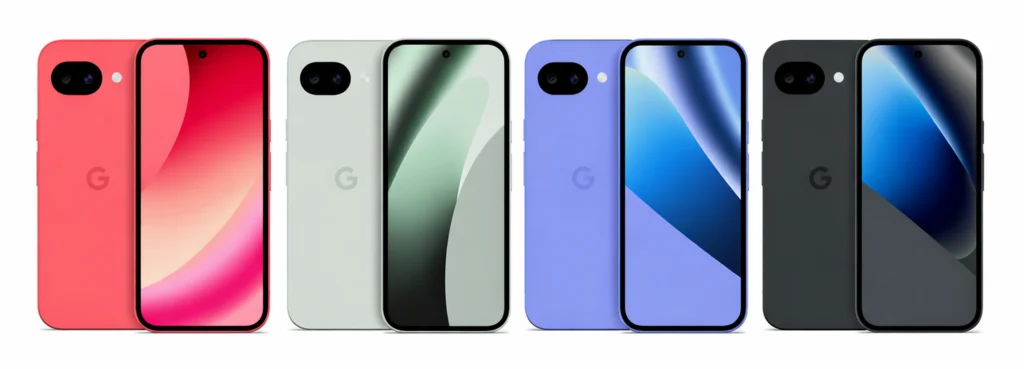
#Google Pixel 10a
The camera system also sees a hardware carry-over, featuring a 48MP main rear lens, a 13-megapixel ultra-wide sensor, and a 13MP selfie camera. 📸 The upgrades here are entirely software-driven, with new AI features such as Camera Coach, Auto Best Take, and Add Me. 🤳✨
Google Pixel 10a vs Pixel 9a: What’s different? 🆚 The primary distinction for the Pixel 10a lies in its design and construction. 🛠️ The back panel is now crafted from 81% recycled plastic. ♻️ To complement the device, Google has introduced a new Pixel 10a Case made from 36 percent recycled plastic, color-matched to the phone. 📱 Note that neither the device nor the case includes built-in magnets. 🧲
Google claims the Pixel 10a utilizes more recycled materials than any previous phone in the a-series. 🌍 It is the first in the lineup to incorporate recycled cobalt, copper, gold, and tungsten, which collectively make up at least 36 percent of the product by weight. 💎 Additionally, the aluminum frame is sourced from 100 percent recycled material, and the packaging is entirely plastic-free. 📦🌱
The Google Pixel 10a is available in four distinct colors: Fog 🌫️, Obsidian 🖤, Berry 🍓, and Lavender 🪻. Pricing remains competitive, starting at $499 in the US 💵 and Rs 50,000 in India 🇮🇳 for the 8/128GB variant. Pre-orders open today, with general availability starting on March 5. 📅🚀
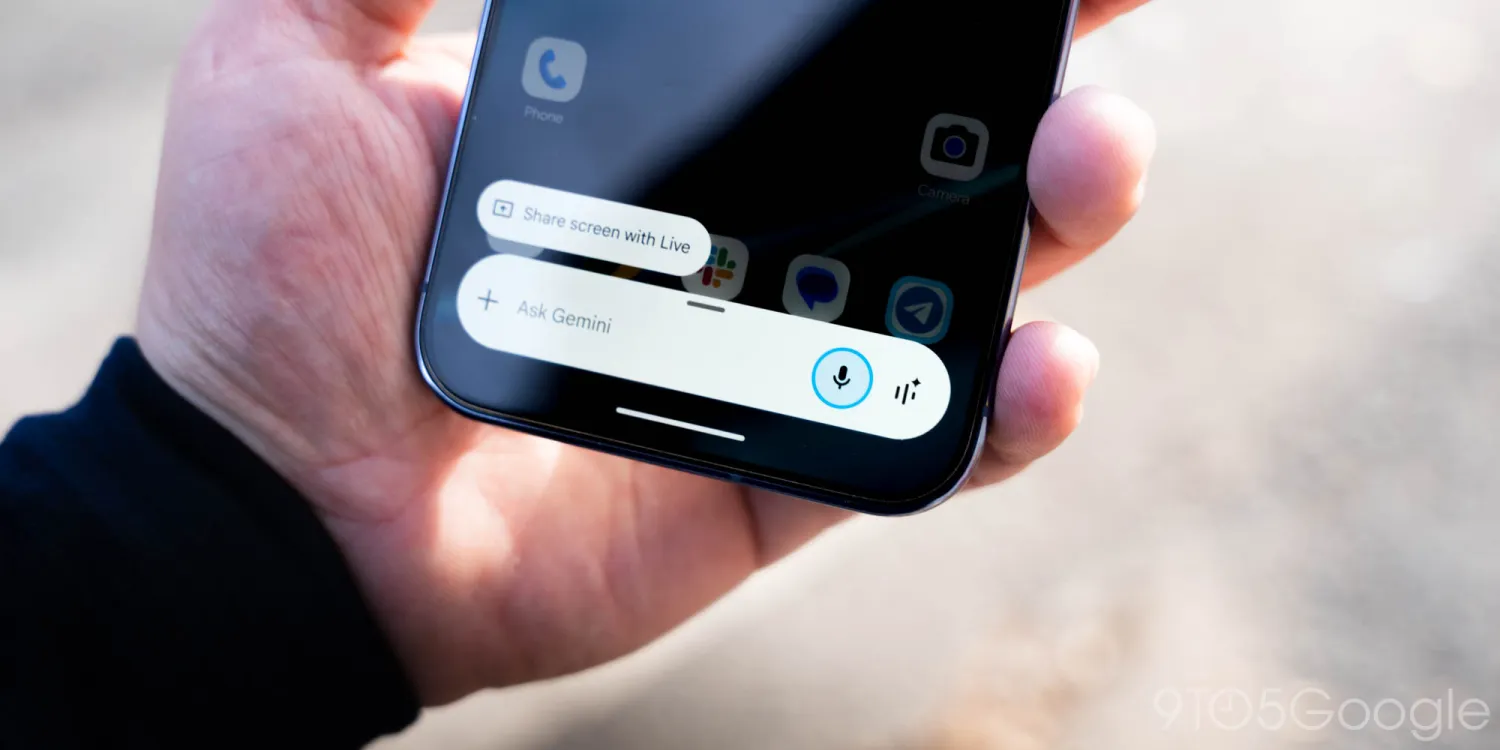
Google 🌐 is refining how users interact with Gemini ✨ on Android 🤖, rolling out a few UI tweaks 🎨 that put sharing 📤 and navigation 🧭 front and center.
#image_title
#image_title
#Gemini
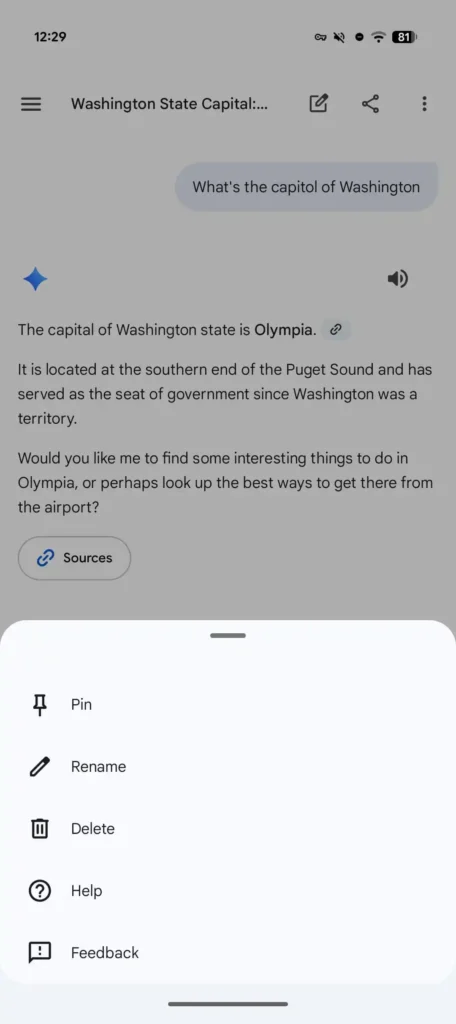
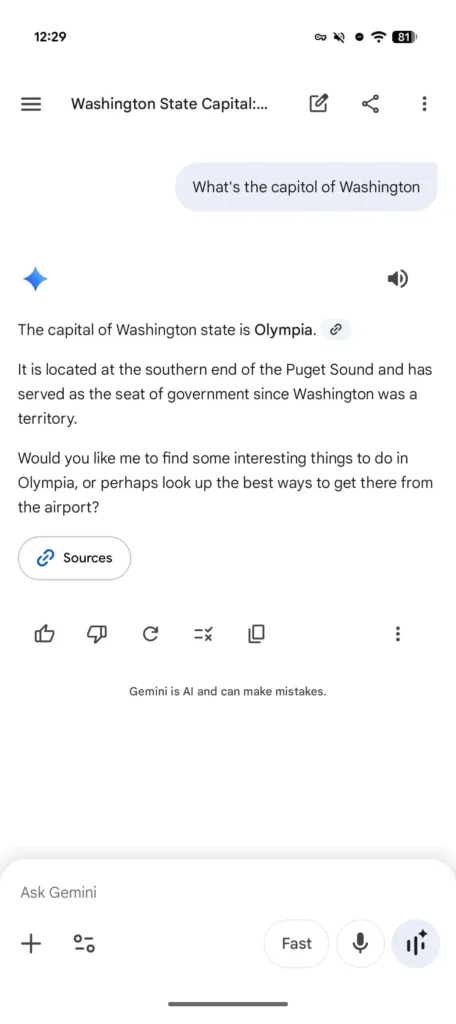
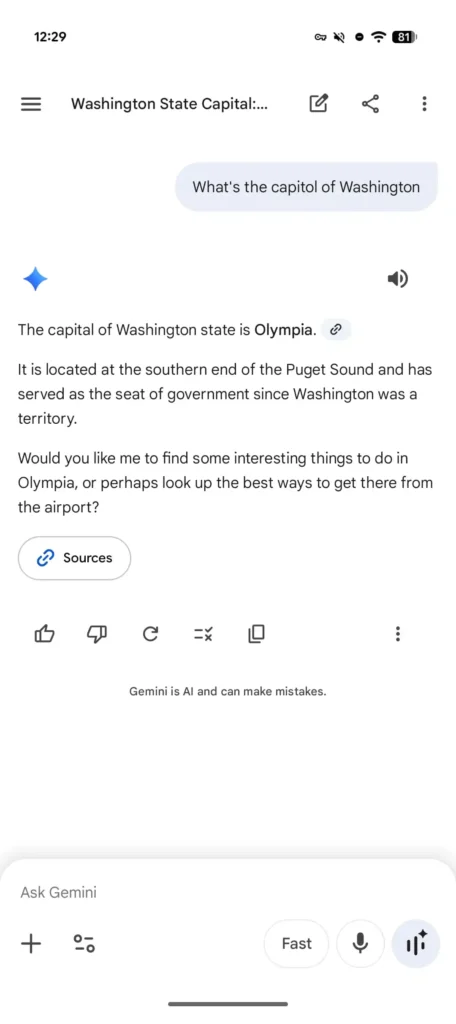
If you’ve used the app recently 📱, you might have noticed the top bar looks a bit busier. Previously, the interface was fairly minimalist 📉: the chat title sat right in the center, and tapping it would trigger a bottom sheet menu. A “new chat” button ➕ lived off by itself in the top-right corner.
That’s changed 🔄. The title has now shifted to the left ⬅️, sitting right next to the new chat icon. Following those are two prominent additions: a dedicated share button 🔗—which instantly generates a link and pulls up the Android share sheet—and a standard three-dot overflow menu 📑. This menu is now the home for Pin 📌, Rename ✏️, Delete 🗑️, Help ❓, and Feedback 💬.
While this layout feels more “standard” 📏 for a Google app than the old downward-facing caret, it does make the header feel a little cramped 🤏, especially with the hamburger menu 🍔 still occupying the far left. You could argue that tucking the share button inside the overflow menu would have kept things a bit cleaner 🧹.
#Gemini
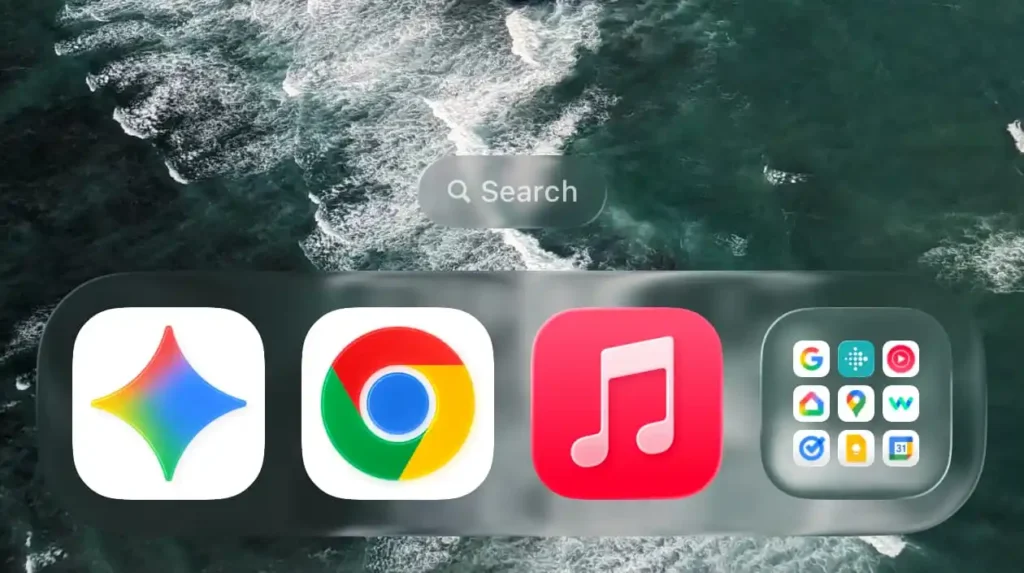
These side-by-side icons have also popped up on the web version 💻 of Gemini ✨, though they haven’t made their way to iOS 🍎 just yet.
That said, the iPhone and iPad app 📱 didn’t get left out entirely. An update earlier this week ⬆️ (version 1.2026.0570001) subtly boosted the size of the Gemini “spark” icon ✨. It’s a minor aesthetic shift 🎨, but the larger sparkle now fills out its rounded square container much better, bringing it in line with the design language used across the rest of Google’s mobile suite 📱.

Roborock unveils the P20 Max: A vacuum powerhouse with 35,000Pa suction & AI smarts 🤖🌪️🧠

Vivo reportedly testing a massive single-cell 12,000mAh smartphone 📱🔋

Xiaomi Electric Scooter 6 Ultra poised for global debut: 75km range and 1200W peak power 🛴🌍🔋⚡

The final 6 ‘Game of Thrones’ Trailer

The old and New Edition cast comes together to perform

Phillies’ Aaron Altherr makes mind-boggling barehanded play

Marvel Tōkon: Fighting Souls 🥊 arrives on PS5 and PC 🎮 this August 6, bringing the X-Men ❌ along for the ride.

Samsung Galaxy Unpacked 2026 📅: The Galaxy S26 series ✨,

Bradley the Badger channels Wreck-It Ralph in a meta video game adventure 🦡🕹️
-
 Entertainment9 years ago
The final 6 ‘Game of Thrones’ Trailer
-
 Entertainment9 years ago
The old and New Edition cast comes together to perform
-
 Buying9 years ago
Phillies’ Aaron Altherr makes mind-boggling barehanded play
-

 Videos9 years ago
Uber and Lyft are finally available in all of New York State
-

 Entertainment9 years ago
Disney’s live-action Aladdin finally finds its stars
-

 Buying9 years ago
Steph Curry finally got the contract he deserves from the Warriors
-

 Entertainment9 years ago
From ‘Dick Clark’s New Year’s Rockin’ Eve’ 🎸 to ‘Nashville’s Big Bash,’ 🤠
-
Buying9 years ago
Boxing continues to knock itself out with bewildering, incorrect decisions