
Tech
The Software That Makes the ZimaBoard 2 a Standout Home Server ZimaOS 1.5 🏠🚀

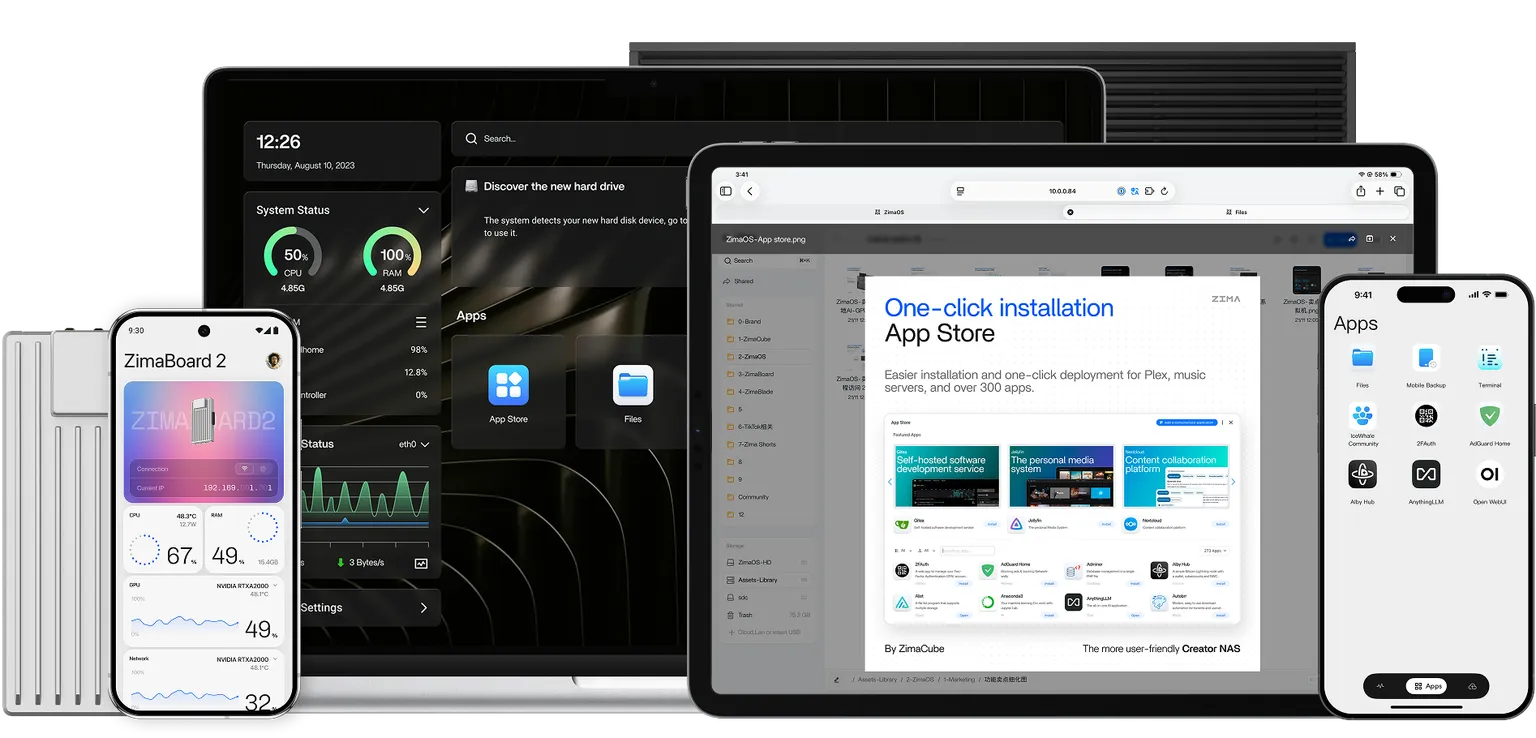
The ZimaBoard 2 has already made a lasting impression on us as a highly capable single-board server. ⌨️ You need only look at our team’s previous articles to see the depth of our appreciation. Today, however, we are shifting our focus to an element we haven’t fully explored yet: the latest iteration of ZimaOS—a streamlined, focused, and open NAS operating system. 🌐📦
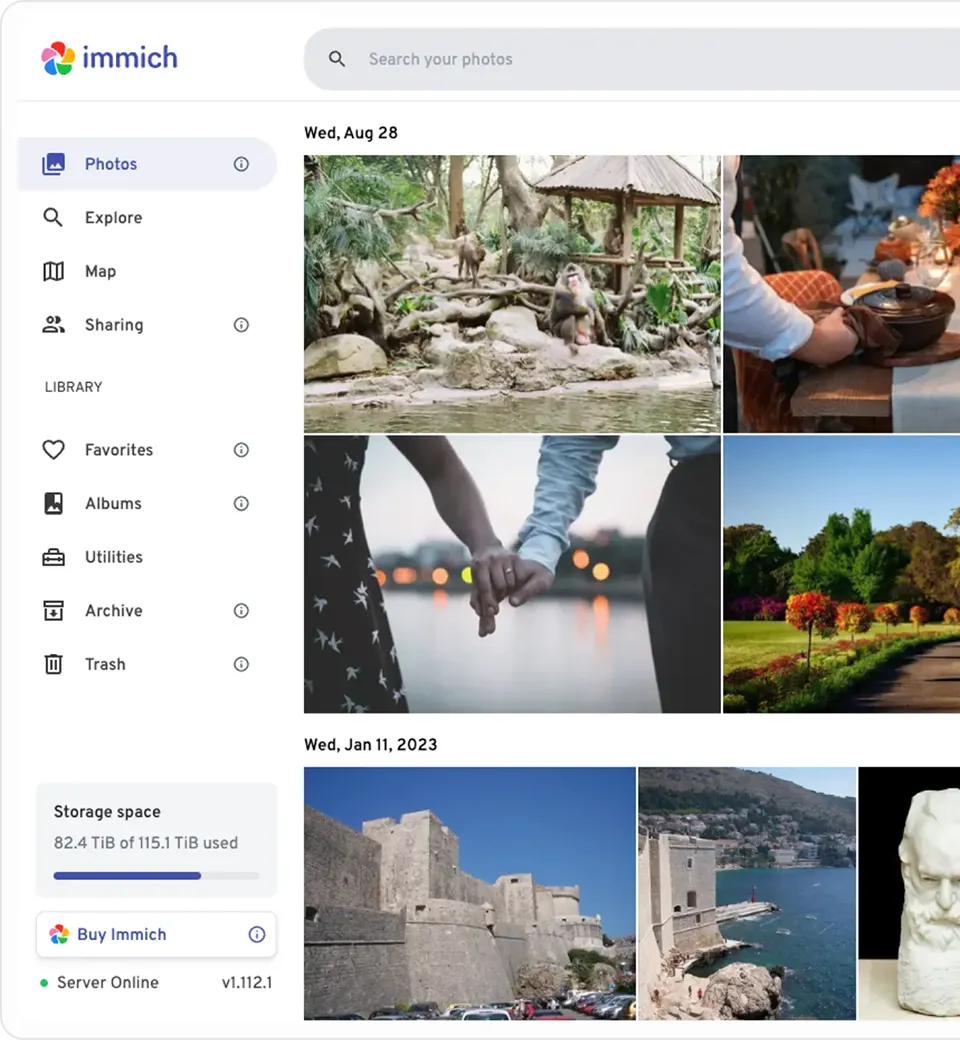
With the Zima team recently updating the system to version 1.5, now is the perfect time to take an inside-out look at why the ZimaBoard 2 has garnered such popularity. ✨📈
Hardware ⚙️
To truly appreciate the appeal of the ZimaBoard 2, it is worth briefly revisiting the hardware foundation. Most of the connectivity remains consistent with the first-generation ZimaBoard, featuring two 2.5GbE LAN ports, two SATA 3.0 ports, two USB 3.1 ports, and a Mini DisplayPort 1.2. 🔌⚡
The most significant evolution lies in the PCIe interface, which has graduated from PCIe 2.0 to PCIe 3.0. 🏎️💨 While the lane count remains the same, PCIe 3.0 delivers nearly double the bandwidth and vastly improved transmission efficiency. This upgrade is crucial for maximizing the performance of expansion devices, particularly NVMe SSDs and high-speed network cards. 💾
As a single-board server, the ZimaBoard 2 is robust on the hardware front. Yet, it is the integration of ZimaOS 1.5 that truly elevates the user experience. 🌟💪
How ZimaOS Lowers the Barrier to Entry 🔓
Despite the undeniably “geeky” aesthetic of Zima’s hardware, ZimaOS was engineered with a democratizing goal: to enable every household to own a private cloud. ☁️🤓 Consequently, the learning curve is refreshingly gentle.
Setup is straightforward: simply plug in the power, connect an Ethernet cable to your router, and download the client from the official website to your laptop or phone. 📶 Following the prompts to create an account takes less than five minutes. It is an almost effortless process, even for users with zero server management experience. 🖱️⏳ Naturally, the client isn’t mandatory; if you prefer, you can access the Web UI directly via the device’s IP address.
Crucially, account registration is entirely local. It requires no email address or phone number, ensuring that your data remains strictly yours and is never uploaded to external servers. 🔒🛡️
Backup 📂
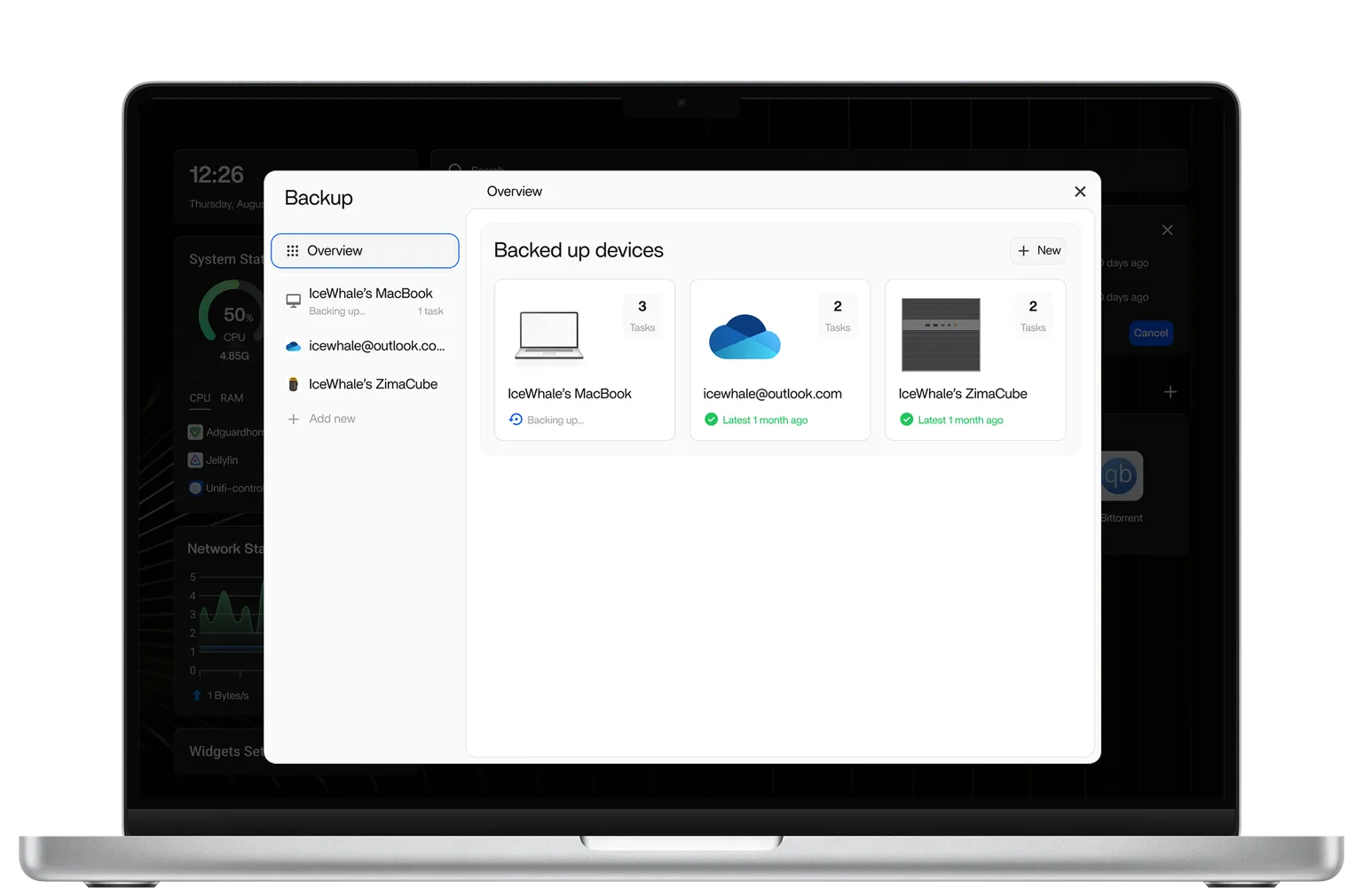
So, what is the practical utility of ZimaOS? At its core, it functions as a NAS operating system, handling all the essentials you would expect from mainstream solutions. Data backup is the primary function, allowing photos, videos, and documents to be securely stored on the ZimaBoard 2. 📸🎥📄
While the built-in 64GB of internal storage is a starting point, it may not suffice for everyone—though we will address storage expansion in a moment. 📦➕
The greatest enemy of consistent backups is inconvenience. ⚔️ To eliminate friction, ZimaOS provides multiple methods for file management. It supports direct mounting of cloud drives and instant mounting of USB drives upon connection, as well as seamless local and remote access via smartphones, PCs, and Macs. For most users, their most valuable data resides on their mobile devices. With ZimaOS, backing up a phone takes roughly ten seconds—fast, painless, and efficient. 📱⚡
More Freedom 🕊️
ZimaOS offers more than just digital storage; its app store opens up a playground of possibilities. 🏪 You can, for instance, deploy RetroArch to transform your ZimaBoard into a retro gaming emulator, or install MineOS to host your own private Minecraft server. 🕹️⛏️
For power users who demand more from their NAS, Docker support is indispensable. 🐋 ZimaOS accommodates this need seamlessly, allowing you to import and launch custom Docker applications via the CLI or by using Docker Compose files. 💻
A Fully-Featured NAS 🏢🗄️
If the internal 64GB storage feels limiting, the ZimaBoard 2 can easily transform into a fully-fledged NAS with the addition of spare hard drives. Icewhale has even engineered a dedicated 2-Bay HDD Rack Tray specifically for the ZimaBoard 2. 🏗️💿
This metal rack tray does more than just secure the board and aid in heat dissipation; it allows for the installation of various expansion boards on the side using a PCIe extension cable. ❄️ The result is a setup that functions as a server but doubles as a stylish desktop accessory. ✨📐
However, the rack tray is not a requirement. You can simply connect HDDs directly to the ZimaBoard 2 for a quick setup. While ZimaOS supports RAID 5, the two-drive configuration makes RAID 1 the most practical choice for data redundancy. 👯🛡️
Alternatively, you can leverage the PCIe slot to add five additional SATA ports, effectively turning a two-bay NAS into a seven-bay powerhouse. Pair that capacity with Jellyfin, and you have successfully built a comprehensive home media library. 🍿🎬
Summary 📝
Taking a step back, the rising popularity of the ZimaBoard 2 and ZimaOS is easy to understand. For the average home user, traditional NAS solutions often present a steep barrier to entry, plagued by complex setups, confusing network configurations, and intricate permission management. 🧩 Conversely, for enthusiasts, building a Linux server from scratch offers flexibility but comes with the burden of ongoing maintenance, updates, and troubleshooting. 🛠️
ZimaOS occupies the sweet spot between these extremes. 🎯 It avoids being a limited “toy” solution while skipping the intimidating complexity of enterprise-grade systems. By remaining simple yet preserving extensibility and freedom, ZimaOS offers a value proposition that is arguably rare in today’s market. ⚖️
Whether you are a complete novice or a seasoned enthusiast, ZimaOS has something to offer. 🎓 With the addition of Icewhale’s 2-Bay HDD Rack Tray, the system even boasts an attractive physical form. If you are the type of user who appreciates DIY desktop PCs in ITX cases, you will likely find a lot to love in the ecosystem the Zima team has created. 🖼️🛠️
Continue Reading
Tech
JBL Live 780NC and Live 680NC Debut 🎉 in India: Featuring True Adaptive ANC, Spatial Audio, and Up to 80 Hours of Battery Life 🔋

JBL has expanded its wireless audio portfolio 🎧 in India with the launch 🚀 of two premium headphones: the JBL Live 780NC and the JBL Live 680NC. Designed for users seeking a blend of style and substance, these new offerings promise immersive sound 🔊, robust active noise cancellation, and exceptional battery life.
Intelligent Audio 🧠: Advanced ANC, Spatial Sound 🪐, and AI-Enhanced Calls 🤖
Catering to different style preferences 🎨, the JBL Live 780NC features a comfortable over-ear design, while the Live 680NC offers a more compact on-ear profile. Under the hood, both models are powered by 40mm dynamic drivers and feature JBL Spatial Sound 3.0, bringing a theater-like depth 🎭 to your music, movies, and podcasts 🍿. Additionally, users can craft a bespoke listening profile using Personi-Fi 3.0, which calibrates the audio output to match their unique hearing sensitivity 👂.

To block out distractions 🛡️, both models leverage JBL’s True Adaptive Noise Cancelling 2.0 technology. The over-ear Live 780NC utilizes a six-microphone array to monitor and neutralize ambient noise, while the on-ear Live 680NC relies on a highly capable four-microphone system. When it comes to voice calls, dual beamforming microphones work in tandem with an AI-driven noise-reduction algorithm to ensure crystal-clear 🔮 conversations, even in bustling environments.
On the connectivity front 🔗, the headphones are equipped with Bluetooth 6.0, multipoint pairing for seamless device switching, and Auracast support. Audiophiles will appreciate the high-resolution wireless audio enabled by LDAC codec support on compatible devices. Battery life 🔋 is another major selling point: both models deliver an impressive 80 hours of playback with ANC off, and up to 50 hours with ANC activated. If you’re in a rush, a quick five-minute charge ⚡ provides up to four hours of listening time.
Pricing and Availability Details 🏷️
The premium 🏆 JBL Live 780NC is priced at Rs 15,999 (approximately $170), while the on-ear JBL Live 680NC comes in at Rs 11,999 (around $130). Both models are available in an array of seven vibrant colorways 🌈: Black, Blue, White, Champagne, Green, Orange, and Purple. Early birds can pre-book 🎟️ the Live 780NC starting June 18 via Amazon and JBL India’s official website to enjoy a limited-time Rs 2,000 discount and a complimentary one-year extended warranty 🛡️.
The JBL Live 780NC is set to officially hit the shelves 🛍️ during Amazon Prime Day 📦, alongside availability at major retail stores. Meanwhile, the Live 680NC will be available for purchase starting July 15.
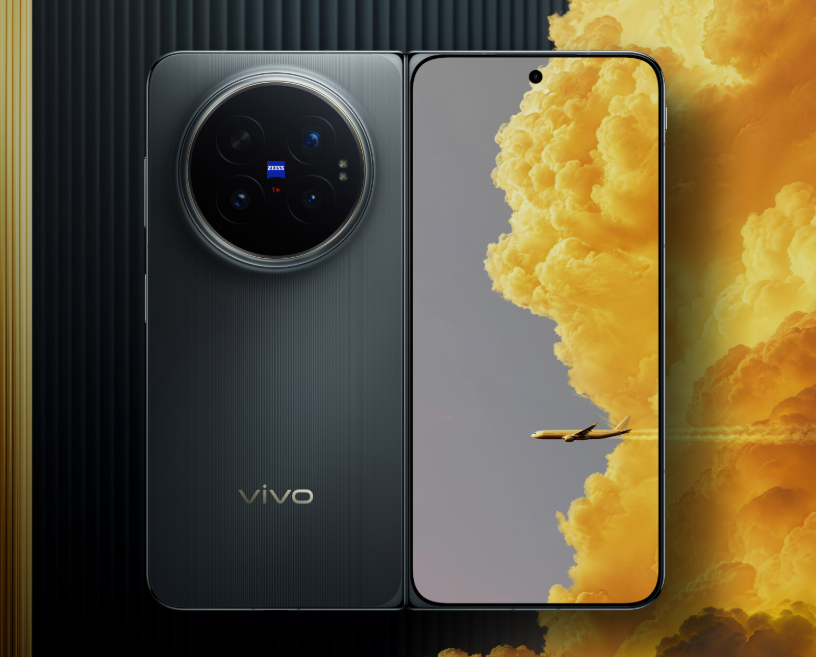
Vivo has released an exciting new demonstration video 📹 showcasing the real-world capabilities of its highly anticipated Vivo X Fold 6 📱. Rather than simply boasting about raw processing power or camera specs, the brand is shifting the spotlight to the features that truly impact daily use for frequent travelers ✈️ and power users: exceptional battery life 🔋, rugged durability 🛡️, and rock-solid connectivity 📶.
Vivo X Fold 6: Massive Battery 🔋 and Next-Gen Durability Confirmed 🏆
Vivo’s Product Manager, Han Boxiao, officially confirmed that every variant of the Vivo X Fold 6 will be powered by a massive 7,000mAh Blue Ocean battery 🌊. Setting a new industry benchmark 🚀, this cutting-edge foldable is set to be the first smartphone to leverage fifth-generation silicon-anode battery technology, paired with Vivo’s own third-generation semi-solid-state battery tech 🧪 to deliver unprecedented efficiency and longevity.
According to Boxiao, deep, multi-level optimization ⚙️ of the Blue Ocean battery system allows the device to survive up to 9.8 hours under the heavy workloads of Vivo’s Atomic Workbench 🧬. This translates to an impressive 30 percent leap in overall battery life compared to previous generations ⚡.
To prove its rugged credentials, Vivo put the phone through its paces in extreme environments 🌋. The X Fold 6 remained fully operational in freezing temperatures as low as -20°C ❄️, and was even demonstrated functioning seamlessly underwater 🤿. Boasting robust IPX8 and IPX9 water-resistance ratings, the device is built to withstand high-pressure jets and submersion 🧊. Additionally, a newly engineered, lightweight hinge ensures smooth, reliable folding action designed to last for years 🔄.
Uncompromising connectivity is another standout feature 📡. The Vivo X Fold 6 debuts the upgraded Global Signal Amplification System 3.0, powered by a proprietary “1+4” communication chipset architecture 🕹️. This innovative setup combines a dedicated signal amplification chip with four Wi-Fi enhancement chips, specifically engineered to maintain a strong connection in notorious dead zones 🔮.
In a dramatic display of this technology, Vivo demonstrated a crystal-clear voice call made during a skydive 🪂 from an altitude of 4,000 meters—proving the phone’s ability to rapidly lock onto and hold network signals under extreme conditions 🛸. This upgraded system is tailor-made to deliver seamless coverage on high-speed trains 🚄, inside elevators, along remote highways, and in other notoriously difficult signal areas 🍀.
These upgrades build on previously confirmed flagship specs, including a stunning 8.02-inch foldable OLED inner display reaching a peak brightness of 5,000 nits ☀️, the powerhouse Dimensity 9500 Super Edition chipset 💎, and a versatile triple-camera array. This setup features a massive 200-megapixel primary sensor 📸, a 50-megapixel ultra-wide lens, and a 50-megapixel periscope telephoto camera. Notably, it will also be Vivo’s first foldable to support an innovative telephoto extender attachment 🔭.
Buyers will be able to choose from multiple configurations 🛍️, including 12GB+256GB, 12GB+512GB, 16GB+512GB, and a top-tier 16GB+1TB variant 💾. The phone will debut in striking colorways: Blue Cave, Salt Lake, Polar Night, and a premium Black Gold Edition 🎨. The Vivo X Fold 6 is slated for an official launch in China on June 26, with a global rollout expected to follow shortly after in July 🌍.
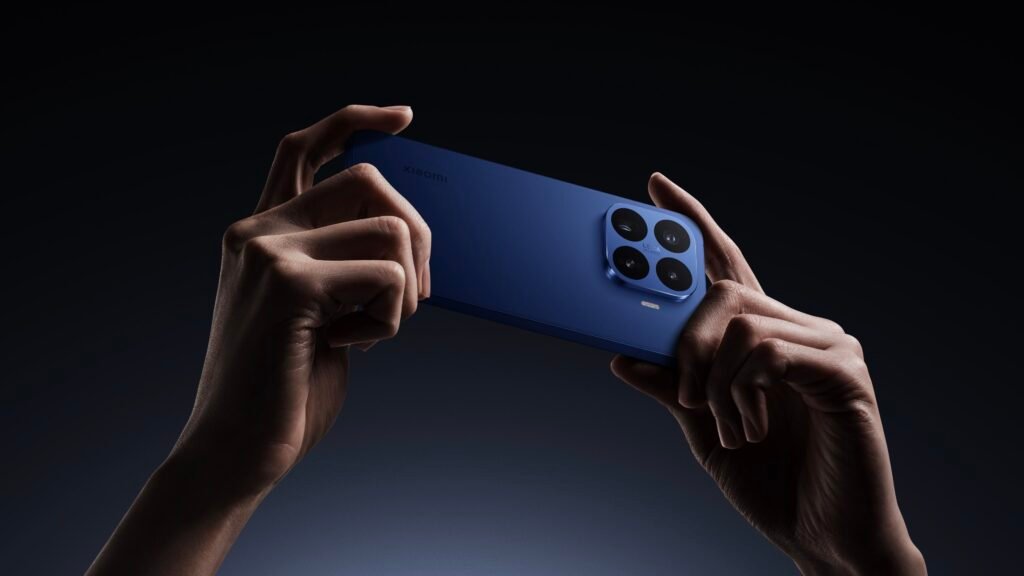
Smartphones 📱 are hitting a major memory bottleneck, and it is not something a simple software update can resolve. While modern mobile processors are fully capable of running large language models (LLMs) locally, on-device AI 🧠 is pushing hardware to its absolute limits.
The real bottleneck lies in current LPDDR memory technology, which struggles to feed data to these processors fast enough to keep up with AI demands. It is this exact challenge 🎯 that forces AI datacenters to rely on ultra-fast High Bandwidth Memory (HBM) ⚡.
To bridge this gap, a new memory standard called LLW (Low Latency Wide DRAM) is currently in development 🧬, promising to solve the mobile bottleneck once and for all 🔮.
LLW: The HBM-Style Solution for Smartphones 🚀
LLW takes a page out of the HBM playbook. HBM achieves blistering speeds ⚡ by stacking multiple memory layers close to the processor and linking them through an incredibly wide interface. This architecture delivers massive bandwidth, potentially performing 10 to 15 times faster 💥 than today’s top-tier LPDDR memory.
However, traditional HBM requires complex packaging and heavy-duty cooling 🧊 that simply won’t fit inside a smartphone. LLW aims to deliver the best of both worlds: offering the high bandwidth and low latency of stacked memory without the thermal and physical space constraints that usually come with it 💎.
Xiaomi 17T and 17T Pro: Early Adopters? 👀
Of course, these early rumors should be taken with a grain of salt 🧂. The current details stem from industry bloggers and tech tipsters rather than official manufacturer roadmaps.
According to a leak from tipster Fixed Focus Digital, LLW memory could slash power consumption by up to 50% 🔋 while simultaneously boosting overall performance by 1.5 times.
We will have to wait a while ⏳ to see this technology in action. The leak indicates that widespread adoption of LLW is still a few years away, with large-scale deployment not expected until the second half of 2027. When it does arrive, Xiaomi and Huawei are rumored to be among the first to adopt it, though neither brand has officially confirmed these plans 🏆.

Tech3 months ago
JBL Live 780NC and Live 680NC Debut 🎉 in India: Featuring True Adaptive ANC, Spatial Audio, and Up to 80 Hours of Battery Life 🔋

Tech3 months ago
Vivo X Fold 6 Set to Redefine Foldables with a 7,000mAh Battery 🔋 and IPX8/IPX9 Durability 🛡️

Tech3 months ago
Why Next-Gen AI Smartphones May Ditch LPDDR for LLW 🪐

Entertainment9 years ago
The final 6 ‘Game of Thrones’ Trailer

Entertainment9 years ago
The old and New Edition cast comes together to perform

Buying9 years ago
Phillies’ Aaron Altherr makes mind-boggling barehanded play

Videos3 months ago
Vivo X Fold 6 with Dimensity 9500 ⚙️, 200MP triple cameras to launch by June end 🚀

Videos7 months ago
Marvel Tōkon: Fighting Souls 🥊 arrives on PS5 and PC 🎮 this August 6, bringing the X-Men ❌ along for the ride.

Entertainment7 months ago
Samsung Galaxy Unpacked 2026 📅: The Galaxy S26 series ✨,
-
 Entertainment9 years ago
The final 6 ‘Game of Thrones’ Trailer
-
 Entertainment9 years ago
The old and New Edition cast comes together to perform
-
 Buying9 years ago
Phillies’ Aaron Altherr makes mind-boggling barehanded play
-

 Videos9 years ago
Uber and Lyft are finally available in all of New York State
-

 Entertainment9 years ago
Disney’s live-action Aladdin finally finds its stars
-

 Buying9 years ago
Steph Curry finally got the contract he deserves from the Warriors
-
 Smartphones3 months ago
Oppo Android 17 (ColorOS 17) update: Full list of eligible devices 📱📲
-

 Videos8 months ago
Pixar’s Win or Lose debuts first episode for free on YouTube 🎬 🏆 🆓