
Apps
Adobe is once again expanding its AI toolkit 🛠️ within Creative Cloud ☁️,

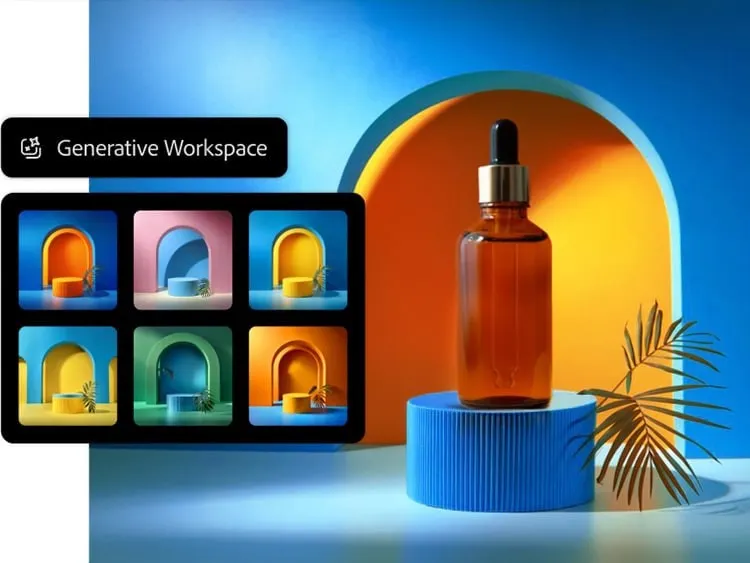
Adobe is once again expanding its AI toolkit 🛠️ within Creative Cloud ☁️, this time headlining with a new Photoshop AI Assistant 🤖 designed to handle the drudgery of repetitive tasks 🔄. Unveiled at Adobe Max 2025 🗓️, the assistant joins a host of updates for Photoshop 📸, Premiere 🎬, and Lightroom 💡, alongside the debut of a new generative model 🧬 and the integration of third-party tech from companies like Topaz 💎.
Available in both Photoshop and Express (Adobe’s all-in-one media tool), this conversational AI Assistant 💬 promises to give users “more control, power and potential time-savings ⏳.” The idea is simple: you can chat with the AI to execute multi-step creative workflows—think color correction 🎨 or resizing 📐—without hunting through menus. Crucially, the system allows for a fluid workflow where you can toggle between natural language prompts ⌨️ and traditional manual tools, like sliders 🎚️, to adjust brightness and contrast. It even doubles as a guide, offering tutorials for complex techniques 🎓.
During a brief demonstration, Adobe showcased an “agentic” mode ✨ that strips away the typically dense interface in favor of a clean, prompt-based UI. Users simply type in their desired outcome, and the agent executes the necessary steps automatically ⚙️. Once the heavy lifting is done, you can jump right back into the standard interface to fine-tune specific elements like brightness or levels manually 🔧.
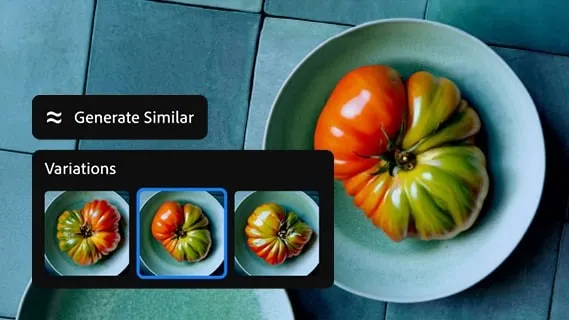
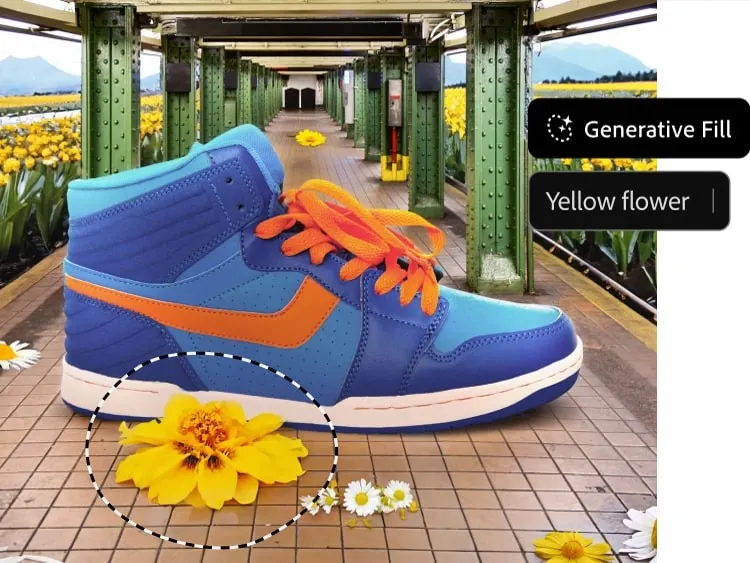
Beyond the assistant, Photoshop is getting a significant boost in generative capabilities 🚀. Most notably, Adobe is opening the door to partner models 🤝 for Generative Fill. Users can now leverage Google Gemini 2.5 Flash ♊ and Black Forest Labs’ FLUX.1 Kontext alongside Adobe’s own Firefly engines 🔥 to remove objects and fill gaps. Speaking of proprietary tech, the company also rolled out Firefly Image Model 5 🆕, touted as its most advanced image generation model to date.
Resolution and compositing are also seeing major upgrades 📈. A new Generative Upscale option, powered by Topaz Labs’ AI 💎, can transform small or cropped low-resolution images into 4K files 🖥️ while maintaining “realistic detail.” For compositors, the new Harmonize feature 🌈 aims to eliminate much of the tedious work involved in blending assets. It realistically places subjects into new environments by automatically matching the foreground’s lighting, color, and tone to the background 🖼️.
On the video front 🎥, Premiere is introducing a smart feature dubbed AI Object Mask 🎭. This tool automatically identifies and isolates people or objects within a scene, allowing for tracking 🏃♂️ and editing without the painstaking process of manual rotoscoping ✂️. The update also brings standard rectangle, ellipse, and pen masking tools to Premiere for targeted adjustments, plus a fast vector mask to speed up tracking workflows ⚡.
Lightroom hasn’t been left out, receiving a practical new tool called Assisted Culling 🧹. Designed to tame massive photo dumps 📸, it helps photographers quickly identify the best shots in a collection by filtering based on technical criteria like focus levels 🎯, angles, and degrees of sharpness 🔍.
As for when you can use these tools: Photoshop’s updated Generative Fill with partner models, Generative Upscale, and Harmonize are available to customers starting today ✅. The new Premiere masking tools and Lightroom’s Assisted Culling are launching today in beta 🧪. However, those eager to try the new Photoshop AI Assistant will need to join a private beta waitlist ⏳.

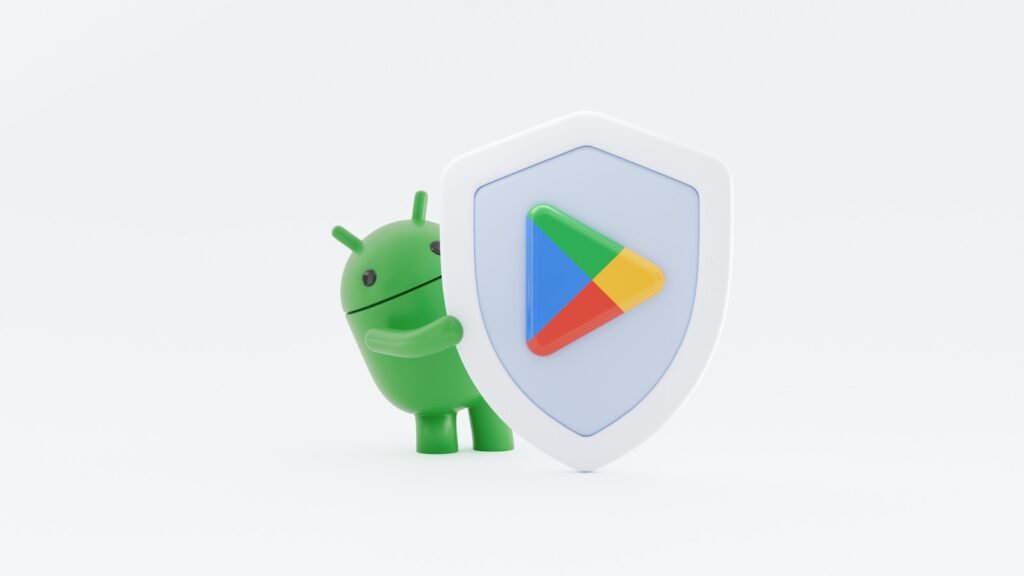
Google has pulled back the curtain on its latest efforts to fortify the Android ecosystem 🤖, revealing a strategy heavily reliant on AI-driven protections and rigorous policy enforcement 🛡️. The tech giant is expanding its real-time defenses to shield users from an increasingly complex landscape of malware, fraud, and privacy intrusions 🔐.
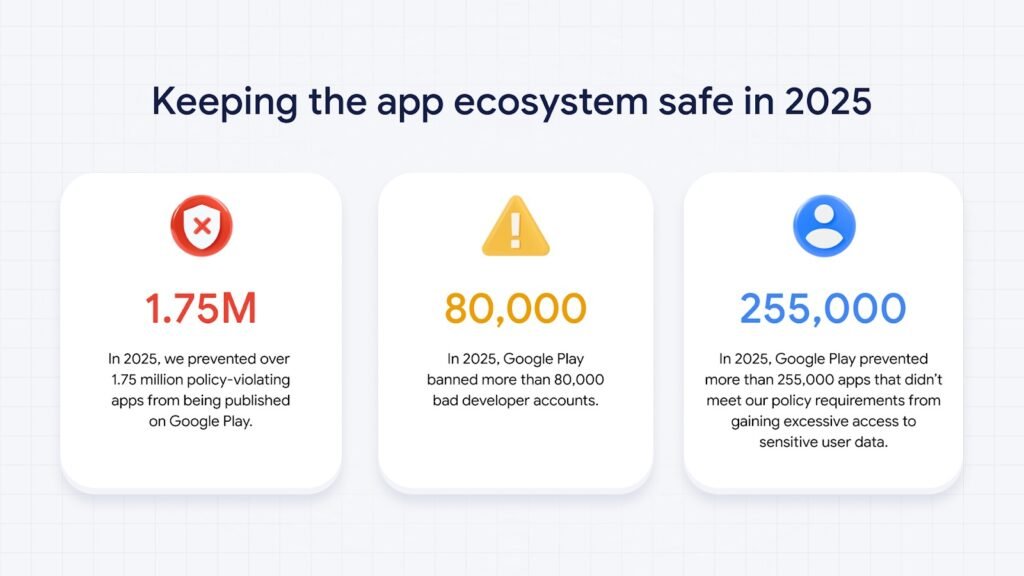
The numbers from 2025 illustrate the scale of this crackdown 👊. Google intercepted more than 1.75 million policy-violating apps before they could ever reach the Google Play Store 🛑. Simultaneously, the company purged over 80,000 developer accounts associated with malicious activity 👤. Google notes that by enforcing stricter verification protocols and mandatory pre-review checks ✅, it has significantly raised the barrier for bad actors 😈 while streamlining the process for legitimate developers to build compliant software 💻.
Getting an app listed is no longer a simple checkbox exercise ☑️. Every submission now undergoes a gauntlet of over 10,000 safety checks before publication 🔍, followed by continuous post-release monitoring 👁️. Throughout 2025, Google supercharged this process by integrating its latest generative AI models 🤖✨, equipping human reviewers with the tools to identify complex, malicious patterns with greater speed and accuracy 🎯.
Privacy remains a cornerstone of the company’s defensive strategy 🔒. By tightening its policies, Google blocked more than 255,000 apps that attempted to grab unnecessary access to sensitive user data 🤫. Furthermore, tools like the Data Safety section and Play Policy Insights in Android Studio 🛠️ have helped developers navigate these requirements, allowing them to reduce permission requests early in the build process 📋.
Integrity extends to user feedback as well 🤝. To preserve the reliability of app ratings ⭐, Google intercepted 160 million spam reviews, effectively neutralizing attempts to artificially inflate or crash scores 🚫. According to the company, these interventions prevented an average 0.5-star drop for apps targeted by coordinated “review bombing” campaigns 💣.
Google Play Protect continues to serve as the heavy lifter in Android’s defense architecture 🏋️. Scanning over 350 billion apps daily—including those sideloaded from outside the store 📥—the system’s real-time capabilities flagged over 27 million new malicious apps from external sources in 2025 alone 🌐. Fraud protection has also expanded significantly, now covering 2.8 billion devices across 185 markets 🌍. This layer alone blocked 266 million risky installation attempts tied to 872,000 high-risk apps ⚠️. Additionally, a new in-call scam protection feature now prevents users from being tricked into disabling Play Protect during suspicious phone calls 📞.
On the technical front, the Play Integrity API ⚙️ has been upgraded to support hardware-backed signals and “device recall” tools to spot repeat offenders. Android 16 is also stepping up with built-in tapjacking protection 👆, a feature developers can now enable with minimal coding effort 👨💻.
Looking ahead 🔮, Google has signaled that its investment in AI defenses and rigorous verification programs will only increase, aiming to solidify trust across the entire Android ecosystem 🤝.
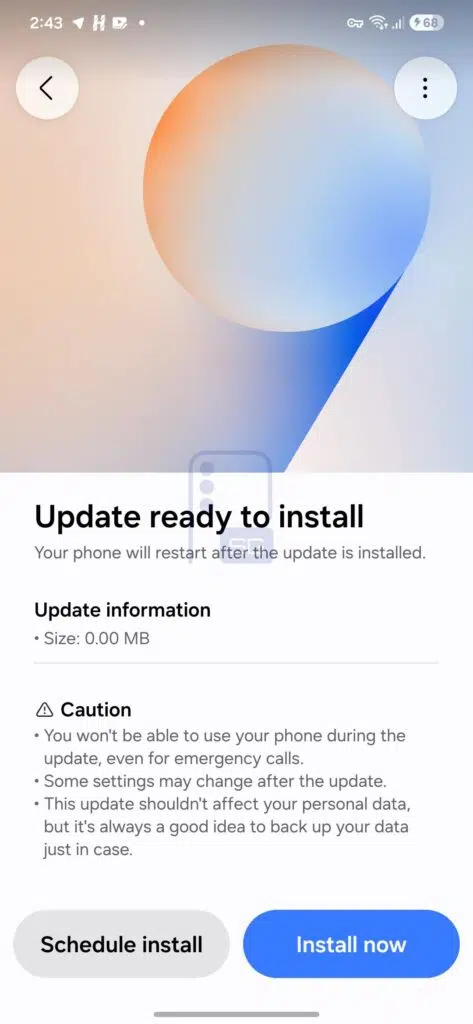
With One UI 8.0 already released and version 8.5 currently in the testing phase, the first traces of One UI 9 are beginning to surface. 🔍
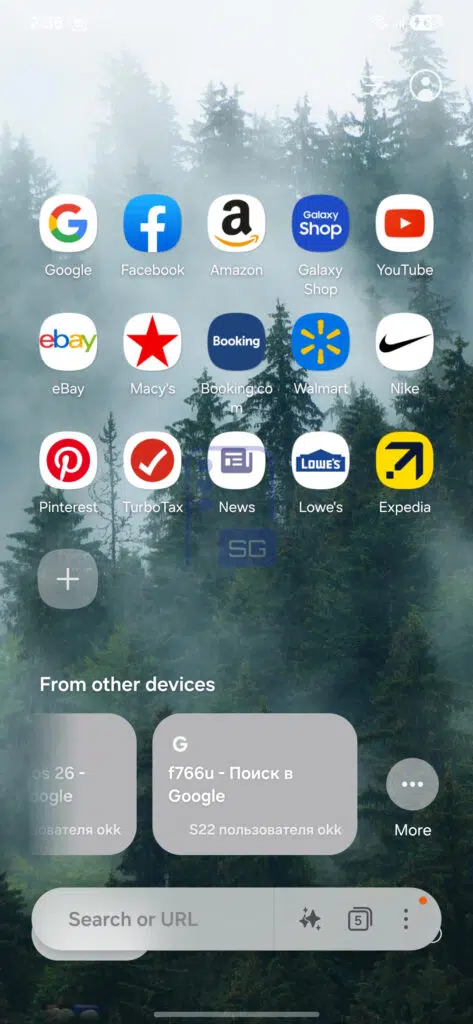
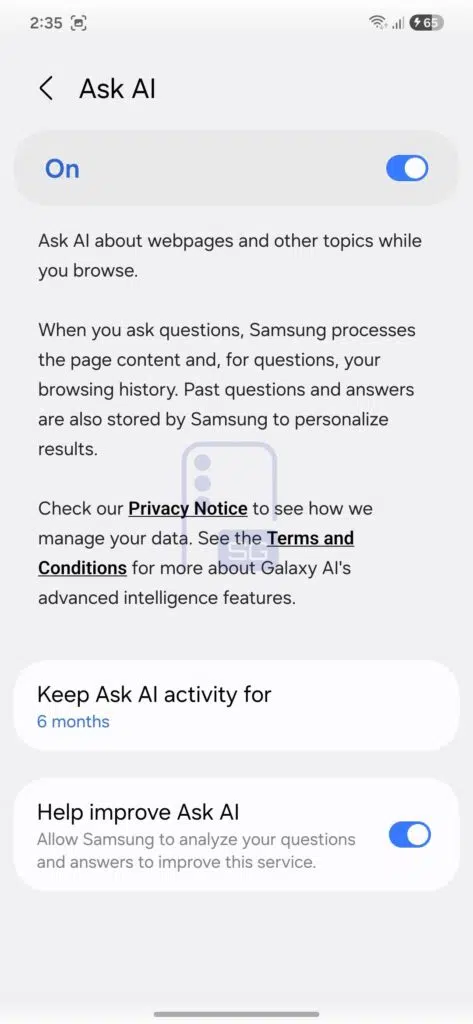
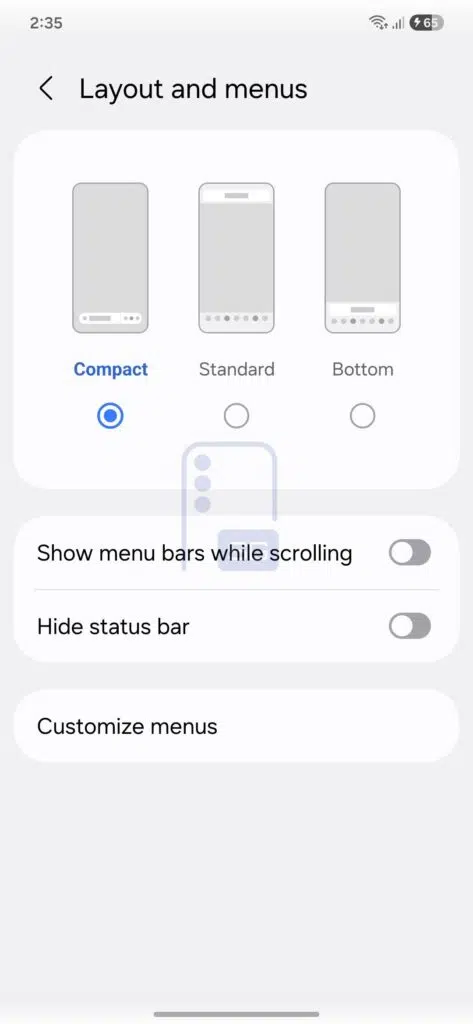
Internal firmware leaks indicate that Samsung has started early testing on this Android 17-based update, even though its public debut is likely still months away. 🛠️ If Samsung adheres to its typical cadence, One UI 9 could launch alongside mid-2026 foldables like the Galaxy Z Fold 8 and Z Flip 8. 🤳 For now, the changes we are seeing are subtle, but intriguing. 👀
The floating action elements introduced in version 8.5 remain, while the page now features a refreshed background graphic that feels significantly more modern. 🎨 At the top, there are two prominent controls: a back arrow on the left and a hamburger-style menu on the right for additional options. 🍔
An “Ask AI” button 🤖
The most significant development, however, seems to be happening inside Samsung Internet. 🌐 Early One UI 9 builds appear to introduce a new “Compact” layout option. This mode shifts toward a more immersive interface, featuring a redesigned bottom bar that groups search, recent tabs, and menu access—along with a notable addition: an “Ask AI” button. ✨ That is where things get interesting.
Reportedly powered by Perplexity AI, this feature builds on Samsung’s broader AI strategy. 🧠 Instead of simply summarizing a page, the tool is designed to analyze what you are reading and respond to contextual questions. 💬 In some cases, it can even factor in browsing history to provide tailored answers, such as comparing product prices or extracting key insights from long articles. 📊
Responses are presented in a structured, chat-style format, and conversation history can be managed to ensure privacy. 🔒 At least initially, availability is expected to be limited to Galaxy AI-supported flagship devices. 💎
If this rolls out widely, Samsung Internet could evolve into much more than just a Chrome alternative for Galaxy users. 🚀
While One UI 8.5 focused largely on visual refinements and wallpaper changes, One UI 9 appears to be centered on embedding intelligence into everyday tasks. 💡
Stay ahead of the curve! 📈 Join our Telegram community and sign up for our daily newsletter to catch the top stories in tech! 📢 📧

Tech2 weeks ago
Roborock unveils the P20 Max: A vacuum powerhouse with 35,000Pa suction & AI smarts 🤖🌪️🧠

Smartphones2 weeks ago
Vivo reportedly testing a massive single-cell 12,000mAh smartphone 📱🔋

Tech2 weeks ago
Xiaomi Electric Scooter 6 Ultra poised for global debut: 75km range and 1200W peak power 🛴🌍🔋⚡

Entertainment9 years ago
The final 6 ‘Game of Thrones’ Trailer

Entertainment9 years ago
The old and New Edition cast comes together to perform

Buying9 years ago
Phillies’ Aaron Altherr makes mind-boggling barehanded play

Videos3 weeks ago
Marvel Tōkon: Fighting Souls 🥊 arrives on PS5 and PC 🎮 this August 6, bringing the X-Men ❌ along for the ride.

Entertainment3 weeks ago
Samsung Galaxy Unpacked 2026 📅: The Galaxy S26 series ✨,

Videos3 weeks ago
Bradley the Badger channels Wreck-It Ralph in a meta video game adventure 🦡🕹️
-
 Entertainment9 years ago
The final 6 ‘Game of Thrones’ Trailer
-
 Entertainment9 years ago
The old and New Edition cast comes together to perform
-
 Buying9 years ago
Phillies’ Aaron Altherr makes mind-boggling barehanded play
-
 Videos9 years ago
Uber and Lyft are finally available in all of New York State
-
 Entertainment9 years ago
Disney’s live-action Aladdin finally finds its stars
-

 Buying9 years ago
Steph Curry finally got the contract he deserves from the Warriors
-

 Entertainment9 years ago
From ‘Dick Clark’s New Year’s Rockin’ Eve’ 🎸 to ‘Nashville’s Big Bash,’ 🤠
-

 Videos2 months ago
Pixar’s Win or Lose debuts first episode for free on YouTube 🎬 🏆 🆓